-
XP boot issue
Hello everyone. I'm sure most of you have touched on this topic before and I did search your achives for help, but being computer iliterate doesn't help.
My problem is this.
I have a 20 month old Compaq laptop model 2190 and its running Windows XP Home edition (service pack2). The other day when I came to work it wouldn't complete booting. It stops right before I'm to enter my password. Blue background with the Windows logo. I have tried booting from Safe Mode and other modes from within. I have tried using the reapir disk that came with the computer but its asking for the Administrators password. I never entered such password and can't get past it. My brother in-law suggested Knoppix. I was finally able to download version 3.8 onto a CD-R but nothing happens when I ask the computer to boot from CD-ROM. The drive is spinning but I'm NOT being asked to "press any key to boot from CD-drive". I gently resumes to the blue screen with the Windows logo. I'm not afraid to download, install, make changes, upgrade and repair. I just haven't had a reason to in the past.
Needless to say, I'd like to save all my work files before any refomatting. I must have read 20 pages today regarding Knoppix and how to burn as an images and what not. Much of it doesn't make much sense to me. I now have an ISO file on a CD-R taking up roughly 700MB. What do you suggest I do.
Sincerely,
Kenneth Rasmussen
-
Administrator
Site Admin-
Knoppix 3.8 should boot on that laptop fine with no problems. You most likely made the CD wrong. Details on what to do to make the CD and to get it to boot can be found in the downloading FAQ, found by following the Documentation link near the top of this page. If that doesn't answer all of your questions let us know and we'll revise it until it does.
-
Thanks. I'll look through it again and post tomorrow.
I did use the CD-burner program that came with Windows XP Pro version on my friends computer. I read somewhere that XP doesn't "support" ISO burning. Could that be a problem?
Kenneth
-
Administrator
Site Admin-
---
Verifying of md5 checksum and burning a CD at slow speed are important.
-
Easy way to burn ISO is (Best software company I know of!)
http://terabyteunlimited.com/downloads/burncdcc.zip
-
YEEEAAAHHHH.............So far so good. I got Knoppix 3.9 to access my files. Now I need to back them up. I have two options:
1. Back-up on our local server. Normally I would just plug my network connection into my computer and select the drive from "My Computer". Can I still do that?
2. Buy some form of external back-up device. ANy recommendartions? I like the USB sticks. Any good?
It;s going to be an awesome day.
Kenneth
-
Senior Member
registered user
USB memory sticks and/or USB hard drives usually work just fine, but in Knoppix 3.9 there is a bug that makes using USB storage devices difficult. I myself have not experienced it but others in these forums have suffered performance and compatability issues because of it.
I backup files & data to another running Windows 2000 system. In Knoppix open up the GUI file manager known as konqueror. It is the house icon on the taskbar. Once that comes up, in the location bar, I use the following to authenticate to a Windows server that requires a specific username & then access a windows networking share. In the location bar: or
Code:
smb://domain\username@hostname
If you do not need to authenticate to a domain but instead a server that requires a specific username, the form is:
Code:
smb://username@hostname
or as simple as
Code:
smb://IP.address.of.machine
I hope this helps.
James
*EDIT* cleanup
-
Uhhh..OK. It's getting over my head now, but I'll find somebody and give it a try. Do I need to reboot after making these changes? Also, could I use version 3.8 and avoid the USB issue?
Thanks for all your help
Kenneth
-
Senior Member
registered user
-
GREAT.. I managed to copy my files to our local server. Now, what can I do to fix my computer?
Should I re-install XP Home or upgrade to Xp Pro. Is there a way to check the current XP OS from Knoppix and possibly repair it?
Also, are there certain system files/folders that I need to copy. I see strange "User Data", "WINDOWS", and "Local Settings" folders that may be important (or corrupted).
Very happy right now,
Kenneth
Similar Threads
-
By Elwood55 in forum Hardware & Booting
Replies: 0
Last Post: 03-06-2007, 12:59 AM
-
By Imdbombboarder in forum Hardware & Booting
Replies: 10
Last Post: 05-18-2006, 07:21 AM
-
By jacksonon in forum Hardware & Booting
Replies: 0
Last Post: 03-04-2006, 02:17 AM
-
By Cronos55 in forum General Support
Replies: 4
Last Post: 06-05-2003, 06:19 PM
-
By deftblake in forum Hdd Install / Debian / Apt
Replies: 3
Last Post: 01-22-2003, 12:25 PM
 Posting Permissions
- You may not post new threads
- You may not post replies
- You may not post attachments
- You may not edit your posts
-
Forum Rules


128GB (4x32GB) SK hynix DDR4 PC4-2666V RDIMM ECC Server Ram HMA84GR7CJR4N-VK
$799.00
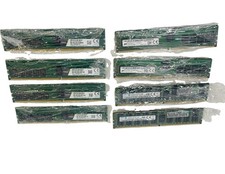
Lot Of (8) Mixed RAM Spacer DDR4 2666 Micron 2400T Samsung 2133P Desktop Server
$880.00

TF/SD Card Adapter Camera Reader Android Type-c For iPhone17 Pro Max Plusm lot
$573.98
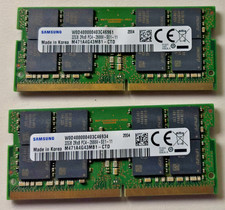
64 (32x2 GB) Memory for laptop Samsung PC4 2Rx8 2666V.
$260.00

Kingston 32GB 64GB 128GB 256GB USB 3.0 Flash Drive Thumb Memory Stick Pen lot
$285.90

USB 3.0 Flash Drive 32GB 64GB 128GB Memory Stick Thumb Stick Lot Pack
$826.09
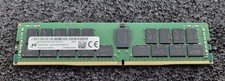
32GB Micron PC4 – 3200AA DDR4 ECC Registered Server RAM - MTA36ASF4G72PZ-3G2J3
$200.00

USB 3.0 Micro SD SDHC TF Card Reader Memory Adapter for PC Laptop Camera lot
$3.75

Windows 11 Pro Install/Recovery/Repair USB Flash Drive
$35.00

Microsoft Office 2021 Pro Plus USB for 1PC Windows 10 & 11
$62.50



 Reply With Quote


