-
Senior Member
registered user
check ISO and burn slowly

Originally Posted by
ockham23
Use cheat code "knoppix testcd" to check the cd. The test will take a few minutes. Watch the screen while the test is running. Output should be "ok" for all files.
Unfortunately, using the 'testcd' option won't work because Knoppix tries to "unite" the filesystems long before it runs "testcd". If you boot with the debug option (e.g. failsafe debug ), you will be able to get to stage 2 but no further.
Probably the simplest thing to do is to check the md5 hash of the downloaded ISO to what's on the websites/ftp sites. Once you know you have a good image, burn the image to the CD slowly, < 8x if possible.
Let us know what you use and how it goes.
Regards,
- Robert
http://www.cwelug.org
Similar Threads
-
By antoine.boutet in forum Customising & Remastering
Replies: 9
Last Post: 04-05-2006, 02:44 PM
-
By Albretch in forum General Support
Replies: 0
Last Post: 10-26-2005, 09:33 PM
-
By jackstl in forum Hardware & Booting
Replies: 14
Last Post: 09-19-2005, 11:53 PM
-
By tom_vear in forum Hardware & Booting
Replies: 4
Last Post: 07-23-2005, 03:51 AM
-
By Laputa in forum Hardware & Booting
Replies: 0
Last Post: 07-18-2005, 07:56 AM
 Posting Permissions
- You may not post new threads
- You may not post replies
- You may not post attachments
- You may not edit your posts
-
Forum Rules


IBM System X3850-X5 Server w/4x Intel Xeon E7-4870 CPU , 512 GB DDR3 RAM,NO HDD
$1599.99

Unused IBM 09P0037 MAINBOARD For RS/6000 7044-170 P-Series
$375.00

IBM 7915 AC1 M4 E27R704 Server Intel 2650V2 32GB RAM NO HDD w/ 2x 750w PSU
$225.00

IBM QRadar xx29 2x Xeon E5-2650v4 2x 900W PSU M5120 12x 3.5" Bay Server No RAM
$179.99

IBM Power 8 S822L Server 8247-22L POWER8 Enterprise 256GB RAM 2x 00KV626 CPU
$999.99

IBM SYSTEM X3500 M3 SERVER 7380AC1 TOWER Server XEON E5620 8GB RAID SEE NOTES
$110.30

IBM System x3550 M3 1U Server 2x Xeon E5645, 192GB RAM, 2x 300GB HDD (7944-AC1)
$150.00
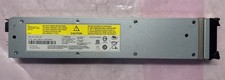
IBM 02CL197 FLASH SYSTEM 840-900 LITHIUM ION SERVER BATTERY MODULE 990854
$225.00

IBM ADP Server Type 7870 AC1 NO HDD | 128GB RAM PC3L | 2 x Xeon E5620
$199.99
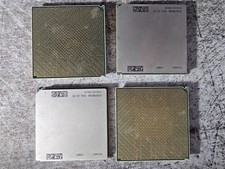
Lot of 4 IBM 52Y4089 POWER7 CPU Processor Modules Server CPUs
$49.99



 Reply With Quote