

Known also as Debian Bug 235599 or 230617:Originally Posted by Gencho
http://bugs.debian.org/cgi-bin/bugreport.cgi?bug=235599


Am I the onli one with this problem?
When booting Knoppix 3.7 with kernel 2.6 or knoppix 3.9, xboing runs too fast.
With kernel 3.4 (Knoppix 3.7) the speed is OK.
I am not the only one, I see it mentioned here:
http://www.knoppix.net/forum/viewtop...er=asc&start=0
But is there a solution?
Known also as Debian Bug 235599 or 230617:
http://bugs.debian.org/cgi-bin/bugreport.cgi?bug=235599
Hi being new and quite clueless i wonder if someone could point me in the right direction
The patch mentions editing the source of xboing to put in some more code
How would i do this and is it possible with the live cd?
Thanks
angrypenguin,
Ahhh, the LiveCD boot problem... Havent checked yet, but the link you provided, MAY, have been me who mentioned the problem initially (not sure, will need to check after this post reply)
Anyway, I never resolsed the problem, xboing ran so fast that the ball fell before you even had the chance to move the paddle, not to mention the sound was messed up as well... My resolve, was, to locate another "brick-out" game, and then, not to install anymore... Not the best solution, but, it did resolve the issue, kind of( I just never played the game anymore )
Anywho, running off the LiveCD, you can not do what they are stating you need to do... if, what I read in your post, is correct, you need to have Linux installed on a hard drive, or, at least a place where you can store files. To compile, from source code, requires libraries, the source code of the program, and space to store these, as well as the compiled, linked, etc... and the finished program. Once the program is "compiled", it can then be installed, like the apt-get install, into your system. You need to be booted under the operating system you want to compile the source code from, which, would work with the LiveCD, but, you also have to have storage space for the files, and untimately, the executable program... So, if you are booting off the LiveCD, and you dont save configs, or, installed as a "Poor Mans" installation, or, have a permanent home config, you dont have the storage... The CD is read-only.
Possible resolves... Pester the creator of "xboing" to release a "tinkered" version of there game... Get someone to make the changes, compile it, and package it in one of the Debian Repositories for getting it thru the "apt-get install" process... Or, hard drive install a "Debian" Linux, download the source for xboing, and do it yourself... My best input
Not really sure if this helps, but, I tried
Ms. Cuddles
Thankyou for your help,
I am totaly off the CD and installing it all is a bit much hassle.
I will probably try and find another simular for windows.
Thanks again
angrypenguin,
In a futile attempt, I wondered if XBoing had made any changes... Not to mention, I havent had a chance to play a game, in which, you cant keep up with it... So, decided to apt-get install xboing -=- apparently, they must have figured out that people running 2.6 kernels, cant play the game, because, they seem to have fixed the sound, and game play speed... It is exactly how I remember it, only, now, you can actually play the game
Enjoy
Ms. Cuddles
when i run the live cd of knoppix 5.0.1 xboing is way too fast as well...but after i installed it to my hd it ran at regular speed...however it seems to make my comp freeze up after a few minutes of play...probalby a different issue though
 Posting Permissions


Dell ST6000NM0034 1HT27Z-150 NWCCG 6TB SAS 3.5 7.2K ENTERPRISE SERVER DRIVE
$68.99

Western Digital HUS726T4TAL5204 4TB 7.2K SAS 12Gb/s 3.5" 512e HDD NetApp X375A
$64.00

Toshiba 1TB 2.5" SATA HDD MQ01ABD100V 5400RPM 9.5mm Laptop Internal Hard Drive
$53.99
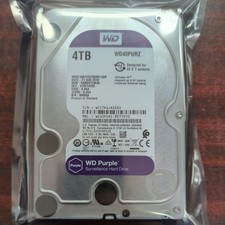
WD Purple Surveillance 4TB WD42PURZ 3.5" SATA Hard Drive - 31 AUG 2018
$95.00

HGST HUA723030ALA640 3TB SATA 7200 RPM 3.5 in Enterprise HDD | 0F14044 (100%)
$45.00

Seagate ST6000NM0115 6TB 256MB 7200RPM 3.5" SATA 6.0Gb/s Enterprise Hard Drive
$159.99

HGST HUS724040ALA640 4TB 7200 RPM SATA 3.5" Internal Desktop Drive 100% Health
$78.00

Hitachi / HGST Travelstar HTS541010B7E610 1TB 2.5" SATA III HDD
$29.99

HDD 3.5" SATA Hard Drive with Windows 10/Win 11 64x Installed Legacy
$35.00

HUS726060ALA640 HGST Ultrastar 6TB SATA 6Gbps 7.2K 3.5" Hard Drive OF21860
$129.99

