

 Reply With Quote
ifconfig by itself will only list 'up' or configured devices.
Use 'ifconfig -a' to list all configured & unconfigured network devices and see if your device is listed.


I own an Inexq uro55g (zydas 1211 chipset) ; Zydas has released this driver: http://www.zydas.com.tw/downloads/download-1211.asp . I modified Makefile to point to linux source /usr/src/linux-2.6.12 then I issued make , modprobe -v zd1211, and lsmod says me that the driver is installed (tried also insmod zd1211.ko). The problem is that if I type ifconfig I can see only my eth0 (realtek) and no eth1 comes up. How can I do ? (sorry if I did something wrong but this is the first time I try to install a linux driver)
tnx
ifconfig by itself will only list 'up' or configured devices.
Use 'ifconfig -a' to list all configured & unconfigured network devices and see if your device is listed.
 Posting Permissions


Crucial MX500 1TB 2.5" SATA III Internal SSD CT1000MX500SSD1
$102.99

Samsung 860 EVO 250GB SSD MZ-76E250 2.5" SATA III Solid State Drive -
$39.99

Netac 2TB 1TB 512GB 256GB Internal SSD 2.5inch SATAIII Solid State Drive lot
$549.00

Samsung 2.5" 870 EVO SSD SATA III 250GB 500GB 1TB Internet Solid State Drive Lot
$90.00

Samsung 256 GB Internal SATA SSD Fully Tested 50%-79% Health
$24.00

Fanxiang 256GB 512GB 1TB 2TB 4TB SSD Lot 2.5'' SATA Internal Solid State Drive
$42.99

Fanxiang 1/2/5/10Pcs 2.5'' SATA SSD Lot 1TB 2TB 4TB 512GB 256GB TLC Internal SSD
$129.99

2 PACK 128 GB SSD M.2 2280 SATA Solid State Drive Major Brands, Samsung, LiteON
$28.00

Micron MTFDDAK256TBN 256 GB, Internal ,2.5" SSD
$23.00
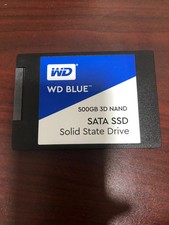
WD Blue 500GB 3D NAND 2.5” SATA III SSD
$40.00