

 Reply With Quote
well i guess i put this in the right forum?? but i can't belive no one can help me. Huh weird!


well i really just don't kno a whole lot about linux or how to get it to connect to the internet. i am running knoppix 3.9 from the cd and i have a 56k AC-link voice modem and i'm not sure but i don't think knoppix recognizes it or not but i also don't know what i am doing so that could be the problem can anyone help me with getting me connected?
well i guess i put this in the right forum?? but i can't belive no one can help me. Huh weird!
can anyone help me PLEASE i would really like to sontinue using Knoppix but i can't figure out how to get it to connect to the internet. I really like linux more than wondows but as of right now with no help have to resort to using windows. PLEASE HELP ME!!!!!
It's likely that no one knows what a 56k AC-link voice modem is. Is that a brand name?
You might want to help yourself, there has been a lot of talk in this forum about the issues of using winmodem type modems in Knoppix (if that's even what it is), what is supported and what is not. Reading through the old posts is likely to bring you up to speed fast.
well it's a gateway pc and the modem is an onboard modem it's not pci if that helps at all. but at least thanx for the reply! i'd just like to kno if i can use knoppix with my modem or not. Also i guess i would like to kno of and linux distro's that run off of cd's will work with my modem or modem type?
pci isn't the issue, but if it's motherboard based it's almost certainly a software modem or "winmodem". Some chip sets of these modems are now supported in Linux, but not many. For more information you might want to use the forum search features and look for winmodem, win-modem or "software modem". It might also help you to know what modem chipset your motherboard uses. I'm still not clear on what AC-link means. Maybe a Gateway owner can tell you more, but I suspect there are plenty of different chips used in different Gateways, so without more information you are still making it hard for people to give you quality feedback.
If you have Windows installed on your computer, go into Properties in
your modem setup... it should tell you the kind of Chipset the modem
uses.
Post that information here and I'm sure you will find out in quick order
if it is supported or not. If not in Knoppix -- perhaps in another suggested
Linux flavour. If it reads SmartLink or Lucent / Agere you are probably
in luck. Actually there are quite a few supported -- you just need someone
to point you in the right direction -- you have to supply info first!
Even though serial modems (expensive) work best in Linux, the right
$10-$15 lin-win modem works great...
sorry if this is the wrong thing but i found this "hardware ID: pci\ven_8086&dev_2416&subsys_0012107b" is this any help because you weren't too clear on where i would find out what my chipset is reply back and tell me how to find it a little clearer. Thanx for the help!
oh i also thought this might be something to help "PCI bus 0, device 31, function 6" it says it's a pci card but i have had my Pc open many times and there is no pci modem in there that i can see i'm sure it's on the motherboard i did have a sys-link ethernet card but i removed that to make room for my nvidia video card.
OK.. I might have mislead you a little bit here. Let me say this before I go further.
Using a software modem is not equal in every Linux Distro. I found this out after
playing with several different ones. In some, the process is easy, and in others it is
pretty close to impossible if you have little Linux experience (like me).
In Windows you need to go to the "Control Panel" and then follow "Administrative
Tools", to "Computer Management", to "System Tools" and look under the "Device
Manager" for "Modems". Mine is listed as "PCtel HSP56 MR"... Go the the Modem
Listed and back-click to "Properties".. it will bring up a menu for the modem function.
You should see information under the "General" tab and if you click on the "Diagnostics"
tab you can "query" the modem for more info. And that's about as much information
you can find about your modem in Windows -- and it can be misleading sometimes.
Let me explain briefly. In this computer my PCtel modem is actually a "riser Modem"
on a very small card (mini PCI slot). I know it is a SmartLink chipset because I discovered
this by accident when trying out a Linspire (free) "live" CD and it just was there... which
saved me plugging in a serial modem and made me very happy. To keep this as short as
possible: Eventually I discovered I could use any SmartLink chip modem (PCI) in Kanotix
as well (Knoppix clone). Didn't start by itself, but Kanotix has support built-in if you go to
a Terminal and (as root) type "/etc/init.d/sl-modem-daemon restart". I cannot find this little
add-on in Knoppix.
Hope I haven't lost you yet. Back to my finding for "PCtel HSP56". I "Googled" this and found
out you can use "slmodem" (SmartLink) driver in Linux... but you will have to get up to speed to
figure out what to do.
The bottom line is that quite a few software modems will work fine in different versions of Linux.
Is is very confusing -- oh yeah! If I were you I would try a couple of different live Distros and see
if any work -- whole lot cheaper than running out and buying a serial modem. My understanding is
that Mepis will work (out-of-the-box) with Lucent/Agere chipsets as well. On my wife's computer;
she uses Linspire (easy), it was simply a matter of buying a SmartLink PCI modem ($10) and firing
it up -- it was already to go and works great. A genuine "Linmodem"
I know it is confusing and urge you not to get discouraged. Not enough attention is paid to modems
in Linux. It seems that seasoned Linux users are just too quick to discourage you from using a
software modem you already have. In my case I have several computers to play with (retired) and
only 2 serial modems. I just got tired of switching cables -- was delighted to discover I could use a
$10 sw modem and get great performance. Like a lot of people I don't have access to hi-speed internet,
so modems are important to me.
If I rambled a bit -- sorry. Make sure you go to this and other forums and do a "search" for software and
winmodems. Some of the information is a hair mis-leading so keep an open mind as you learn.
Hope I've helped -- even a little bit.
 Posting Permissions

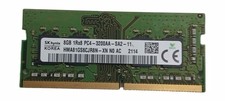
Sk Hynix 8GB PC4-3200AA PC4-3200 260-Pin SO-DIMM Laptop RAM
$37.99

Corsair CMK32GX4M2B3000C15 Vengeance LPX DDR4 3000mhz Memory Kit - 32GB (2x16GB)
$164.95

Corsair Vengeance DDR3 8GB 16GB 32GB 1866MHz PC3-14900 Desktop RAM Memory DIMM
$43.00
![[ BULK LOT OF 10 ] 8GB DDR3 LAPTOP RAM SAMSUNG, HYNIX, etc. picture](/store/img/g/qNwAAeSwPEtqobcJ/s-l225/-BULK-LOT-OF-10-8GB-DDR3-LAPTOP-RAM-SAMSUNG-HYNIX-.jpg)
[ BULK LOT OF 10 ] 8GB DDR3 LAPTOP RAM SAMSUNG, HYNIX, etc.
$89.99

RAMAXEL Lenovo 32GB LPDDR5X CAMM2 7500MHz Laptop RAM | UNTESTED
$445.00
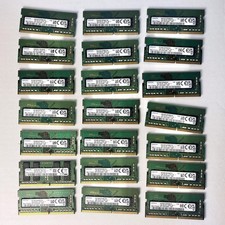
Samsung (21x16GB) 336GB 1Rx8 PC4-3200AA, PC4-2666V Laptop Memory DDR4
$1299.00
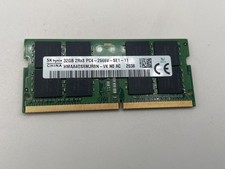
SK Hynix 32GB (1x32GB) 2666MHz HMAA4GS6MJR8N-VK 2Rx8 PC4-2666V Laptop RAM
$129.95

Major Brand 16GB (2x8GB) PC3-12800U DDR3-1600MHz DDR3-12800 DESKTOP RAM NON-ECC
$29.99

LOT OF 23 Ram Sticks-Corsair Vengeance CMZ8GX3M2A1600C9 4GB (4GBx23=92GB Total)
$129.99
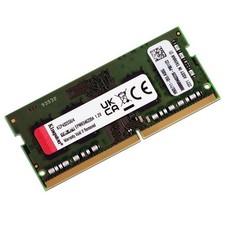
Kingston KVR32S22S8/16 16GB 3200MHz PC4-25600 DDR4 260-Pin SODIMM Laptop Memory
$109.49