-
Senior Member
registered user
Gary King,
Welcome to the world of "Live Cd OS's 101" [giggle]
Three, levels, of a LiveCD OS exist, probably more, but, I'll just cover three 
1 ) CD-ROM boot, no drives used - advantages: viri attacks are only done to RAM, and Read-Only Access file systems - thus, the power goes out, viri go bye bye - configurations are only done in RAM, and, again, a Read-Only Access file systems - thus, if a configuration is screwy ( highly technical term here ), you just power off, and it all goes away - Lastly, hackers, and people who infiltrate computer systems, gain nothing on a LiveCD OS that isnt storing any data, or files, other than in RAM. As for the USAGE, the skies the limit... I have heard that some people, and companies are using Network Servers, File Servers, etc., using a LiveCD OS booted off the CD.
2 ) CD-ROM boot, with configuration files, temp files, and installed programs, on either hard drives, or removable media - advantages: the "bulk" of the Operating System files are still on a Read-Only Access file system, thus, viri and hackers are "almost" held at bay, but, you can save you boot configurations, setups, personal files, install some programs, and still not go "full-blown" hard drive installed. Benefits: a nice transition to hard drive installing, without having to give up your other installed OS, or give up large storage areas for the install of this OS.
3 ) Complete hard drive installing, either with a "dual boot" with another OS resident, or as itself alone - advantages: complete access to everything possible that Linux has to offer, and the security of having one of the most "secure" OS's on the market.
LiveCD Operating Systems provide a nice niche, they allow the "safety", and "security" of booting another OS, without having to "install" it... Its kind of like the "Shareware Theory"; try it, before you buy it... only the "buy" here, isnt purchasing, or monetary, but, rather, deciding to install, or its usefulness, kind of thing. When a LiveCD OS is being used, you will find, that, lots of people "started out" by booting it off the LiveCD, and then, moved up, to hard drive installing it... Some, have found, that they are more than fine, staying back in the booting off the CD, and others, have moved to installing... Its a personal thing. Some people find the advantages of booting the LiveCD only, more, useful than having to actually install it. And, yet, others, find the installing an "evolutionary" thing ( this is my case ).
Nothing wrong with staying with the LiveCD booting off the CD... It all depends on the person, and what they want to do, or what they want to use the OS for. But, by far, and more often, many choose to go on and install it.
Most of the time, for the people who say they started out, booting the LiveCD, and then moved up to hard drive installing the OS, will say, it made Linux a good "transition" for them. Me included.
I actually started using Knoppix, from booting the LiveCD, then progressed to using the LiveCD with saving to a hard drive, and then, finally, moving up to hard drive installing it, and then, lastly, complete scrubbing my previous Windows OS, and only installing a Linux OS on my systems. Again, it made a very nice "transition" from Windows to Linux.
I have been corrected many times, on this subject, and, before someone points out, again, that I didnt mention it... here goes... Another nice niche, a LiveCD OS provides, is that of, providing a nice way for recovering from another OS failure. i.e. say your Microsoft Windows [place version here], decides to take a dump, and make everything you have on your hard drives, completely unaccessable... You can, with a good LiveCD OS, place the CD-ROM ( or DVD-ROM ) disc into your inflicted OS's drive, boot it to this LiveCD OS, and then possibly correct, or recover, the problem. At worst case, at least gain access to personal, non-backed-up data files, and recover them to another media.
As many Windows users have found, not having a backup, or relying on the "stability" of there OS, has been to there downfall... And, many of the LiveCD OS's, mostly being Linux, have been good on the recovery side for this problem. Another nice point about a LiveCD OS, most, if not all, do not touch ANYTHING on your system, hard drives, modems, your other OS's configurations, files, etc... unless you do it yourself, or you ask the OS to do it... Thus, a level of "protection" exists with a LiveCD OS, that not many "installable" OS's can state. A LiveCD OS, allows, say, transportability, to places, where, an installable OS is not permitted.
Hopefully, this helps a little,
Ms. Cuddles
Similar Threads
-
By computerophil in forum Other Live CDs
Replies: 0
Last Post: 05-20-2009, 11:24 AM
-
By teckjunkie in forum Hdd Install / Debian / Apt
Replies: 7
Last Post: 10-04-2004, 08:06 AM
-
By subarus in forum Hdd Install / Debian / Apt
Replies: 2
Last Post: 04-16-2003, 01:36 PM
-
By jan.tw in forum The Lounge
Replies: 5
Last Post: 03-20-2003, 12:55 PM
 Posting Permissions
- You may not post new threads
- You may not post replies
- You may not post attachments
- You may not edit your posts
-
Forum Rules


Acer Predator Helios Neo 16S AI 16" i9 275HX 2S RTX 5070 Ti 32GB 1TB SSD Refurb
$1671.47

Dell Latitude 14" Laptop Computer Intel i5 Up To 32GB RAM 1TB SSD Windows 11 Pro
$316.61

Samsung 2.5" 870 EVO SSD SATA III 250GB 500GB 1TB Internet Solid State Drive Lot
$90.00

External SSD 1TB 2TB 4TB Portable Hard Drive USB 3.0 Type-C High Speed PC Mac
$19.99

SAMSUNG T7 Portable SSD 1TB Indigo Blue USB 3.2 Gen2 External MU-PC1T0H/AM
$159.99

Netac 2TB 1TB 500GB Internal SSD M.2 NVMe PCIe3.0 Solid State Drive lot
$129.99

Crucial MX500 1TB 2.5" SATA III Internal SSD CT1000MX500SSD1
$102.99

Apple iPad Pro 12.9" 5th Gen 128GB 256GB 1TB 2TB Wi-Fi Or Cellular - Good
$489.99
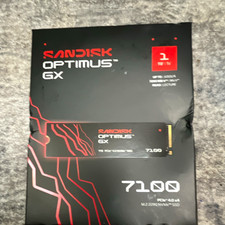
SanDisk Optimus GX 7100 1TB M.2 2280 NVMe PCIe 4.0 x4 SSD Heatsink
$150.00
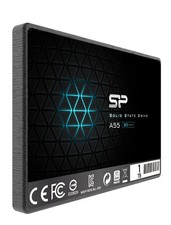
Silicon Power 1TB SSD 3D NAND A55 SLC SATA III 2.5" SSD Laptop XBOX PS3 PC
$119.99



 Reply With Quote