

 Reply With Quote
Only one place to type it. You can type the F2 key at that poinr to get more help. Are you typing the name Knoppix too, or just the screen= stuff?


Hi, Having got Knoppix up and running I can only use 640x480 resoluion. I have tried cheat code screen=1024x768, but it makes no difference. Am I typing it at the right point? (The first chance I have to type anything?)
When I check display settings I only have the one 640x460 choice.
Thanks for your help,
Rich
(Took this question out of my previous post, thought it might get buried in there and might be hard to see for others with similar problems!)
Only one place to type it. You can type the F2 key at that poinr to get more help. Are you typing the name Knoppix too, or just the screen= stuff?
Yes I am typing "knoppix screen=1024x768" but with no effect?
Originally Posted by Harry Kuhman
---
Verifying of md5 checksum and burning a CD at slow speed are important.
I tried F2 but to no avail, it still doesn't make a difference.
I tried fb=1024x768 appended to knoppix as well.
Does knoppix have to be Knoppix? Is it case sensitive?
In versioon 3.7 ot could be knoppix or knoppix26. It is the name of the kernel file that is loaded. Version 2.6 (as opposed to 2.4) of the kernel is now the default, so I think that it's the only viable option to run knoppix, although memtest will load a copy of memtest86 for you. I don't know anout case sensitivity, and am not in a position to test that at the moment. I just type it as instructed and it becomes a non-issue.
Oh, and if I remember right, expert, used in place of knoppix in this line, is the proper way to start the expert bootup sequence which steps you through and asks questions as it decides what hardware tests to run.
do you have integrated graphics?
i had a problem changing resolutions when i was using integrated graphics.
Yes i do have Intel Integrated graphics. What did you do?
I'm going home to try out those different kernel settings today.
Hopefully it will work...
 Posting Permissions


(New) AMD Ryzen 7 5700X 8 Core 16 Thread AM4 Unlocked 3.4 GHz CPU OEM Tray
$174.99
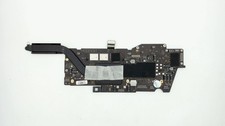
Apple Macbook Pro 13" A2338 M1 8-core CPU, 8-core GPU, 16GB, 1TB Logic Board
$295.00

Clear Touch Interactive Module CTI PCMOD PC55 ST i5 6core,8GB DDR4,256GB SSD NEW
$225.00
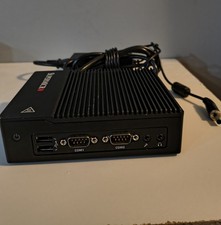
New Supermicro SuperServer E50-9AP-Wifi Mini PC Server
$175.00

AMD Ryzen 7 9800X3D 8-Core 16-Thread AM5 Zen 5 Desktop Processor NEW
$395.00
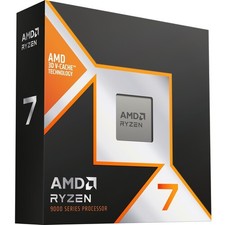
*Brand New-Factory Sealed* AMD Ryzen 7 9800X3D 8-Core 4.7 GHz 100-100001084WOF
$389.00
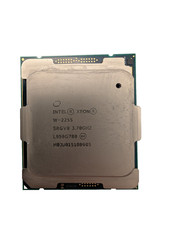
Used & Tested Intel Xeon W-2255 SRGV8 3.70GHz 19.25MB 10-Core CPU Processor
$194.99
Intel Core i9-9900 SRG18 3.10GHz 8-Core Desktop CPU Prcoessor LGA1151
$165.00
NEW Intel Core Ultra 7 265T 20-core 5.3GHz LGA1851 CPU Processor SRQCS 8P+12E
$269.99
Dell OptiPlex 7070 Micro i7-9700T 32GB RAM 512GB NVMe SSD WiFi Windows 11 Pro PC
$285.00