-
Senior Member
registered user
Tried pppoeconf but didn't work
Hey everyone,
I currently have a DSL connection and tried to configure it using pppoeconf, yet when I did, I couldn't connect to the internet at all. I know it is not an issue with my modem since it works in Kanotix and Ubuntu.
The Knoppix I used was 4.0 (the DVD version).
Anyone got any ideas as to why it doesn't work? I'd love to use 4.0 since it's so feature rich, but unfortunetly I can't even connect to the internet.
-
Senior Member
registered user
I don´t have experience with 4.0, but maybe nodhcp will help (at the begining). Kanotix use network card with no IP adress at all, neither DHCP nor Static. How it does - not know, but this is it. Do ifconfig in terminal (as root) and you will see something like this:
eth0 Encapsulamento do Link: Ethernet Endereço de HW 00:50:8D:66:BA:EE
endereço inet6: fe80::250:8dff:fe66:baee/64 Escopo:Link
UP BROADCASTRUNNING MULTICAST MTU:1500 Métrica:1
RX packets:1656 errors:0 dropped:0 overruns:0 frame:0
TX packets:1753 errors:0 dropped:0 overruns:0 carrier:0
colisões:0 txqueuelen:1000
RX bytes:1271141 (1.2 MiB) TX bytes:274410 (267.9 KiB)
IRQ:11 Endereço de E/S:0xe000
This is eth0 w/o IP adress. (Language here is portuguese, distribution is brazilian Kurumin, based on Knoppix & Kanotix)
-
Administrator
Site Admin-
Re: Tried pppoeconf but didn't work

Originally Posted by
jacksonon
I currently have a DSL connection and tried to configure it using pppoeconf, yet when I did,...
You don't use a router, do you? While you should be able to configure Knoppix to work without one, this and many other problems will just go away if you have a router hooked to the DSL modem and you connect to that. You will just boot and be on the Internet, no Knoppix setup needed at all. And you will have a much safer connection. Windows is particularly vulnerable to attacks if you are on the Internet without the hardware filewall a router offers (it has been reported that the average system without a hardware fireewall is compromised within 4 minutes of being placed on a high speed connection!) but this is a growing threat for Linux too.
Routers are dirt cheap now. My little wired Linksys was about $150 when it first came oyt, I paid over $100 for it, but you can now buy many routers for $10 or less after rebate, some with wireless capability. CompUSA even had one for $2.99 this week!
-
Senior Member
registered user
since it works in Kanotix and Ubuntu....
I don´t know nothing about Ubuntu. Kanotix setup network card automagicaly in no IP adrress mode, Kurumin asks during installation if I want to configure network and I choose ¨no¨ so it did same thing as Kanotix and my conection to ADSL through simple Ethernet modem and 1 network card works OK. This is why I sugest ¨nodhcp¨ cheat code. Maybe this is ¨poor man conection¨ - w/o router, and has some disadvantages, but it is good as ¨first aid¨.
-
Senior Member
registered user
OK, I'll definetly try out nodhcp.
And no, I don't use a router.
-
Senior Member
registered user
it works!!!!
Thanks a lot guys, I'm posting this in Knoppix as we speak.
You've all been really helpful.
Similar Threads
-
By ml2 in forum Hdd Install / Debian / Apt
Replies: 0
Last Post: 10-23-2007, 08:36 PM
-
By yalegodman in forum Hdd Install / Debian / Apt
Replies: 1
Last Post: 05-20-2007, 06:48 PM
-
By plener in forum Networking
Replies: 0
Last Post: 02-22-2006, 01:43 PM
-
By oscar in forum Customising & Remastering
Replies: 0
Last Post: 05-23-2003, 12:55 AM
-
By guest in forum Hdd Install / Debian / Apt
Replies: 6
Last Post: 12-30-2002, 06:52 AM
 Posting Permissions
- You may not post new threads
- You may not post replies
- You may not post attachments
- You may not edit your posts
-
Forum Rules


AMD Ryzen 5 5500 Processor ( read Description)
$59.00

INTEL CORE I9-10940X X-SERIES PROCESSOR | 3.30GHZ | SRGSH
$179.99
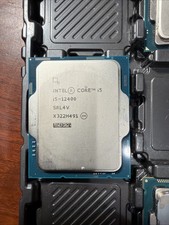
Intel Core i5-12400 Processor SRL4V
$115.00

(LOT OF 20) Intel Core i5-8400 CPU 2.80GHz Desktop Processor (SR3QT)
$700.00

Intel Core i7-9700 Octa-Core 3 GHz Desktop Processor LGA 1151
$79.99

Intel Core i7-3770K 3.5 GHz Processor
$39.00

Intel Core i5-12500T SRL5W 2GHz 18MB 6 Core Socket LGA1700 Desktop CPU Processor
$114.99
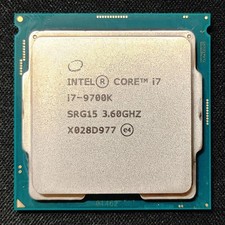
Intel Core i7-9700K Octa-Core 3.6 GHz Desktop CPU
$99.99

Intel Core i7-4770 3.40GHz Quad Core SR149 LGA 1150 CPU Processor tested
$35.00
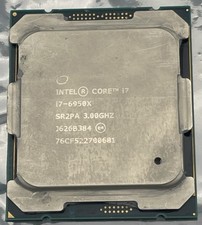
Intel Core i7-6950X Extreme Edition 3.0GHz Processor SR2PA LGA2011 10 Core CPU
$162.95



 Reply With Quote