

 Reply With Quote
What version of Knoppix are you using? Versions 3.8.2 and later have some issues with USB.Originally Posted by yoma
Regards,
- Robert
http://www.cwelug.org


I have a simple problem:
I can mount my usb-harddrive without problems.
I can copy files to it from KDE.
When i manually mount the drive and use the cp command to copy files to it (eg: /mnt/uba1 )
The copy stops after copying some files and then marks NO SPACE LEFT ON DRIVE.
It looks like the copy goes to ramdrive and gives error when it runs out of memory.
Is there some kind of option i have to add to the cp command so that i can automate copies via shellscript?
If i mount the drive from withing KDE the copy runs for a lot longer then when manually mounted, but in the end i get IO errors, which i don't get from within KDE.
Does anyone know what exact mountcommand is issued by KDE so that i can include it in my script?
Basically what i want to do is take a big directory and copy it via shellscript to a USB2 device.
What version of Knoppix are you using? Versions 3.8.2 and later have some issues with USB.
Regards,
- Robert
http://www.cwelug.org
 Posting Permissions

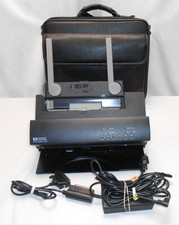
HP Hewlett Packard Deskjet 310 With Accessories Vintage EXCELLENT Condition
$164.99
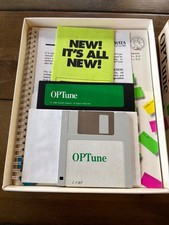
Vintage Gazelle Systems OP-Tune 1.3 Box Complete CIB Dual Floppy 3.5 5.25 DOS
$54.99
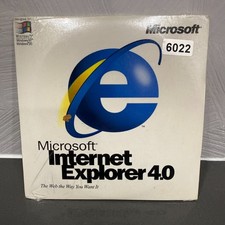
VINTAGE FACTORY SEALED MICROSOFT INTERNET EXPLORER 4.0 CD-ROM - NEW RARE BLUE CD
$34.99
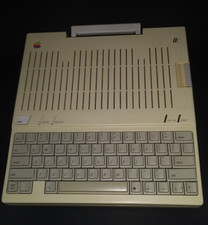
Apple iic A2S4000 vintage computer
$200.00

Various vintage computer disks.
$50.00
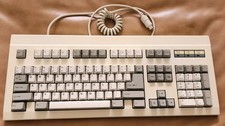
Vintage JME JKB-6151B Click Mechanical Wired Computer Keyboard - PS2 - Tilt Feet
$190.00
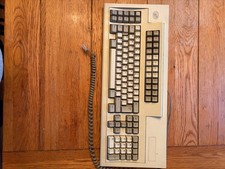
Vintage IBM PN 1394167 October 1996 Mechanical Keyboard Computer Sept/ 1994
$54.99

Original Vintage Old Style STANDARD Black CD Jewel Case (Heavy Duty) 90g Lot
$316.95
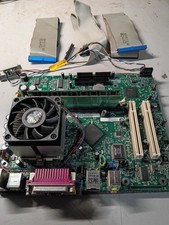
vintage Gateway motherboard, socket 370 1ghz cpu, 256mb ram, cables, power switc
$86.99

Vintage NEC CDR-1410A 50 Pin SCSI CD-ROM Optical Drive Used
$39.99