

 Reply With Quote
Not sure why you want to set the path for it. Have you tried: update-alternatives --config java
How are you installing java? With java-package?


Every time I upgrade to a new version of java, I forget how to set the PATH variable.
I know you can use export, but I've manually editted the PATH var so as to remove the old path setting from
/usr/java/j2sdk1.4.2_08/bin/java
to
/usr/java/jdk-1_5_0_04/bin/java
TIA,
AJG
Not sure why you want to set the path for it. Have you tried: update-alternatives --config java
How are you installing java? With java-package?
Well, I'm installing the self-extracting *.bin from java.sun.com
The instructions say to download it whereever, say /root
Then, cd to the dir you want to extract it to, say /usr/bin/java and execute the *.bin creating a subdir there.
Now, I want all the users on this server to use the new executables for java, javac, appletviewer and javadoc versions 1.5
I think I remember now, all I did in the past wasto edit the path line and then reboot orCode:kwrite /etc/profileBTW, is there a way to see the current path without opening the file /etc/profile?Code:source /etc/profile
Also, to uninstall the old jdk, do I simply remove its dir from the path and delete that dir and all its subdirs?
TIA,
AJG
Have you seen this? http://serios.net/content/debian/jav...va-package.php
The point with java-package is that you create a .deb with it which can then be (un)installed with dpkg.
For a single user I sometimes just export the path manually with PATH=/some/new/path:$PATH && export PATH but you said you don't want this so how about:
sed -i 's/sbin/sbin:\/some\/new\/path/' /etc/profile
You can choose something else than sbin of course, I didn't even check if it's mentioned only once. Or you can echo the path somewhere.
OK, I'll have to look at your link. However, I seem to remember having a problem the first time I installed java with a *.deb
Sun Micro provides the *.bin and a *.rpm so i used alien to convert the *.rpm to a *.deb and tried to install it with kpackage. However, the *.deb generated was incomplete. I figured alien couldn't handle such a large file....
Thanx for the help,
AJG
I didn't see a question there so I neglected to answer, perhaps I should have. Did it work? As you probably noticed java-package uses the bin from sun as well, so it isn't that different except that you get a deb out of it.
Thanx for your concern. However, I have to wait until I get back to school after Labor day to play around with this.
Regards,
AJG
That was fast
 Posting Permissions

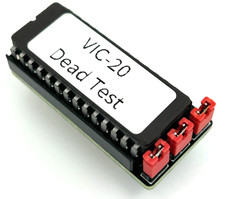
Commodore VIC-20 Dead Test Rom - USA seller
$19.99
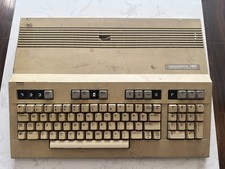
Commodore 128 Vintage Computer Not Working No Power Damage READ
$129.00
Commodore 16 C16 Computer Matching Serial Box Tutor Cartridge Tested Workong
$174.99
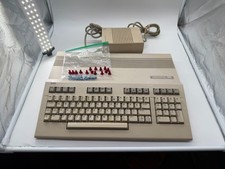
Commodore C128 Comp w/ Original Box TESTED & WORKING + Original & PETG Key Plung
$297.98
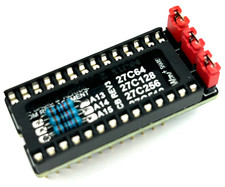
Commodore 64 & VIC-20 BASIC & Kernel ROM Replacement Adapter - USA seller
$17.99
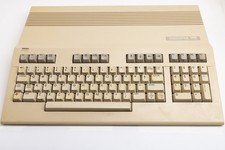
Vintage Commodore 128 Computer Powers On Not Tested with Power Supply
$169.99
Commodore Plus/4 computer for parts or restore
$50.00

Commodore 64 Serial Cable 6PIN DIN 1541 1571 C64 128 C128 Disk Drive Printer USA
$10.49

Commodore OS USB | Bootable LIVE + Install | The Ultimate Gaming Linux OS | NEW
$11.99

Commodore 64 Dead Test & Diagnostic Cartridge & Test Harness Set - USA seller
$39.99