-
Booting Knoppix from USB HDD
Hello all,
I have seen a lot of post about how to transfer Knoppix to a Usb stick, and I thought that i just use the same HOW TO (SUCCESS) to install (and boot) it from my 20 gig USB HDD. However it does not seem to work. I tried it using pbs's post at http://www.knoppix.net/forum/viewtopic.php?p=64999 . I want to boot it from the harddisk, to take it to work and use it at home without changing any computer setting e.g. MBR or install any lilos.
Did anybody try to install and boot knoppix from an USB HDD?
Thanks for the help.
P.S. I'm a TOTAL linux newbie, but consider myself to have some computer understanding

-
Junior Member
registered user
Re: Booting Knoppix from USB HDD

Originally Posted by
zdrojew
Did anybody try to install and boot knoppix from an USB HDD?
Yes, I do. There are already many posts in the forum to describe how can you install Knoppix to a USB stick. Actually, this is a PMI installation. Are you going to do a full installation, i.e. Knoppix to HDD as if Debian to HDD?
Below is extracted from my post at http://www.knoppix.net/forum/viewtopic.php?t=20539
Originally Posted by
d00m3d
Be warned, Knoppix is designed to be a LiveCD in principle. The use and installation to any media are at your own risks.
I haven't tried the installation of Knoppix-4.0 DVD version, but installing Knoppix to a USB is indeed possible, but tricky.
I have installed successfully Knoppix3.9 to a USB HDD, major steps are:
1. Prepare a custom kernel without the ub support
2. Install Knoppix into USB HDD, GRUB will fail at this point because of the nasty ub support
3. Reboot an existing Linux system (or other LiveCD without ub), chroot into the Knoppix-partition in your USB HDD and install the custom kernel from (1).
4. Make few changes to the mkinitrd.conf and modules in the /etc/mkinitrd directory
5. Create a initrd for this kernel so that the kernel is capable to find the necessary modules during boot process.
6. Install GRUB into the MBR of your USB HDD
I know Knoppix-4.0 already get rid of the ub, so it may be more straightforward.
If you are still interested in the steps as described above, I may write in more details.
If you don't want to go thru these tedious steps, then the easiest way is to download and install the latest version of Kanotix (bleeding edge variant of Knoppix).
Would this help?
-
Thanks a lot, I'm going to try this over the weekend. I will also try the Kanotix version. So far I never heard of it. Maybe that might be an easier way for me, so I can start getting deeper into linux..
Thanks, I keep you updated.
Similar Threads
-
By Zapper in forum Hardware & Booting
Replies: 1
Last Post: 03-29-2007, 09:07 PM
-
By jtsymbo in forum Hardware & Booting
Replies: 2
Last Post: 01-23-2006, 01:08 AM
-
By MavetLaAravim in forum General Support
Replies: 3
Last Post: 03-04-2004, 04:58 AM
-
By p3 in forum General Support
Replies: 14
Last Post: 09-17-2003, 09:01 PM
-
By Mindfield in forum General Support
Replies: 4
Last Post: 02-24-2003, 07:16 PM
 Posting Permissions
- You may not post new threads
- You may not post replies
- You may not post attachments
- You may not edit your posts
-
Forum Rules

Major Brand 8 GB PC3L-12800 (DDR3-1600) 2Rx8 DDR3L Laptop Memory RAM
$10.99
G.SKILL Trident Z RGB 16GB Ram Kit
$80.00
Team Group T-Create Expert RAM 32gb (2 x 16gb) 6000 Mhz DDR5 Desktop Memory Modu
$399.95

Corsair CMK32GX4M2B3000C15 Vengeance LPX DDR4 3000mhz Memory Kit - 32GB (2x16GB)
$164.95

Corsair Vengeance DDR3 8GB 16GB 32GB 1866MHz PC3-14900 Desktop RAM Memory DIMM
$85.00
48GB(6 x 8GB) Mixed Brand PC4-2666V DDR4 Desktop UDIMM RAM - R1051A
$129.95
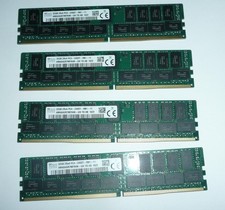
SK Hynix 128GB (4 x 32GB) PC4-2400T DDR4 ECC Server Memory HMA84GR7MFR4N-UH
$649.95
Sk Hynix 8GB PC4-3200AA PC4-3200 260-Pin SO-DIMM Laptop RAM
$37.99

LOT OF 23 Ram Sticks-Corsair Vengeance CMZ8GX3M2A1600C9 4GB (4GBx23=92GB Total)
$129.99
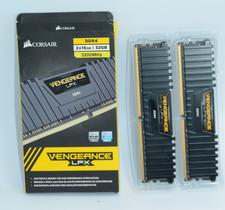
Corsair Vengeance LPX 32GB (2x16GB) RAM DDR4 3200MHz
$175.00



 Reply With Quote