-
basic post-hdinstall security
I'm new to knoppix. What do I need to do right after installing to get secure? I know most new boxes get probed quickly so I'm anxious to get my security up.
-
Administrator
Site Admin-
For a start and for a DSL user like yourself, I consider a router an absolute must. I would not connect high speed without one. Windows is more vulnerable than Linux, and Knoppix run from CD is pretty secure. But Linux attacks are getting worse, and particularly if you think installing Knoppix to hard disk is a good idea, then I would start at using a router.
A DSL/cable router will give you a good hardware firewall and your system can't be "probed" through it unless you set it up wrong, do something stupid like run an infected program, or move into the "dmz". These things are dirt cheap now; my little Linksys originally cost arround $150, I paid over $100 for it and it was still worth it (and I'm a cheap s.o.b.). Now this and other routers, many even wireless routers, are frequently sold at $10 US or less after reate and usually not much more without a rebate. You can still buy expensive routers, but they are not usually a good choice. If you don't know why you need an expensive one, don't just think it must be better because it costs more.
A router will also make your use of Knoppix much cleaner. You will not have to run PPPoE software, for example. And if you still use Windows that will be much safer (after you clean out the infections you must have by now without one).
I expect others will join in with some of the Linux security and firewall issues as well.
---
Verifying of md5 checksum and burning a CD at slow speed are important.
-
really now
Getting a router is the tip of the iceberg when it comes to security. Everyone is eventually going to have to open a port or use a service of some kind, besides there are known exploits for 2wire routers, certain linksys models, and plenty of reverse backdoors that barely give notice to the router. I would suggest doing the following things to begin.
-Edit /etc/inetd.conf and comment out any services you don't need
-Google rc.firewall
-Get a rookit hunter
-You may want to look into /etc/hosts.allow and hosts.deny if you only have certain people you want connecting
-Always use public keys for ssh
-Do not trust anyone
Anyway you can build on this but this is good for getting secure quickly.
Similar Threads
-
By anders in forum Hardware & Booting
Replies: 3
Last Post: 04-24-2005, 05:35 AM
-
By lavaman094 in forum Hdd Install / Debian / Apt
Replies: 1
Last Post: 09-01-2004, 02:09 PM
-
By hybridus in forum General Support
Replies: 2
Last Post: 03-27-2004, 10:24 PM
-
By schunn99 in forum The Lounge
Replies: 2
Last Post: 02-27-2004, 02:22 AM
-
Replies: 1
Last Post: 04-10-2003, 02:52 AM
 Posting Permissions
- You may not post new threads
- You may not post replies
- You may not post attachments
- You may not edit your posts
-
Forum Rules

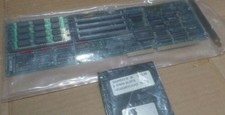
Vintage Computer Peripherals Inc. Ramsack III ISA Memory Expansion 16bit 8 SIMM
$85.00

Vintage HP 21MX 1000 M-Series Minicomputer Chassis Backplane Parts AS-IS
$228.19
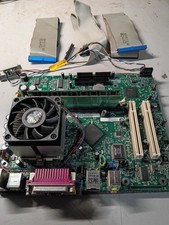
vintage Gateway motherboard, socket 370 1ghz cpu, 256mb ram, cables, power switc
$69.99

Lot of 2 Vintage Plextor PX-43CS SCSI CD-ROM Caddy Drives + 4 Caddies Used
$55.99
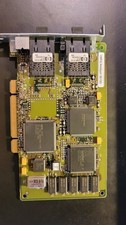
Compaq 242506-001 Netelligent 100 FDDI DAS Fiber SC PCI Network Adapter Vintage
$249.00
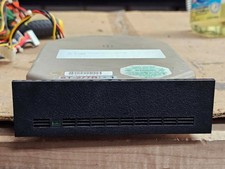
Vintage Retro NOS Seagate ST-277R-1 65MB 5.25" RLL Hard Drive Vintage XT AT Era
$129.95

Original Vintage Old Style STANDARD Black CD Jewel Case (Heavy Duty) 90g Lot
$316.95

Abacus Software Vintage Commodore 64 Book Lot 3: Printer, Sci & Eng, ML
$100.00

Vintage Personal Accounting & Essential Office 2 CD-ROM PAK For Windows 3.0
$114.00

VINTAGE COLLECTIBLE Comp USA Maxtor 20 GB 3.5 Inch EIDE Hard Drive NEW SEALED
$500.00



 Reply With Quote