-
Saving LyX files
I just got Knoppix 3.1 which I am running from the live Cd on an intel box using win 98.
Knoppix 3.1 has LyX, which a drop down wiswog for the math typing program Latex.
My question: If I want to write a math paper in LyX and save it, while running Knoppix from the live CD, how can I do this? Can I do it by saving to a floppy? Do I format the floppy as a Linux floopy?
If I want to send that floppy to arxiv or a journal using Aol, I need to send it using windows, so do I format it in the windows way? If I do, how can I save the file using
Knoppix on it?
Can I save files on a USB external drive or keychain?
Thanks
Penny
-
Administrator
Site Admin-
Re: Saving LyX files

Originally Posted by
algebraic
I just got Knoppix 3.1 which I am running from the live Cd on an intel box using win 98.
Knoppix 3.1 has LyX, which a drop down wiswog for the math typing program Latex.
You should know that 3.1 is very old software (about 3 years old). There have been many revisions and fixes to Knoppix since then (and some nasty bugs added). So there may be some support issues with 3.1 nd it may be missing drivers for some things that are in newer versions. But if it is working for your hardware than I am not telling you to upgrade, just mentioning this.
Originally Posted by
algebraic
My question: If I want to write a math paper in LyX and save it, while running Knoppix from the live CD, how can I do this? Can I do it by saving to a floppy? Do I format the floppy as a Linux floopy?
You can write to a floppy, but on that system you don't have to. Win98 uses FAT type partitions. Knoppix can read and write to FAT partitions just fine. You may see some mention in the forums of not writing to a Windows NTFS partiion. NTFS is the newer type partition that is used in XP. Microsoft has done a lot of strange things to NTFS that they are keeping secret, apparently to keep Linux from working with the new disk structure. At this point Linux can read files on a NTFS partition just fine, but it is not safe to write to a NTFS partition, it can destroy the entire partition.
Since you can write to a FAT partition, you can save to your hard disk or to a floppy, and the floppy can be a floppy with a "normal" format. You can also save to a flash device, I'm pretty sure that you will find that the drivers in 3.1 recognize your generic flash device. It may help to be sure that the flash is inserted at boot time for hardware detection (I'm not sure if this will be needed, but it will not hurt).
Now, here's the one "trick" that you need to know. Since Knoppix is written as a live CD and intended, among other uses, to help introduce new users to Linux, it has a "do no harm" approach. It doesn't write anything to the hard disk unless you tell it to, and it defaults to accessing the hard disk as "read-only" so a new user doesn't type in things and accidently delete part of all of the disk. But it is very easy to change this default read-only nature to read-write.
There are several ways to do this. The command line way is with the mount command. Type man mount at a terminal window (shell) for details. A simpler way is with the GUI. There should be icons on your desktop for the various disk partitions that Knoppix has found. These are C, D, and so in in Windows. They will have names like hda1, hda5, hdb1 or so on in Knoppix (the h indicates hard sisk, your flash drive will start with a different letter, likely s). To mount a partition for write access, right click on it and select the actions ... submenu. You should be able to make the change from there.
Originally Posted by
algebraic
If I want to send that floppy to arxiv or a journal using Aol, I need to send it using windows, so do I format it in the windows way? If I do, how can I save the file using Knoppix on it?
There are ways to put on of the various Linux file formats on the floppy or hard disk, but it seems like you will be sticking with FAT formats that will work fine. Of course, the person who receives the file still has to be able to open, read and properly reproduce the data that LyX writes to the file. This depends highly what the other party is using. I doubt very much of they use Word, for example, that it will read a LyX file, even though it is on a FAT fformatted floppy. But on the other hand Word is extremely buggy when you do a lot of work with it's built-in equation editor. I have a friend who does math text books, and many times she has lost a lot of work due to equation editor bugs.
-
saving lyx files
Harry,
Thanks for your help.
I will save my LyX file to my hard drive. Once I mount the windows drive, what do I type on the command line to save my file in the windows drive? Do I just copy the file to a directory in the windows directory as mounted in Linux, using the linux file name that already appears in LyX? Similarly, for the mounted floppy? ( I don't have to format the floppy in Linux, right?)
I prefer to do everything that I can using the console (shell), as this is much less confusing than saving files and mounting stuff in KONQUERER.
thanks
Penny
p.s. My reason for running Knoppix 3.1 is to use LyX as my latex interface. I don't have a dvd drive, and newer knoppix or Quantian only has LyX on the DVD. I wish that could be fixed, as the math community would use Knoppix a lot, if that were done.
As to: sending to Journals, once I create a LyX file, it creates a standard latex or amslatex file as well as a dvi file. The journals these days all want just the latex file, which is an ASCII file.
P.S. I am learning LyX by running a tutorial this morning, and I must say, it works very well indeed, so far.
p.s. I am quite new to linux, and I must say that it is still a bit confusing---BUT I LIKE IT.
-
Administrator
Site Admin-
Re: saving lyx files
Originally Posted by
algebraic
... Once I mount the windows drive, what do I type on the command line to save my file in the windows drive? Do I just copy the file to a directory in the windows directory as mounted in Linux, using the linux file name that already appears in LyX? Similarly, for the mounted floppy? ( I don't have to format the floppy in Linux, right?)
I prefer to do everything that I can using the console (shell), as this is much less confusing than saving files and mounting stuff in KONQUERER. ....
I'm a bit confused by this question, as to save your LyX file I would think you do that inside the LyX application, not at the command line. I have not used LyX so I don't know exactly what you type there. If you are at a command line and find that the file is not where you want it to be, you can move it with the command mv or (to play it safe) copy it with cp and then remove the old copy with rm after you are satisfied that the cp did what you expected. By law all Unix/Linux commands must be cryptic and tricky to remember. Of course, if the above commands don't look geeky enough, you can use cat to copy the file by redirecting the output.
The floppy has to have some format on it. Maybe I'm giving away my age that I remember the days when you would buy blank floppies and have to format them yourself. But as long as the floppy has a normal FAT format on it, you don't have to (and don't want to in this case) put a Linux format on it. See man mount for any details.
Similar Threads
-
By khaji00 in forum General Support
Replies: 2
Last Post: 09-22-2006, 02:10 AM
-
Replies: 3
Last Post: 11-16-2004, 02:16 AM
-
By lostwishes in forum General Support
Replies: 1
Last Post: 05-16-2004, 09:43 AM
-
By millennia in forum General Support
Replies: 6
Last Post: 03-05-2004, 11:42 PM
-
By attenuation123 in forum General Support
Replies: 2
Last Post: 12-28-2003, 01:31 PM
 Posting Permissions
- You may not post new threads
- You may not post replies
- You may not post attachments
- You may not edit your posts
-
Forum Rules


Intel Core i7-3770K 3.5 GHz Processor
$39.00
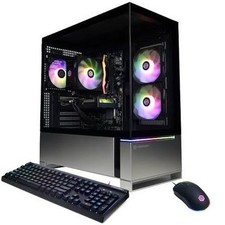
CyberPowerPC Pc, AMD Ryzen 7 8700F, NVIDIA GeForce RTX 5060 (FAIRLY USED,No Box)
$800.00

Corsair RM750e 750W Fully Modular 80 Plus Gold ATX 3.1 PSU Certified Refurbished
$44.99
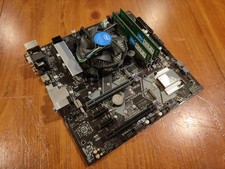
COMBO: ASUS Prime H370M-PLUS MOTHERBOARD + i5-9400F CPU /w Heatsink + 16GB DDR4
$169.95
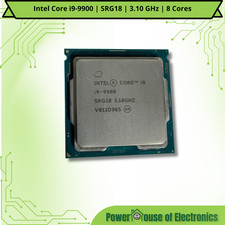
Intel Core i9-9900 | SRG18 | 3.10 GHz | 8 Cores | LOT OF 10
$1505.77

Intel Core i7-7700T 2.9GHz 8MB Socket LGA1151 Quad Core Processor SR339
$39.99

Intel i7-8700 Coffee Lake 3.2GHz 6-Core Max Turbo 4.6GHz Processor
$69.99
Intel Core Processor i7-8700T (SR3WX) 2.40GHz 6 Core Socket LGA1151 CPU
$89.99
ABS Flux II Aqua Gaming PC - i5-14400F - Intel Arc B580 12G - 32GB DDR5 - 2TB
$989.95
Intel Core i5-11500 2.70 GHz LGA 1200 Desktop CPU Processor SRKNY
$94.99



 Reply With Quote