-
Administrator
Site Admin-
Re: saving lyx files

Originally Posted by
algebraic
... Once I mount the windows drive, what do I type on the command line to save my file in the windows drive? Do I just copy the file to a directory in the windows directory as mounted in Linux, using the linux file name that already appears in LyX? Similarly, for the mounted floppy? ( I don't have to format the floppy in Linux, right?)
I prefer to do everything that I can using the console (shell), as this is much less confusing than saving files and mounting stuff in KONQUERER. ....
I'm a bit confused by this question, as to save your LyX file I would think you do that inside the LyX application, not at the command line. I have not used LyX so I don't know exactly what you type there. If you are at a command line and find that the file is not where you want it to be, you can move it with the command mv or (to play it safe) copy it with cp and then remove the old copy with rm after you are satisfied that the cp did what you expected. By law all Unix/Linux commands must be cryptic and tricky to remember. Of course, if the above commands don't look geeky enough, you can use cat to copy the file by redirecting the output.
The floppy has to have some format on it. Maybe I'm giving away my age that I remember the days when you would buy blank floppies and have to format them yourself. But as long as the floppy has a normal FAT format on it, you don't have to (and don't want to in this case) put a Linux format on it. See man mount for any details.
Similar Threads
-
By khaji00 in forum General Support
Replies: 2
Last Post: 09-22-2006, 02:10 AM
-
Replies: 3
Last Post: 11-16-2004, 02:16 AM
-
By lostwishes in forum General Support
Replies: 1
Last Post: 05-16-2004, 09:43 AM
-
By millennia in forum General Support
Replies: 6
Last Post: 03-05-2004, 11:42 PM
-
By attenuation123 in forum General Support
Replies: 2
Last Post: 12-28-2003, 01:31 PM
 Posting Permissions
- You may not post new threads
- You may not post replies
- You may not post attachments
- You may not edit your posts
-
Forum Rules

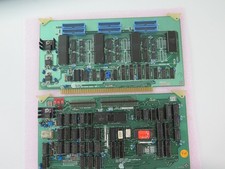
Vintage Rare California Computer Systems Boards for Altair IMSAI S-100 Systems
$275.00
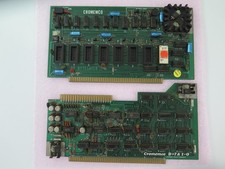
Vintage Rare Cromemco Boards for Altair IMSAI S-100 Systems
$225.00
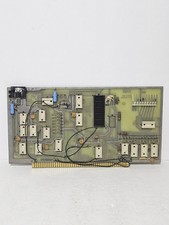
MITS 88 SIOB Serial-TT, An Single Serial I/O Port S-100Board For the Altair 8800
$189.95

Computer Photo History Altair 8800 Philco 212 CDC 6600 DEC PDP-8 Apple 1 UNIVAC
$65.00
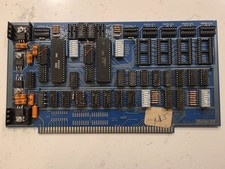
SSM IO-4 S100 I/O Interface Board 2-Serial 2-Parallel Altair IMSAI Untested
$119.99
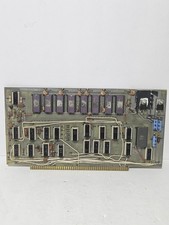
MITS Altair 8800 4K RAM Board
$675.00

S-100 backplane motherboard bare PCB 9 slot (for Altair/IMSAI)
$34.99
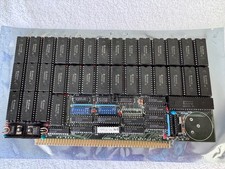
Vintage Octagon 256K Static RAM (32 x HM6264LP-12) Board S-100 Altair IMSAI
$150.00

CP/M 86 1.1R 8086 Highmonitor 8 Inch Floppy Diskette 80s IMSAI Altair
$29.99
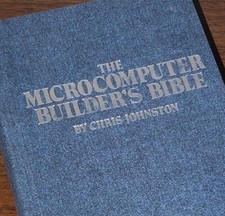
Microcomputer Builder's Bible IMSAI 8080 Z80 ADM-3A DEC LSI-11 Altair 8800 Bus
$59.99



 Reply With Quote