

 Reply With Quote
My guess is that your .jpg file isn't really in .jpg format. Try another, known .jpg file and see if the same thing happens.


I just upgraded my pc (hd install) with the latest knoppix ..
I loaded up the gimp and then tried to open a jpg file that I d/l from the web... and I get this error:
" GIMP Message
Opening '/path to my file.......jpg...' failed:
Plug-in could not open image".
HELP !!!!!!!!!!!!
I used apt-get to remove the gimp, then I used it to re-download and install it but I get the same error both ways !
Any ideas on how to fix this?????
My guess is that your .jpg file isn't really in .jpg format. Try another, known .jpg file and see if the same thing happens.
Do file filename.jpg to see what it is.
I have verified that they are in fact jpg files.
I also tried with a few known jpg files and I get the same error.
What can this be ????
Did you use apt-get remove --purge to be sure configs are overwritten with new ones?
 Posting Permissions

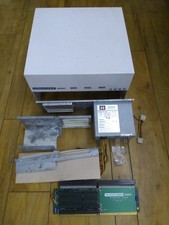
HighFlyer Amiga 4000 Tower & Bus Extender, Expansion Systems A4000T Kit
$888.50
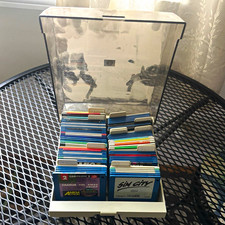
ALS Storage Box with Assorted Amiga Format 3.5" Floppy Disks
$199.00

Microbotics Starboard 2MB + SCSI Sidecar for Amiga 1000 Vintage Computer READ
$329.00

Amiga Model 1080 RGB color CRT monitor - Parts Or Repair - Doesn’t Power On
$100.00

Amiga 1000 Computer w/ Monitor Keyboard Mouse Disc Drive Sidecar Expansion Discs
$895.00
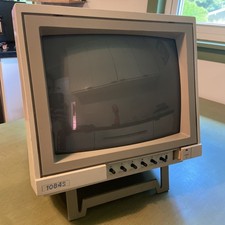
Commodore Amiga Color CRT Monitor Model 1084S-P Stereo - Parts Or Repair
$100.00

Commodore Amiga 4000 Motherboard Rev B - untested
$225.00

Amiga Emplant Emulator Card For Commodore Amiga 2000 4000 3000
$249.00

RGB2HDMI Amiga 500 UltraLong (Accelerator Friendly) HDMI Games, non-RTG A500
$50.00
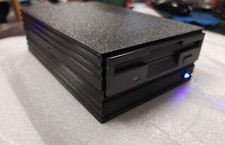
External fully assembled GreaseWeazle 3.5 inch Floppy Drive
$135.00