

 Reply With Quote
Start/Setting/ControlCenter/Mouse/General...


How can I make the mouse pointer in KNOPPIX 3.2 look like the one on KNOPPIX 3.1 (a big arrow..)?! I find it very hard to trace on my old laptop's screen!
Start/Setting/ControlCenter/Mouse/General...
Already done that... doesn't work...
Hi,
# update-alternatives --config x-cursor-theme
choose core.theme
and restart x-server
--Kester.
I think that's it! But something's wrong...
# update-alternatives --config x-cursor-theme
> No alternatives for x-cursor-theme
Doesn't work!
I also am very frustrated by the size and color of the mouse. I am using a Toshiba laptop. Worked fine on 3.1. Changing the settings on Control Center/Perpherals/Mouse/General relults in no change.
Can someone please help with this problem. I am tempted to go back to 3.1 .
gfrick
Well.. I've found a solution! I've changed not only the cursor size... but the WHOLE cursor
http://www.kde-look.org/
Look under "X11 Mouse Themes"
PX.
Thank you very much for the info that set me on the right path. While I did not install any of the WW.kde-look.org X11 mouse themes, reading the installayion instructions gave me the info I needed.
.
I changed /usr/lib/X11/icons/default/index.theme
from Inherits=whitelass
to Inherists=redglass
While the cursor is the same size, now I can see it against a light background..
gfrick
I use the Flat White Mouse with Shadow X11 Mouse Theme from kde-look.org. It looks good and is easy to see on my laptop screen. To get the mouse pointer to change on the desktop as well, you may need to move your KNOPPIX.desktop file to another folder so Knoppix will make a fresh one on reboot.
Yup, kde-look.org is the ticket. You have to make a ~/.icons directory and put it in /etc/skel. You also have to edit the /etc/X11/Xsession.d/45xsession script and make it be copied over along with the rest of the user knoppix's profile.
I used the silver Xcursors in my remaster, Overclockix.
 Posting Permissions


Netac DDR4 32GB 16GB DDR4 3200MHz UDIMM C16 Desktop Internal Memory RAM Kit
$99.99

16GB KIT (2x8GB) DDR4 Gamer Desktop RAM PC4 MIXED BRANDS
$65.00

Samsung 8GB DDR4 SO-DIMM PC4-3200AA 260-Pin RAM M471A1G44BB0-CWE Module
$29.25

A-Tech 8GB DDR3 1600 PC3-12800 Laptop SODIMM 204-Pin Memory RAM PC3L DDR3L 1x 8G
$21.68

MINT Micron Cisco 32GB PC4-2400T DDR4 2Rx4 RDIMM RAM MTA36ASF4G72PZ-2G3 LOT
$159.99
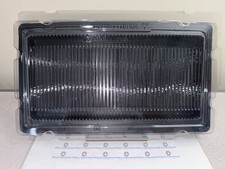
50x RAM Box Tray DDR2 DDR3 DDR4 DDR5 ESD DIMM Memory Shipping Storage Transport
$9.99

Major Brand 16GB (2x8GB) PC3-12800U DDR3-1600MHz DDR3-12800 DESKTOP RAM NON-ECC
$29.99

DDR4 Laptop RAM 4GB 8GB 16GB 32GB 2400 2666 3200 Samsung Hynix
$30.00

RAMAXEL Lenovo 32GB LPDDR5X CAMM2 7500MHz Laptop RAM | UNTESTED
$445.00
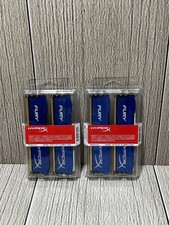
Lot of 2 Kingston Fury 8GB (4x4GB) HX316C10FK2/8 DDR3-1600MHz Ram
$41.74
