

 Reply With Quote
Start/Setting/ControlCenter/Mouse/General...


How can I make the mouse pointer in KNOPPIX 3.2 look like the one on KNOPPIX 3.1 (a big arrow..)?! I find it very hard to trace on my old laptop's screen!
Start/Setting/ControlCenter/Mouse/General...
Already done that... doesn't work...
Hi,
# update-alternatives --config x-cursor-theme
choose core.theme
and restart x-server
--Kester.
I think that's it! But something's wrong...
# update-alternatives --config x-cursor-theme
> No alternatives for x-cursor-theme
Doesn't work!
I also am very frustrated by the size and color of the mouse. I am using a Toshiba laptop. Worked fine on 3.1. Changing the settings on Control Center/Perpherals/Mouse/General relults in no change.
Can someone please help with this problem. I am tempted to go back to 3.1 .
gfrick
Well.. I've found a solution! I've changed not only the cursor size... but the WHOLE cursor
http://www.kde-look.org/
Look under "X11 Mouse Themes"
PX.
Thank you very much for the info that set me on the right path. While I did not install any of the WW.kde-look.org X11 mouse themes, reading the installayion instructions gave me the info I needed.
.
I changed /usr/lib/X11/icons/default/index.theme
from Inherits=whitelass
to Inherists=redglass
While the cursor is the same size, now I can see it against a light background..
gfrick
I use the Flat White Mouse with Shadow X11 Mouse Theme from kde-look.org. It looks good and is easy to see on my laptop screen. To get the mouse pointer to change on the desktop as well, you may need to move your KNOPPIX.desktop file to another folder so Knoppix will make a fresh one on reboot.
Yup, kde-look.org is the ticket. You have to make a ~/.icons directory and put it in /etc/skel. You also have to edit the /etc/X11/Xsession.d/45xsession script and make it be copied over along with the rest of the user knoppix's profile.
I used the silver Xcursors in my remaster, Overclockix.
 Posting Permissions


Genuine OEM Apple MagSafe 2 45W AC Adapter Charger for Macbook Air 2015 11" 13"
$14.24

OEM Apple Data Migration Toolkit for A1706 A1707 MacBook Pro PN 076-00236
$549.99

Genuine Apple Power Adapter Extension Cable 6FT White OEM MacBook MK122LL/A
$10.99

Genuine Apple OEM A2164 30W USB-C AC Power Adapter with USB-C Cable, Very Good
$21.05

OEM 45w T-Tip Power Adapter charger for Apple macbook air 2012-2017 A1436 A1466
$19.99

OEM Apple 45W A1436 Power Charger AC Adapter for MacBook Air MagSafe 2
$12.99
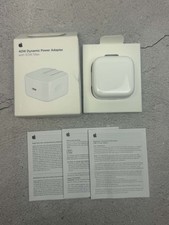
Apple 40W Dynamic Power Adapter 60W Max for iPhone/iPad/AirPods/MacBooks OEM
$17.99
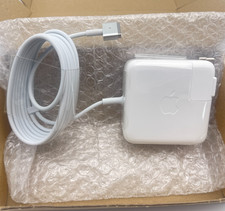
OEM 45W Charger For Apple MacBook Air 11-inch 13-inch Early 2012 2013 2014 2015
$26.98

$6.99
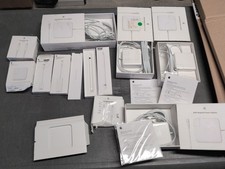
Lot Of Apple Cords And Accessories All OEM Genuine Apple Pencil, Magsafe Power
$109.99
