-
OK: This is how you get it working.
Here is the proper invokcation of wpa_supplicant:
wpa_supplicant -D madwifi -c wpa_supplicant.conf -i ath0
After authentication with the network, then you need to grab an IP address using DHCP.
This is done by typing:
pump -i ath0
AND YOU ARE DONE! Finally after two weeks of strugglng, I have finally got it working.
Good luck to others who also have this problem.
Similar Threads
-
By stonee in forum Networking
Replies: 0
Last Post: 09-12-2005, 07:03 AM
-
By bdockx in forum Laptops
Replies: 5
Last Post: 07-15-2005, 05:00 AM
-
By reisyboy in forum Laptops
Replies: 3
Last Post: 06-05-2005, 04:05 PM
-
By DaveUK in forum Laptops
Replies: 3
Last Post: 09-01-2004, 06:25 AM
-
By Infidellic in forum Hardware & Booting
Replies: 0
Last Post: 06-27-2004, 10:29 PM
 Posting Permissions
- You may not post new threads
- You may not post replies
- You may not post attachments
- You may not edit your posts
-
Forum Rules


Vintage Apple II Avant-Garde Creations Super Shape Draw And Animate 1981
$295.00

Apple Macintosh Classic M1420 Vintage Desktop Computer Model Macintosh Classic
$100.00

Vintage Apple Macintosh Plus 1MB - M0001A W/ Keyboard, 2 Mice, 800K HD, + More
$300.00

Vintage Apple Macintosh Plus Desktop Computer - M0001A
$150.00

LARGE LOT Vintage Apple Macintosh Mouse Cables Accessories SCSI etc - UNTESTED
$80.00
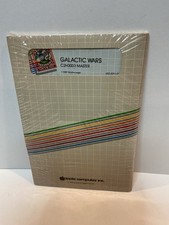
Vintage Apple II Arcade Game Galactic Wars Apple Computer NOS Sealed
$125.00
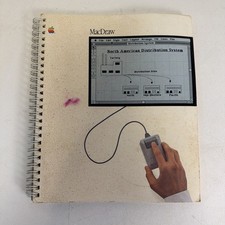
Vintage Apple MacDraw released 1984 User Guide (Has Wear & Tear - See Photos)
$9.99
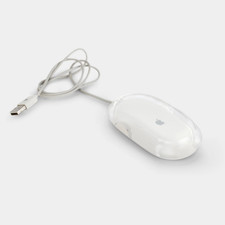
Vintage Apple Pro Mouse M5769 Wired Optical USB White/Clear
$24.99

Vintage Apple Multiple Scan 15av Display Monitor M4681
$299.99

Vintage Apple Monitor IIc 9" Green Monochrome 06/1985 A2M4090 October 1984 Stand
$275.00



 Reply With Quote