

 Reply With Quote
Yes, it is possible. But a little bit tricky.


hello,
currently the installer refuses to install on an USB HDD drive. it should be possible though - this is just a suggestion.
regards
a.
Yes, it is possible. But a little bit tricky.
any info would be appreciated
the installer refuses to install to /dev/uba1 (the USB drive is seen as such when booting from CD; Funny: one HDD installation I have sees it as /dev/sda1; another HDD installation see it as /dev/uba1)
so the only option I see is to plunge into the install scripts...
regards
a.
I have similar post in this thread, http://www.knoppix.net/forum/viewtopic.php?t=20539
I assume you can install Knoppix to the USB HDD and just having problems with the installer. As you are familiar with the mknod stuff, this may be easier for you. Follow the steps that are applicable to you.Originally Posted by d00m3d
In step 1, you need to build a custom kernel without the ub. Make sure:
CONFIG_BLK_DEV_UB=n (this entirely eliminate ub support in kernel)
CONFIG_SCSI=m (default is y, but you need the presence of scsi_mod module to build initrd)
CONFIG_BLK_DEV_SD=m (default is y, but you need the presence of sd_mod module to build initrd)
In step 4,
4.1 make the following changes to /etc/mkinitrd/mkinitrd.conf
DELAY=5
...
MKIMAGE = 'mkext2fs -f %s %s > /dev/null'
...
This allows a 5 seconds delay because the init script in initrd have to recognize your USB device before init can mount it (as your root filesystem is resided in USB HDD). Otherwise, init will attempt to mount the root filesystem without recognizing it and lead to kernel panic.
The -f flag is to force mkext2fs to build a initrd in ext2 filesystem instead of cramfs. This gives you an advantage that the resulting initrd image could be gzip uncompressed, mounted and allow you to make changes later, when necessary.
4.2 add the followings to /etc/mkinitrd/modules
usbcore
scsi_mod
sd_mod
usb-storage
uhci-hcd
ehci-hcd
ohci-hcd
usbhid
These are the necessary kernel modules for your initrd.
In step 5, the mkinitrd script in Knoppix-3.9 does not work properly. To build the initrd, while you are still as root, you should:
mkinitrd -k -o d00m3d.img your-kernel-version
Without the -k flag, mkinitrd seems have created the initrd (d00m3d.img) but it is deleted automatically for unknown reasons! So, use the -k flag to keep the temporary working directory in /tmp.
The d00m3d.img is actually a gzip compressed image and you should move it to /boot. To continue:
cd /tmp/mkinitrd.xxx/initrd
mv d00m3d.img /boot/initrd.img-xxxxxx
In step 6, you may install GRUB to the MBR of your USB HDD manually. Assume you have the following HDD layout during Linux installation:
/dev/sda is your USB HDD
/dev/sda1 is your root partition /
Your /dev/sda should be recognized as (hd1) by GRUB.
Steps:
1. Become root
2. Run grub
#grub
Probing devices to guess BIOS drives. This may take a long time.
3. In grub shell, run the following commands:
>root (hd1,0)
>setup (hd1)
>quit
Here, (hd1,0) correspond to your /dev/sda1 which is your / (more precisely, /boot, i.e. the place where your kernel image and initrd are located).
(hd1) is the MBR of your /dev/sda (USB HDD)
That's it. However, you need to edit your /boot/grub/menu.lst as well.
If you setup your BIOS to boot your USB HDD, grub will recognize your USB HDD
as the first hard disk to boot, i.e. hd0, not hd1. In this case, your have to write the menu.lst as:
title Knoppix on USB HDD.....
root (hd0,0)
kernel vmlinuz-xxxxx .....
initrd initrd.img-xxxxx
.....
Clear?
Good luck!
I installed knoppix on a harddrive. I then took it out of the laptop and put it in a usb enclosure. I need a way to boot to it from cd because I do not have boot usb option in my motherboard. I suspect i will have to do a rescue and reconfigure grub/lilo also. any ideas on doing this?
You may also try this way to boot Knoppix 4.02 from a USB drive: http://www.knoppix.net/forum/viewtop...?p=93758#93758
This thread also describes how to run knoppix from the hdd without creating a new partition for knoppix and without touching the mbr or the boot sector of your disk/partition. This is a very clean way and much faster way to run Knoppix than from the cd/dvd/usb. Please give me some feedback and let me if it works for you.
Best Regards, Gilles
 Posting Permissions


OEM Genuine 42Wh WDX0R For DELL Inspiron WDXOR Battery 15 5567 5568 13 5368 7368
$22.99

OEM 68Wh 3HWPP Battery For Dell Latitude 5401 5501 5410 5510 E5411 E5511
$28.99
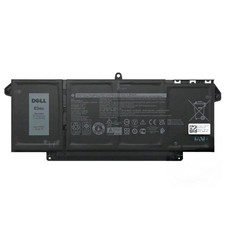
Genuine OEM 63Wh 7FMXV Battery For Dell Latitude 5320 7320 7420 7520 4M1JN TN2GY
$32.99
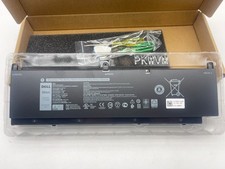
OEM Genuine 95WH PKWVM C903V Battery 7550 For Dell Precision CR72X 17C06 447VR
$37.40

OEM Genuine 86WH 69KF2 Battery For Dell XPS 15 9500 Precision 5550 M59JH M15 M17
$45.49

OEM 68Wh 3HWPP Battery For Dell Latitude 5401 5411 15 5501 5511 Precision 3541
$35.78
NEW OEM V6W33 Battery For Dell Inspiron 3510 5510 Latitude 3330 3320 Vostro 3515
$22.00
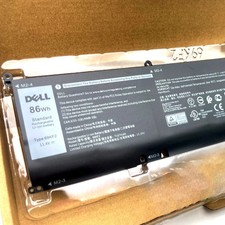
OEM Genuine 86Wh 69KF2 Battery For Dell XPS 15 9500 Precision 5550 M59JH M15 M17
$35.99
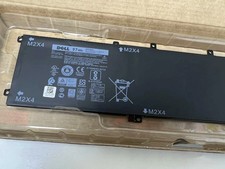
Genuine OEM 6GTPY 97Wh Battery for Dell XPS 15 7590, 9550 Series 5XJ28 GPM03 New
$33.50
OEM Genuine 54WH 3RNFD Battery For Dell Latitude 14 7000 E7440 E7450 E7420 PFXCR
$39.79
