-
writing to floppies, Fat partitions, and USB drives
I am running Knoppix 3.1 ( because it has Lyx) on a Windows 98 system.
If I want to save data ( from Lyx) on a floppy or the windows drive, or a USB external
keychain drive, do I have to remount the floppy etc?
Is it true that Knoppix 3.1. by default mounts the floppy drive, the USB drive, The Windows drive as READ ONLY?
If I have to remount so that I can write to the floppy or other drives, how do I do this--From the command line please--because I LOATHE the graphical interfaces, and much prefer to use the console.
thanks
Penny
-
Senior Member
registered user
# Back up data to USB device.
From a terminal window, as user knoppix, type in the following commands, pressing <enter> after each line.
su
modprobe usb-storage
mkdir /mnt/usbstore
mount -t vfat /dev/sda1 /mnt/usbstore
lyxpage > /mnt/usbstore/lyxpage
umount /mnt/usbstore
# Back up data to floppy disk
From a terminal window, as user knoppix, type in the following commands, pressing <enter> after each line.
su
mount /mnt/floppy
lyxpage > /mnt/floppy/lyxpage
umount /mnt/floppy
These commands should work for Knoppix 3.1. You may need to umount the devices first if they are mounted, but they are usually unmounted when Knoppix first boots up.
Hope this helps.
Regards,
Mark Preston
-
Dear mark,
Thank you.
If I want to save a latex file created by lyx to a floppy etc, do I just replace lyxpage in your answer with the path to the texfile?
The command would read?
with thanks,
Penny
I am quite new to linux and knoppix. But, I am learning--this forum is VERY helpful.
-
Senior Member
registered user
If I want to save a latex file created by lyx to a floppy etc, do I just replace lyxpage in your answer with the path to the texfile?
Yes, that's right.
The above commands assume that you are in the directory that contains the latex file that you are trying to save.
Otherwise the full path to the filename could be used.
Also, if you want to restore a saved file from the storage device you just reverse the arrow.
i.e.
lyxpage < /mnt/usbstore/lyxpage
-
Senior Member
registered user
Hi Penny,
I'm sorry to say the previous commands don't work as I thought they would.
Since I've never created a lyx file or used lyx I thought I'd better check.
I used a Knoppix 3.3 version and this is what I did.
Firstly I opened a terminal window and typed lyx.
This then needed to be typed again to get the lyx program started.
Then, using lyx, I created a small file and using the drop down menus exported it as a latex file.
Then I opened another terminal window and typed the following commands
knoppix@ttyp1[knoppix]$ ls
Desktop newfile1.tex tmp
knoppix@ttyp1[knoppix]$ cp newfile1.tex /mnt/floppy/newfile1.tex
knoppix@ttyp1[knoppix]$ su
root@ttyp1[knoppix]# mkdir /mnt/usbstore
root@ttyp1[knoppix]# mount -o uid=knoppix -t vfat /dev/sda1 /mnt/usbstore
root@ttyp1[knoppix]# exit
exit
knoppix@ttyp1[knoppix]$ cp newfile1.tex /mnt/usbstore/newfile1.tex
knoppix@ttyp1[knoppix]$
ls checks the contents of knoppix's home directory and shows newfile1.tex is present.
Then I put in my floppy disk.
cp newfile1.tex /mnt/floppy/newfile1.tex
copies the newfile.tex to the floppy disk
Then I put in my usbstick
The rest of the commands were used to create a directory on which to mount the usb drive and copy the newfile1.tex data to the usbstick.
Hopefully you should have more success with the above set of commands.
Regards,
Mark Preston
-
new commands
Dear Mark,
Thank you for going the extra mile for me!
all best
Penny
Similar Threads
-
By PupSpark in forum General Support
Replies: 0
Last Post: 03-22-2009, 05:59 PM
-
By schreibebrett in forum Hdd Install / Debian / Apt
Replies: 1
Last Post: 06-24-2005, 05:11 PM
-
By randolphtaco in forum Hdd Install / Debian / Apt
Replies: 3
Last Post: 06-20-2005, 08:23 PM
-
By Mustang64 in forum Hdd Install / Debian / Apt
Replies: 12
Last Post: 04-25-2005, 10:21 PM
-
By Ewen in forum General Support
Replies: 2
Last Post: 07-07-2004, 05:44 AM
 Posting Permissions
- You may not post new threads
- You may not post replies
- You may not post attachments
- You may not edit your posts
-
Forum Rules


Vintage Apple II Avant-Garde Creations Super Shape Draw And Animate 1981
$295.00

Vintage Apple Monitor IIc 9" Green Monochrome 06/1985 A2M4090 October 1984 Stand
$275.00

Rare Vintage Macintosh Apple Wooden Disk Storage Box Dovetailed
$69.95

LARGE LOT Vintage Apple Macintosh Mouse Cables Accessories SCSI etc - UNTESTED
$80.00

Retro Vintage Apple M0110A Compact Wired Mechanical keyboard for Macintosh Plus
$64.95

Vintage Apple Macintosh 128K 512K Carrying Case Rainbow Logo Excellent Cond
$140.00
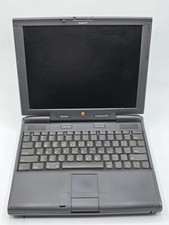
Apple PowerBook 3400c TFT LCD RARE Vintage Laptop untested
$139.99
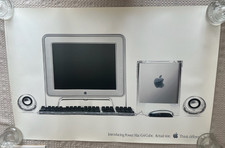
Vintage Apple Power Mac G4 Cube Poster (2000) 36 x 24 - Think Different
$29.99

Vintage Apple Multiple Scan 15av Display Monitor M4681
$299.99
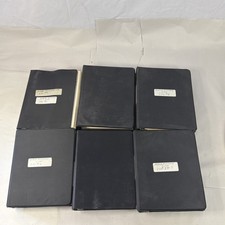
Vintage Apple Assembly Line Newsletter Vol: 1,2,3,4,5,6,7 From 1984
$179.99



 Reply With Quote