

 Reply With Quote
Right click on the icon for the fat32 drive and un-check the read-only.
Try copying the rawrite program and the img to your /ramdisk/home/knoppix and run it from there.
Look off the knoppix menu for for the floppy configuration save option.


I'm running Knoppix from CD. I'm running Win2KPro on my main HD partitioned with NTFS. I have a second HD as FAT32. Both disks show on my desktop. The NTFS disk is obviously read-only. However, I can't write to the FAT-32 disk either. Why not? What do I need to do?
Also, I was wanting to create a boot floppy. I tried and received the following.
Any ideas on this one?Code:knoppix@ttyp0[KNOPPIX]$ rawrite2 -f boot-en.img -d A bash: rawrite2: command not found knoppix@ttyp0[KNOPPIX]$
And lastly, but related, where is it that I can go to save my configuration to the floppy so that at next boot I don't have to type in my configuration again?
Thanks in advance,
Andrew
[/code]
Right click on the icon for the fat32 drive and un-check the read-only.
Try copying the rawrite program and the img to your /ramdisk/home/knoppix and run it from there.
Look off the knoppix menu for for the floppy configuration save option.
Thanks for the help. Changing the read-write settings worked fine. Copying the configuration to floppy went fine. But making a boot disk didn't. I did as you suggested (see the directory), but it still didn't work. Ideas?
Code:knoppix@ttyp3[knoppix]$ dir Desktop boot.img dcc rawrite2.exe tmp knoppix@ttyp3[knoppix]$ rawrite2 -f boot.img -d A bash: rawrite2: command not found knoppix@ttyp3[knoppix]$
Sorry wasn't thinking for a second rawrite is a dos program.Do dd if=boot-en.img of=/dev/fd0 bs=1440k to create the boot floppy from linux.
Oh! Well knowing that it is a dos program, I was able to create the floppy immediately. Thank you.
But, of course, that only brings up more questions.
[*] My image of Knoppix doesn't have a boot-en.img. It only has boot.img, which is German. Where can I get the English image? Also, the image seems to take up most all of the disk. I was hoping to also save my configuration settings there. Maybe even some printer drivers. Will there be room or what do you suggest?
[*] Outside of learning some Linux on my own, my immediate purpose is to use Knoppix as sort of an emergency disk. At work, our drives are all NTFS and applications are served over the network by Citrix. We have problems with the Citrix server on occasion. I was thinking that I would use a boot floppy and the Knoppix CD. Open Office will let me open the MS Office documents on the NTFS partition. Then changes could be saved temprarily to another floppy if needed. Or do you have a better suggestion?
Thanks once again,
Andrew
I just checked and the boot.img on my copy (2003-04-15) is in english, so I'm not sure which version you have but you may have downloaded the german ISO.
You can save your settings to a floppy, HD (no NTFS partitions though), USB drive or stick and I believe a couple of other ways. There are options for this off the knoppix menu in KDE.
You could save to the floppy for your documents but I would suggest getting either a memory stick or usb drive. With the best option being a stick it gets recognized as a HD and you could use the persistant home to save any changes you make to KDE, network settings, e-mail settings, etc... plus room left over for your files and it all fits in your shirt pocket nothing better than that.
Thanks for the feedback. Using a stick was the first thing I thought of too, but unless I can get the usb problem worked out (in http://www.knoppix.net/forum/viewtopic.php?t=2106 thread) then I'm stuck with floppies. Even if I get the usb problem worked out for my home pc, it may not apply to the various pc's at my work - which is what I'm really interested in right now.
But if I get the usb to work, what size stick do you recommend for just having a persistent home directory, configurations, and swap a few doc and xls files? Would 32mb be enough? 16? 64?
I'm running v3.2, 2003-04-18 Beta. I'm pretty sure I got the English iso. The boot floppy has a file in it called, "GERMAN.KBD", so that's why I thought I had a German boot. But so far everything works in English as I would expect.
 Posting Permissions


Western Digital HUS726T4TAL5204 4TB 7.2K SAS 12Gb/s 3.5" 512e HDD NetApp X375A
$64.00

Seagate ST8000NM0075 Enterprise Capacity 3.5 HDD 8TB SAS Hard Drive 8TB EXOS
$184.99

DELL 2TB Enterprise HDD (7200RPM, 3.5", SATA III, 128MB Cache) HUS722T2TALA600
$49.95

HDD 3.5" SATA Hard Drive with Windows 10/Win 11 64x Installed Legacy
$35.00

Dell ST6000NM0034 1HT27Z-150 NWCCG 6TB SAS 3.5 7.2K ENTERPRISE SERVER DRIVE
$68.99
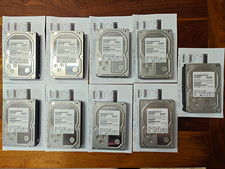
Hitachi Ultrastar 3TB 7200RPM 3.5in SATA III 6Gb/s - enterprise-grade hard drive
$49.00

Seagate ST3000NM0005 HDD 3TB SATA 6Gb/s 7.2K 3.5" 512 b/s
$59.00

Western Digital Blue (7200RPM, 3.5", SATA III, 64MB Cache) 1TB HDD
$19.90

HUS726060ALA640 HGST Ultrastar 6TB SATA 6Gbps 7.2K 3.5" Hard Drive OF21860
$129.99

Western Digital 1TB 3.5" SATA III 7200RPM Desktop Hard Drive
$34.99