-
Administrator
Site Admin-

Originally Posted by
dpolizzi
Ok changed it. I put it in another subject b/c i cannot delete the one in here. I went to live cds like i believe harry is his name, told me to.
The new topic looks much better, thanks. I never told you to go to the Other Live CD's forum; a post about Knoppix would be off topic there, it's a forum for discussion of other live CD's. I did mention that If you were having booting problems that we have a section dedicated to booting. Since one of the forums is named Hardware and Booting I would have thought that you could find that yourself.
I have posted that I will not get involved in helping when the subject line contains subjects like yours originally did. Now that the subject like has changed I'll at least move this to the right forum for you, which may increase your chances of getting assistance.
OErian tried to help and asked what computer you have, but you dodged the queston and only said a "standard PC". If you give more information you will likely get higher quality resonses. If it's a major make and model PC then give that information. If it's a computer assembled by a small shop or that you or a friend assembled yourself (which is great), then Information on the motherboard used, the CPU, the video card and the memory would help. Even knowing just the age of the system and the amount of memory could help. If it's too old of a system and has too little memory you might not have enough memory to run the GUI and the command prompt is the best that Knoppix can do. More likely there is an issue with your video card and knowing what that is would help a lot.
Without that information we can suggest that you follow the Documentation link near the top of this page and try reading the section of "Cheat codes". These are boot commands that try to help guide Knoppix past some of the hardware detection at boot time. There are a few that deal with video that you could try to force a video mode. You might also want to use the expert cheat code to step through the boot process section by section to see if you can spot what it is saying about your video system and why it can't seem to start the graphical interface. And you might as well look at the testcd code to check that CD, just to be sure that you have a burn that is reading properly (if you have any negative results with testcd then read the Downloading FAQ).
 Posting Permissions
- You may not post new threads
- You may not post replies
- You may not post attachments
- You may not edit your posts
-
Forum Rules


Acer Aspire 14" AI Copilot+PC Laptop Core Ultra 5 226V Gen 4 ARC 16GB 1TB Refurb
$482.02

1TB SanDisk Extreme Portable SSD (Recertified) - A196-SDSSDE61-1T00
$150.99

Dell Latitude 14" Laptop Computer Intel i5 Up To 32GB RAM 1TB SSD Windows 11 Pro
$339.98

External SSD 1TB 2TB Portable Hard Drive USB 3.1 Type-C High Speed PC Mac
$16.99

Acer Predator Helios Neo 16S AI 16" i9 275HX 2S RTX 5070 Ti 32GB 1TB SSD Refurb
$1775.56

SAMSUNG T7 Portable SSD 1TB Indigo Blue USB 3.2 Gen2 External MU-PC1T0H/AM
$159.99

Apple iPad Pro 12.9" 5th Gen 128GB 256GB 1TB 2TB Wi-Fi Or Cellular - Good
$489.99

Fanxiang 1/2/5/10Pcs 2.5'' SATA SSD Lot 1TB 2TB 4TB 512GB 256GB TLC Internal SSD
$129.99
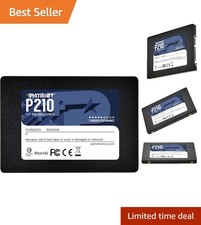
Upgrade Your Desktop with Patriot P210 128GB SSD - Smooth Performance & Speed
$255.99

Seagate Desktop 1TB/1000GB SATA 3.5" HDD Hard Drive
$29.99



 Reply With Quote