-
Junior Member
registered user
Problem solved.  It was a simple matter of going to the C:\BOOT\GRUB folder (installed as described above, in Windows), then editing menu.lst to remove "noprompt." I also added "config=scan home=scan" since I have a persistent Knoppix home in its own partition. Now, on my Windows XP machine with the Knoppix 3.8.2 iso file in C:\BOOT\Knoppix.382, and with password added to Grub, here is the behavior:
(1) On boot, I get a screen asking whether I want Windows XP or Knoppix Linux. If I do nothing, it boots to Windows in the usual fashion, after a few seconds.
(2) If I want Knoppix Linux, I get the Grub screen. I have it set so that it gives me 15 seconds to enter a password. If I do nothing, or forgot the password, then I can choose to go back to the first boot screen, and enter Windows. Either way, I need a password (I used different passwords for Windows and Linux), since my computer is not set up for a guest account.
(3) If I enter the Knoppix password, then Knoppix loads, finds my persistent info, and is ready to work the way I want it.
(4) When I want to switch to Windows, I tell Knoppix to restart. When it finishes, it asks me to remove the CD and hit ENTER. There's no CD in the drive, so I just hit enter, and I'm returned to the boot screen of step (1).
All this, from hard drive. No change to the MBR. No unpacking of the Knoppix iso file. Nothing on my C:\ drive that I can't manually edit with Notepad. Can be restored ordinary Windows boot at any time. Granny can't get to Knoppix (or Windows) by accident. Beautiful. 
Similar Threads
-
By Albretch in forum Hardware & Booting
Replies: 1
Last Post: 11-21-2005, 06:02 PM
-
By francio in forum Hdd Install / Debian / Apt
Replies: 0
Last Post: 05-30-2005, 09:05 AM
-
By papwilly in forum Hdd Install / Debian / Apt
Replies: 24
Last Post: 03-20-2005, 10:43 PM
-
By brian in forum General Support
Replies: 0
Last Post: 01-17-2005, 05:59 PM
-
By Jken in forum Customising & Remastering
Replies: 0
Last Post: 06-03-2004, 01:12 PM
 Posting Permissions
- You may not post new threads
- You may not post replies
- You may not post attachments
- You may not edit your posts
-
Forum Rules


Atari XE 130XE Computer NTSC with Power Supply Powers On Untested
$159.95

Atari 130 XE/Atari 1050 Bundle W/ Cords And Extras (Powered On)
$300.00

DEFECTIVE Atari 810 Vintage Computer Disk Drive powers on Unit Only Boo G3D
$49.29
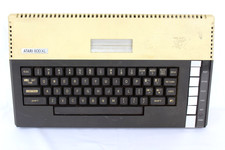
VTG Atari 800XL Home Computer System 800 XL ** Tested ** AS-IS Parts or Repair
$123.75

Fujinet 1.7.1 Atari 400 800 800XL 130XE 65XE XEGS Assembled, Tested, Working
$99.99

ATARI Mouse with Adapter for ST, STE, Mega STE, TT Optical - USA Seller
$29.99

INFO/soft Character Generator Manual for Atari 3000/5000/7000 NTSC
$40.00

Gotek USB Floppy Emulator v3.44 OLED (no speaker) Amiga Atari IBM Roland AKAI
$44.00

Atari 800 8-bit Computer System Fully Tested Great Condition 48k READ
$350.00

UNOCART-2600 SD card Multi Rom Cartridge for ATARI 2600 with CASE
$34.25



 Reply With Quote