-
Need help moving files, im so desperate
So my windows machine continues to crach every time I boot it because it some hoe got to the point of only haveing 200mb free space on the hard drive. So all I need is a way of getting some of the files off of that hard drive and putting them some where else. I am armed with an external hard drive, a knoppix 3.9 cd, and another windows machine on the same network. I have no expierence with noppix (well a little but treat me like a kid riding the short bus when you go to explain things).
I am so desperate if any one knows how to save my computer with out a format please post. By the way I forgat to mention EVERYTHING IS NTFS. I know this makes things excedingly diffucult, but if they where easy I would not be posting.
Thanks
Nick
-
Actually, I'm thinking of other weapons in mind, the ones that deal with NTFS better.
strategy 1) If you can spare some time to d-load from http://www.ubcd4win.com and a windows xp installer cd, a cd burner. after you're done building the cd from another computer, boot from the boot cd with all the NTFS drives connected, open up the file manager and drag 'n' drop the files you need and you should be done in less than half a day if all goes well.
2) would you be lucky enough to have another computer from a friend or someplace else, so you can connect your w*dows internal hdd and ext hard drive at the same time, and put the impt files into the external one?
of course #2 sounds a bit not logical but those are the things i have in mind right now.
OTHERS, please suggest more. thanks, Cytotech
-
Thanks for the reply turns out there was a solution with knoppix. Some one on another forum was kind enough to post this:
"First try to mount the Windows partition.
Mount /dev/hdaX (Where X is the number of the Windows partition that you wish to access)
"fdisk -l" will list all of your partitions.
Once you have that mounted you should be able to browse the dirrectory and see, copy, and move any of the files that you want.
If all you need is the paper, the eaiest thing to do would be to mount /windows, open firefox and email it to yourself.
If you have 2 CD drives, or a cd-rom and DVD burner, you can use an application like K3B to start burning all the files over to media.
Also, you can load capativte-NTFS and write to an NTFS drive, but if you have a spare HDD, just format it to FAT32, copy everything over and call it a day. Its faster and safer compare to a Linux --> NTFS write."
"well {PMS}Fishy covered just about everything. Just a few minor details such as if you run a SATA drive you need to type in "linux26" (no quotes) at the boot promp (the knoppix one). Then its also "/dev/sdaX" (no quotes) instead of /dev/hdaX.
Also when mounting the hdd you need to do "mount -t ntfs /dev/hdaX /mnt/hdaX" or "mount -t ntfs /dev/sdaX /mnt/sdaX" (no quotes again). Thats about it just cruise over to the /mnt/sdaX or /mnt/hdaX directory and do your business."
After getting the stuff off the drive I ran chkdsk /R in windows recovery consol and it turns out it was not only limited on space but had some bad sectors too.
I am posting this answer incase any one else has a similar problem in the future.
Thanks for the reply
Best regards
Barrman
-
great, that was helpful for me too... 
Similar Threads
-
By shared3 in forum MS Windows & New to Linux
Replies: 0
Last Post: 08-21-2007, 06:59 AM
-
By ummie4 in forum Hardware & Booting
Replies: 4
Last Post: 01-23-2006, 01:43 PM
-
By AlanForrester in forum General Support
Replies: 3
Last Post: 05-16-2004, 09:09 AM
-
By tha_raptest in forum General Support
Replies: 0
Last Post: 02-12-2004, 08:05 PM
-
By kleptophobiac in forum General Support
Replies: 1
Last Post: 08-06-2003, 03:36 AM
 Posting Permissions
- You may not post new threads
- You may not post replies
- You may not post attachments
- You may not edit your posts
-
Forum Rules


Seagate ST6000NM0115 6TB 256MB 7200RPM 3.5" SATA 6.0Gb/s Enterprise Hard Drive
$159.99

Seagate 14TB Exos X14 7200RPM SATA 6Gb/s 256MB 3.5" Enterprise HDD ST14000NM0408
$354.99

Seagate Exos X16 ST10000NM010G 10TB 7200RPM SAS 12Gb/s 3.5" 512e/4Kn HDD
$199.00

Seagate Exos X14 10TB 7200RPM 3.5" SAS 12Gb/s Hard Drive HDD ST10000NM0528
$165.00

Seagate Enterprise Capacity 2TB 2.5in SATA Internal HDD ST2000NX0403
$60.00

HGST HUS724040ALA640 4TB 7200 RPM SATA 3.5" Internal Desktop Drive 100% Health
$78.00

HITACHI ULTRASTAR 2TB 7.2K 6G 3.5INCH SATA HDD HUS724020ALA640 | TESTED WIPED
$34.95
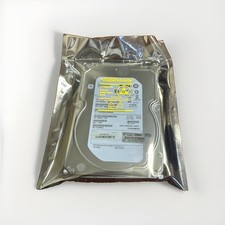
HP Enterprise MB4000FCWDK 4TB SAS 7.2K RPM 3.5" HDD Hard Drive ST4000NM0023
$44.99
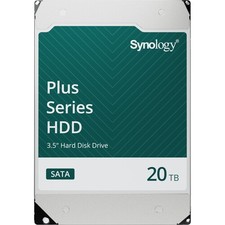
Synology 20TB HAT3320 Plus Series SATA III 3.5" Internal NAS HDD ( HAT3320-20T)
$750.00

Western Digital HUS726T4TAL5204 4TB 7.2K SAS 12Gb/s 3.5" 512e HDD NetApp X375A
$69.00



 Reply With Quote