-
Struth!... I can hear you from here. I'll try your suggestion and see what happens... and I'll post back.
-
FabianX... I have used "configure" and all the items are greyed out except for:
Burnfree
CD/RW Drive
Supports DAO Writing
The Interface type is shown as "Generic SCSI" and I suspect that this is the one that needs changing... it is however greyed out.
-
Senior Member
registered user

Originally Posted by
Ewen
FabianX... I have used "configure" and all the items are greyed out except for:
Burnfree
CD/RW Drive
Supports DAO Writing
The Interface type is shown as "Generic SCSI" and I suspect that this is the one that needs changing... it is however greyed out.
In K3b Configure I have a line that reads
Cdrdao driver: auto
If you click 'auto' it becomes a pull down menu. It is not very obvious perhaps that it is a pull down menu.
-
rickenbacherus... you are a genius... it works!
Thank you for your help.
-
Junior Member
registered user
I tried that cdrecord -v speed=4 dev=0,0,0 -audio track*.wav but it didn't work... well, actually, it sorta worked, but not quite right.
First, I change directory to where all my wavs are at.. I tried what you typed exactly at first (my cdrw is also on 0,0,0) but that didn't work, so I just replaced track*.wav with what the first file's name, which was ripped_01*.wav... but all it did was burn just that track.
What am I missing? All the other tracks are similarly named (ripped_02, ripped_03, etc.).
-
Senior Member
registered user
Originally Posted by
Seeker
I tried that cdrecord -v speed=4 dev=0,0,0 -audio track*.wav but it didn't work... well, actually, it sorta worked, but not quite right.
First, I change directory to where all my wavs are at.. I tried what you typed exactly at first (my cdrw is also on 0,0,0) but that didn't work, so I just replaced track*.wav with what the first file's name, which was ripped_01*.wav... but all it did was burn just that track.
What am I missing? All the other tracks are similarly named (ripped_02, ripped_03, etc.).
track*.wav
ripped_01*.wav
What you are missing is you are trying to match a pattern with the * wild card character and you have only given it an option to match files that are named ripped_01_with_some_other_characters_here.wav not ripped_some_characters.wav so you should use ripped*.wav in the line to record.
-
Junior Member
registered user
Oh wow, whatdya know.
Thanks again man.
Similar Threads
-
By kornface13 in forum General Support
Replies: 1
Last Post: 05-06-2004, 03:16 PM
-
By patiscool in forum General Support
Replies: 0
Last Post: 03-24-2004, 02:35 AM
-
Replies: 2
Last Post: 12-15-2003, 06:14 PM
-
By andrei in forum General Support
Replies: 1
Last Post: 08-15-2003, 10:33 PM
-
By Loper in forum The Lounge
Replies: 2
Last Post: 01-22-2003, 06:39 PM
 Posting Permissions
- You may not post new threads
- You may not post replies
- You may not post attachments
- You may not edit your posts
-
Forum Rules


Intel Xeon E5-2680 V2 2.8GHz 10-Core 25MB 8GT/s SR1A6 LGA2011 B Grade Server CPU
$7.95
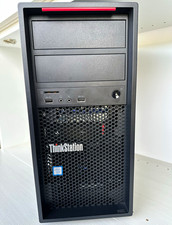
Lenovo ThinkStation P520c Xeon W-2133 3.60GHz 16GB Quadro P2000 Desktop Wi-Fi 6
$180.00

HPE DL360 G10 CTO Server W/ 2x800W 1x LP PCIE RISER 1xFLEXROM 2XHIGH PERF FANS
$200.00
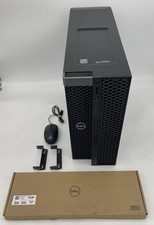
Dell Precision 5820 Workstation w/ Xeon W-2123 3.6GHz 8GB RAM 750GB SSD WIN 11
$349.95
Dell Precision T5820 Workstation 3.70GHz W-2135 No RAM/ GPU/ HDD/ OS
$179.98

Lenovo ThinkStation P520c Intel Xeon W-2133 6-Core 3.60GHz -NO RAM/ HDD/ GPU/ OS
$127.54

Dell Precision T7820 2x Xeon Silver 4114 2.20GHz 950W No RAM GPU HDD 4x SATA
$354.48
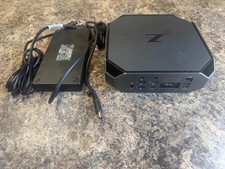
HP Z2 Mini G5 Workstation Xeon W-1270P 3.8GHz/16GB/1TB SSD/ NVIDIA T1000/W11 Pro
$349.00

NEW HP Z4 G4 Workstation Xeon W-2123 16GB ECC 256GB NVMe NVIDIA T400 750W Win11
$450.00
Dell Precision T3600 Xeon E5-1607 32GB RAM Win 11 Pro 128GB SSD
$165.00



 Reply With Quote