-
How to boot from my Hard-drive using Knoppix v3.3?
Hello everyone,
I have finally gotten Knoppix 3.3 to work on my system!!!! However, I know that it is possible to have Knoppix boot from my harddrive, and i have been trying. I had copied the CD to my HD and tried the command "knoppix bootfrom/dev/hda1" or something along that line. But it is saying that knoppix file system not found. I would appreciate it very much if someone would be able to assist and give me step-by-step ways of loading knoppix onto my HD and booting from it.
Thanks in advance.
-
Senior Member
registered user
Frastitute,
Have you read the documentation on:
http://www.knoppix.net/wiki/Win_Partition
This has been written for versions of Knoppix 3.6 and above. Maybe you you should think about getting one of these later versions and then following the instructions.
The probable reason for your failure with 3.3 is that you have copied to the wrong place.
If you copy the file in the \KNOPPIX directory of the CD into a c:\KNOPPIX directory on your hard drive (I am using Windows speak here as I am guessing you currently use Windows), then boot up with the CD. When the command line appears type:
knoppix bootfrom=/dev/hda1
If it works the rest of the bootup is performed from your hard disk.
ICPUG
-
Senior Member
registered user
Here can be some mistake - frastitute has registred sometimes in early 2004 and has 2 posts until now? Knoppix 3.3 has been released 2004/02/16, so this make sense with the date of his registration, not with today's date.
-
I am not successful with the PMI
I have read the material to which I was referred about Poor Mans Installation. However, it is not working i.e. I have a 20 gig HD (NTFS), and i recently partitioned it to 4gig (FAT32) for the knoppix image and about 2gig for the Persistent Home(PH). Now, when I load knoppix it is only recogizing the C drive (NTFS) and not the FAT32 drives. I then placed the 4gig (FAT32) drive as primary thinking that it would be detected then but it wasn't. So I am unable to copy the knoppix to HD and boot from it which I would love to do. If anyone can assist please do and let me know what i am doing wrong. Thanks in advance.
Similar Threads
-
By aovanthul in forum Hdd Install / Debian / Apt
Replies: 0
Last Post: 11-05-2009, 04:56 AM
-
By 03myersd in forum Hardware & Booting
Replies: 6
Last Post: 09-09-2006, 01:48 PM
-
By jpavlicek in forum Hardware & Booting
Replies: 0
Last Post: 12-29-2005, 02:36 PM
-
By frastitute in forum Hdd Install / Debian / Apt
Replies: 7
Last Post: 10-11-2005, 04:57 PM
-
By pkobos in forum General Support
Replies: 1
Last Post: 04-24-2003, 09:26 AM
 Posting Permissions
- You may not post new threads
- You may not post replies
- You may not post attachments
- You may not edit your posts
-
Forum Rules


Vintage Apple Macintosh IIsi Computer, Monitor, Keyboard & Mouse Complete Setup
$199.99

Apple Mac OS9 Cloth Banner Think Different 64 x 24 inches NEW ORIGINAL Vintage
$99.99
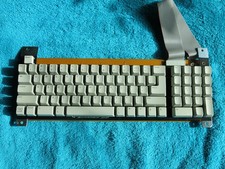
VINTAGE Rare APPLE IIE PLATINUM KEYBOARD M9019 658-4094 NEW
$225.00
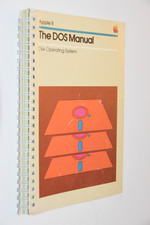
1981 Apple II DOS Manual Disk Operating System Original 030-0115-B Vintage Apple
$13.95
Apple Chess Vintage Software w/ Floppy Disks & Manual, MPN CDA050
$295.00
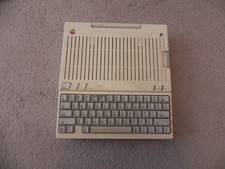
Apple IIc Home Computer Vintage Model A2S4100 Retro Computer Untested
$149.00
Fourth Dimension Systems FDS 1084 16K RAM Expansion Card Vintage For Apple
$100.00
vintage 1981 Apple II Personal Computer Reference Manual 030-0004-C guide book .
$24.95
Vintage Apple Macintosh M0110 Keyboard with Coiled Cable & M0100 Mouse Bundle
$180.00

Apple cloth fabric banner iBook tangerine orange New Old Stock Vintage
$99.00



 Reply With Quote