-
It's all one German
Dear All,
I have done the install to hdd. I then did an apt-get upgrade to debian.
Somewhere along the line everything went german.....
I have reset kde via the kde config tools but console apps etc are all still in german (e.g. say ifconfig). I have tried editing the lilo.conf & calling lilo again but that seemed to make no difference.
Any ideas?
Adam
-
Subject should be "It's all gone German"
Whoops sorry about that. I was typing at speed.
Adam
-
Senior Member
registered user
What edit did you make to lilo.conf? If you add 'lang=us' to the 'append=' line it should start up in english. You can also edit /etc/init.d/knoppix-autoconfig to make the default language english instead of german.
-
"What edit did you make to lilo.conf? If you add 'lang=us' to the 'append=' line it should start up in english. You can also edit /etc/init.d/knoppix-autoconfig to make the default language english instead of german."
Those are the 2 things I tried & yet oddly I still get german in text/console apps etc. e.g. ifconfig reports back in german.
I will look at auto-config once more just to check there is only one place (in auto-config) where I have to make that change.
Adam
-
I've also had problems recently when I recomplied my kernel from the Knoppix 3.9 (2.6.11), to one based on Debian-2.6.13.2 (this was part of adding a line of code ot the kernel that would allow Knoppix to recognise my new SATA drive/SiS 965L chipset.
I didn't apply the knoppix patches (not sure if they would work on a different kernel) and once it was working (at this stage it was still in english) I asked it to save the hardware config during the boot sequence and then it switched to german everywhere (shells, kde, firefox, etc.). Possibly you might be having the same problems as a result of your using apt-get to upgrade, particularly if you downloaded a vanilla Debian kernel?
Anyway after tracking back (and repeatedly failing to get my changes to stick) I found that the important file to edit seems to be /etc/sysconfig/[ver]/knoppix, and perhaps /etc/sysconfig/[ver]/i18n. where in my case [ver] is now 2.6.13.2.
I was able to copy over the old 'us' knoppix file from ../2.6.11/ and then once this worked I modified it to an English, rather than a USA locale.
regards,
--
Marjorie
Similar Threads
-
By chaosnine in forum Customising & Remastering
Replies: 5
Last Post: 01-03-2017, 08:53 PM
-
By Krogen in forum Hdd Install / Debian / Apt
Replies: 6
Last Post: 09-26-2006, 08:22 AM
-
By crispyleaf in forum Laptops
Replies: 1
Last Post: 03-29-2005, 01:49 PM
-
By metroidprime13 in forum General Support
Replies: 4
Last Post: 03-08-2004, 10:14 PM
-
By PeterFr in forum General Support
Replies: 4
Last Post: 03-23-2003, 04:50 AM
 Posting Permissions
- You may not post new threads
- You may not post replies
- You may not post attachments
- You may not edit your posts
-
Forum Rules


Mini Computer Vacuum USB Keyboard Cleaner PC Laptop Brush Dust Cleaning Kit NEW
$13.89

LEVOIT Cordless Vacuum Cleaner, Stick Vac with Tangle-Resistant Design, Up to...
$162.04

Cordless Air Duster & Vacuum Cleaner for Keyboard & PC Cleaning - 110000RPM Powe
$53.99

V3 Robot Vacuum and Mop Combo,Self-Charging,5000pa Strong Suction,WiFi/Alexa NIB
$82.00
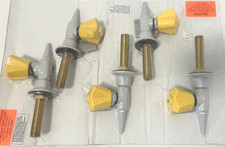
WaterSaver CT4880F-225WSA Vacuum VAC Panel Mount Needle Valve 3/8" IPS 1 Pc
$78.00

US Mini Computer Vacuum USB Keyboard Cleaner PC Laptop Brush Dust Cleaning Kits
$13.89

Compressed Air Duster Rechargeable Computer Vacuum Cleaner for PC Keyboard Toys
$16.99

2-in-1 Compressed Air Duster & Vacuum, Brushless Motor, 320000RPM
$37.99

Cordless Handheld Vacuum Cleaner Compatible with DeWalt 20V Battery
$107.67

Mini Computer Vacuum Cleaner & Compressed Air Duster 14500Pa, 110000RPM, Cordles
$53.99



 Reply With Quote