-
Senior Member
registered user
Re: Three simple questions!

Originally Posted by
nick47
Hello,
1. How do you close a program which won't close? (The Knoppix equivalent of "End Task")
2. How do you Log out/off/whatever you call it and log back on without losing all your stuff!?
3. How the hell do you make the sound work? Seriously, I mean, can anyone answer this?
I realise that this seems rude but I am one of those people who thinks Linux/Unix is rubbish. But I always try to give it a go! I really want to like it, but I can not get anywhere! Well I can get quite far, but I am finding the whole thing a huge uphill battle. The wiki website's not working, the FAQ is a bit lacking in info and the forum replies are all the same: "A quick search on the forum's will find that answer fo you!" It's NOT TRUE!! I have been looking all over the place!
If you are annoyed or think I am a dick, that's cool. I am an annoying dick.
1: The easiest way to close sometime which is not responding is ctrl-alt-esc. The cursor will tirn into a skull & crossbones, then just click on the non-responsive window.
2: Logging off/shutting down from live CD...you will always lose whatever you were working on (and all your settings) unless you have saved your work somewhere because you cannot write to the read-only live CD and knoppix will not write anything to your HD unless you deliberately set up to do it. This is a safeguard so that you cannot accidentally screw up your normal O/S while running from Knoppix CD.
There is a really good reason for this. Linux cannot properly write to an NTFS filesystem (used with Windows XP, NT & win2000). You must use 'captive ntfs' to do this & that requires some setup as it grabs & uses the system drivers from the windows system. Knoppix cannot just build in this capability because that would require distributing the windows drivers which would upset microsoft. The most reliable way to have a drive accessible to both windows & linux is to use a vfat (win95) filesystem, which means either partitioning the hard drive or use a usb drive (or a floppy disk). Obviously you cannot use a CD unless you have two CD drives.
3: Sound. First, check kmix to make sure your sound volumes are turned up. I think they are turned off by default. Second, it is possible that your sound card is not set up. Check the tools under the "Knoppix" menu item, there is a sound card configure toll there. It is also possible that there is no Linux support available for your particular sound card. Hardware support is another linux 'problem area' as most manufacturers do not supply linux drivers for their hardware, drivers must be written by 3rd parties ie linux 'hackers' who usually must figure out how to make the damn thing work without any assistance (and sometimes with active resistance) from the manufacturers.
"Rubbish...": Linux is one of the three big computer operating systems out there (the others of course being MS & Mac) and is almost the only practical alternative if you are using PC hardware and do not want to use MS for whatever reason. It has some very good points in it's favor (like almost total freedom from viruses) but it also takes some learning. Because it is an open source system developed in large part by volunteers without any support from manufacturers it will always take more setting up than the alternatives and users will always have to accept this. It is however a very real and practical alternative O/S. Don't dismiss it as rubbish just because it is not Windows.
Similar Threads
-
By xlancealotx in forum Hdd Install / Debian / Apt
Replies: 4
Last Post: 12-10-2007, 09:17 PM
-
By RandomGoon in forum Networking
Replies: 2
Last Post: 12-18-2004, 05:59 AM
-
By bob58 in forum General Support
Replies: 2
Last Post: 11-26-2004, 07:25 AM
-
By Sniffer in forum General Support
Replies: 3
Last Post: 12-05-2003, 12:22 AM
-
By VeeDubb in forum General Support
Replies: 3
Last Post: 04-03-2003, 02:49 AM
 Posting Permissions
- You may not post new threads
- You may not post replies
- You may not post attachments
- You may not edit your posts
-
Forum Rules


9300-8i LSI SAS3008 8-Port 12Gb PCIe IT mode ZFS FreeNAS unRAID 2*SFF-8643 US
$49.50

Broadcom 9600-24i Tri-Mode RAID Controller 4.0 NVMe SAS SATA NEW 05-50111-01003
$639.69

EMC KTN-SL3 15-Bay Disk Array Enclosure w/2x 303-108-000E Cards, Dual PSU,No HDD
$239.99

CalDigit VR minin 2 Portable Raid Storage On The Go
$75.00
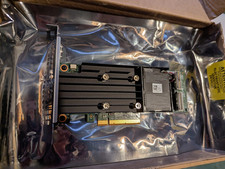
Dell PERC H755 8GB NV 12Gb/s Pci-e RAID controller card 29XMF Full Height
$899.00

Broadcom LSI 9305-16i 12Gbps SAS-3 PCIe x8 HBA 16-Ports Raid Controller
$64.99

LSI 9260-8i 512MB SAS SATA 8-port PCI-E 6Gb RAID Controller Card US
$29.88

MegaRAID 9580-8i8e 16-port 12G SAS/SATA/NVMe 8GB PCIe RAID - 05-50076-00
$1619.30
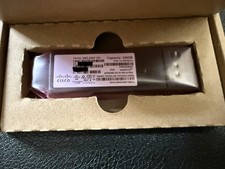
Cisco GSD-240G V01
$55.00
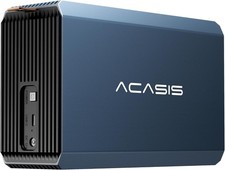
2-Bay RAID Enclosure for 2.5/3.5" SATA HDD/SSD External Hard Drive, USB 3
$59.99



 Reply With Quote