-
Problem with Live CD and X11
Hi everyone,
Im new to knoppix, however have a bit of experience with linux, (not an expert, but know my way around) and im having some trouble
I downloaded the 3.927-5-2005.iso distribution, ran the checksums file is fine, burned carefully at a low speed, and then booted
After booting everything went fine it would say you have passed an unknown mode number just hit space, until I had problems with x 11 it would attempt to load the screen would flicker and then corrupt, or something to that likeness
I researched the forums found several possible solutions including multiple combinations of the following cheatcodes,
vga=0 xmodule=fbdev xmodule=svga xmodule=vesa screen =1280X764 screen=1024x768 screen=640x480fb=1024x768 fb=640x480 and vga=0 debug -b 3
depending on what i did it either did the same thing as before, or ran through x11, xfree86 vesa and fbdev, trying to start all three, and then gave the following error
error: no suitable x-server found for your card
now i have on board graphics( intel 82815 graphics controller) could anyone offer some suggestions? im tapped
Thanks in advance for your help!!
Justin
-
X11/KNOPPIX VER 3.9
I'M HAVING THE SAME PROBLEMS...SO AT THE START UP I FOLLOWED THE FAQ/CHEATNOTES BY PLACING "knoppix vga=0 -b 3" and when it finishes all the processes and starts up "x11 starting" my screen blinks 3 times and then i have this video with nothing there...just vertical gray lines and nothing else. Now I'm new also...
(i hope it was okay for me to piggy back on your post since I'm having the same problems) 
-
Senior Member
registered user
Re: Problem with Live CD and X11

Originally Posted by
jcrouzzo
i have on board graphics( intel 82815 graphics controller) could anyone offer some suggestions?
Try this:
boot: knoppix xmodule=i810
Let us know how it goes.
Regards,
- Robert
http://www.cwelug.org
-
Senior Member
registered user
now i have on board graphics( intel 82815 graphics controller) could anyone offer some suggestions? im tapped
The Integrated Graphics is the most likely source of your concern. The Intel 810 and 815 chipsets do not appear to play well with many versions of Linux. The cheatcode provided by rwcitek should do the trick. The other option is to get a different motherboard with compatible graphics.
Please post the results, good or bad with the cheatcode. If your solution is something else or something in addition, please let us know what did the trick for you.
-
SOLVED IT
My Cisco instructor informed me about the problem with Intel as well. I installed a PCI VGA and I had no issues with it...hope this helps you out. 
Similar Threads
-
By efe in forum Hardware & Booting
Replies: 3
Last Post: 08-02-2008, 09:44 AM
-
By Linux Man in forum Hardware & Booting
Replies: 6
Last Post: 06-02-2008, 12:25 PM
-
By lotuseclat79 in forum General Support
Replies: 1
Last Post: 08-29-2006, 03:42 PM
-
By someuser77 in forum Networking
Replies: 6
Last Post: 08-07-2005, 12:08 AM
-
By nugie in forum General Support
Replies: 7
Last Post: 02-26-2005, 08:24 PM
 Posting Permissions
- You may not post new threads
- You may not post replies
- You may not post attachments
- You may not edit your posts
-
Forum Rules


Lot of 500 Cisco 10-3145-02 QSFP-100G-CWDM4-S 100G CWDM4 QSFP28 Transceiver
$1500.00

Cisco WS-C3650-12X48UR-L 48-Port Stackable Layer 3 8x10G SFP+ Port Switch
$129.99
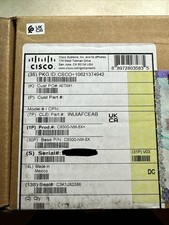
Cisco C9300NM8X Network Switch Module
$599.99
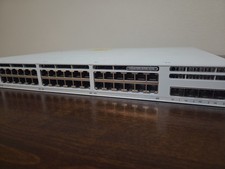
Cisco C9300L-48P-4X Catalyst 9300L 48-Port PoE+ 4x10G SFP+ 1100W Tested
$3200.00

Cisco C9300-48UXM-A Switch 9300 Series 48-port UPoE Network
$874.99
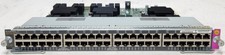
Cisco WS-X4748-UPOE+E 48 Port PoE Gigabit Switch Card for Catalyst 4500E Series
$34.99

Cisco Catalyst C9120AXI-B Wi-Fi 6 Access Points
$36.00
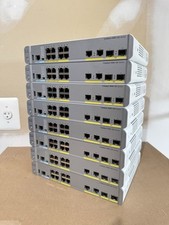
Cisco Catalyst WS-C3560CX-8PC-S Managed Switch 8 PoE+ Port | Quantity Available
$97.49

Cisco Catalyst C9130AXI-B WiFi 6 802.11ax Wireless Access Point Brand New
$101.99
Cisco WS-C3850-12X48U-S 48-Port UPoE Switch 1100W PSU
$149.99



 Reply With Quote