

Alls I want to do is be able to move some files on my NTFS drive.
I was told to use the following commands:
"mount -t ntfs /dev/hdaX /mnt/hdaX"
- or -
"mount -o remount,rw /mnt/"
Both of which say "mount: only root can do that"
So I go into settings and go to Users and Password, and I thought that I needed to change the password so it logs my in as root. So I read this:
"There is none; all passwords are locked/scrambled by default. You can set it by going Knoppix Menu->Root Shell and typing "passwd", then enterting a root password, also there are several sections you can read dealing with this subject in KNOPPIX/README_Security.txt. You can also type "sudo su" or "sudo -s" in any console window, or use <ctr>-<alt>-F2 to get at the text console with already opened root shell.
However, in some older versions of Knoppix, if you type 'sudo -s', it will ask for a password. If you simply press return without entering anything, it will tell you 'Authentication Failed.""
And it takes my password, even though my curser does not move, but when I click change password in the Control Panel it says that my password is incorrect.
I have been asking around for the past week can someone please help me.
---
Verifying of md5 checksum and burning a CD at slow speed are important.
Do check out & heed moderator Kulman's link.
but...
In answer to your question..
If you type 'sudo passwd' in a normal shell (or 'passwd') in a root shell, it *should* accept & update your root password.
However, since all you want to do is mount a drive, 'sudo mount...' should do that without needing to update the root password. Sudo will allow you to do one command as root without needing a password unless this has been changed in recent versions of knoppix.
Having said that, be aware that there are problems writing to ntfs drives from linux and directly writing to your ntfs drive could trash the filesystem on that drive. As far as I know, the only way to safely write to an ntfs partition from linux is to use 'captive ntfs' which you will have to set up on your system before you can use it. I can't tell you how to do this, I don't use it as I have no ntfs partitions.
 Posting Permissions


(New) AMD Ryzen 7 5700X 8 Core 16 Thread AM4 Unlocked 3.4 GHz CPU OEM Tray
$174.99
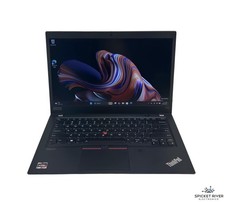
Lenovo ThinkPad T14S Gen 1 8-Core 4750U 1.70 GHz 512 GB SSD 16 GB RAM Win11Pro
$240.00

HP Z420 Pro Workstation PC Xeon E5-2660 8-Core 64GB RAM Quadro K5000 128GB SSD
$249.00
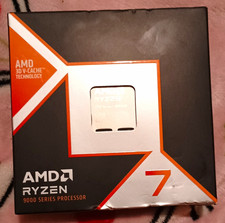
AMD Ryzen 7 9800X3D 8-Core 4.7GHz Socket AM5 CPU 5600MHz 96MB L3
$355.00

Dell Optiplex 7050 Micro Core i5-7500 8 GB RAM 256GB SSD Microsoft Windows 11
$89.99

Intel Xeon E5 - 2667V2 / SR19W 3.30GHz 25MB 8-Core CPU Socket LGA2011
$30.00

AMD Ryzen 7 9700X 8-Core 16-Thread 40MB Cache Socket AM5 9000 Series Processor
$245.99

Microsoft Surface Go 2 Laptop Core i5 1135G7 2.4GHz 8GB 128GB SSD
$179.99

DELL Optiplex 780 SFF CORE2DUO 3.0GHz 8GB RAM 250GB HDDDVDRW NO OS
$99.99
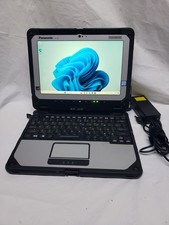
Panasonic CF-20 Core M5-6Y57 8GB RAM 256GB, SSD,WIN 11,
$225.00


 Reply With Quote