

 Reply With Quote
Not sure what's different between Knoppix and Morphix, but Morphix was able to configure the NS83815 (I'm using it right now). Maybe we can figure out what they're doing to make this work better.


You're right about it being an autonegoitation issue; when I picked through what had been done to the eeprom I found that the eeprom settings were in a configuration that would screw up autonegotiation. But it really didn't matter what network I tried it on; I ran it to a 10/100 switch that would have negoiated anything the NIC wanted to talk and it just couldn't work anything out. I also ran it into a 10 mbit hub that only runs at 10 mbit, and the NIC couldn't work that out either. Wouldn't talk to several other computers straight in with a cross over cable either. The notebook had talked to both the 10/100 switch and the 10 hub before running the Windows "security update". So I doubt in your case that you would find you connected any better on a different network, but if you poke around at the register level I'm pretty sure you'll find that autonegotiation isn't working right.Originally Posted by H1ghlander
As to it working with both XP and Solaris, I'm not surprised. I think you'll even find that it works with some versions of Linux. What I believe is happening is this: The eeprom settings are now in a bogus default state. If the driver doesn't use the eeprom defaults but rather resets the registers to what it wants, the NIC will work. If the driver trusts the eeprom settings, then it will fail. Normally one would think you should trust the eeprom settings, after all, why have a way to configure the NIC in eeprom and then defeat it? That seems to be what Knoppix does at start-up, and when it does it the NIC fails. However, Windows XP overrides the eeprom settings (kinda like they knew they had been screwed up) and so it works fine. And things like the command sudo mii-tool -r also are designed to reset the NIC settings, so after a mii-tool reset most people seem to be able to get past this problem too. Solaris (and versions of Linux that work fine) might also bring up the NIC with it's own settings rather than the eeprom power up settings, or it might even be making a call to something like mii-tool to be sure the device is reset during boot, which would defeat the ability to use eeprom settings to configure the NIC, but would also also prevent update software from having a bad effect by screwing up the NIC (the eeprom would still get screwed over, but if the booting software resets the bad values the NIC still works). You give up the configuration ability that almost no one ever really uses for security from the attack against the eeprom.
It's also interesting to note that while the eeproms are getting changed to things that make no sense for the chipset, the MAC address (also stored in that eeprom) never seems to ever get changed. Mine is certainly the same as it was when I first got the notebook (confirmed this from logs when I had the problem). Wonder why this would happen? My expectation is that the software screwing up the eeprom dare not mess with the MAC address, which it need too. And it better not store the MAC adress elsewhere and then muck up the eeprom AMC address, since a reinstall of the software would leave it without it's backup copy of the MAC address. So the eeprom MAC address is likely safe, but any other eeprom settings are targeted.
Not sure what's different between Knoppix and Morphix, but Morphix was able to configure the NS83815 (I'm using it right now). Maybe we can figure out what they're doing to make this work better.
Weirder yet, I booted 07/23 version on my HP ZE4100 (same kind of config, but builtin wlan and IGP-340 Radeon card). I thought it was hooked up to the switch, but it wasn't. I then connected it to the switch, and I now have connectivity
in Knoppix, once I told Knoppix what the appropriate network info is.
That doesn't strike me as weird at all. It just sounds to me like a certain brand of evil software hasn't screwed your ZE4100 yet liike it did to your ZE5185. That's not to say that it will not; I ran my HP notebook for a while swapping between both systems and each worked fine. Then the Knoppix CD that always worked stopped working, as did other Knoppix CD copies I also had.
I would urge you to go to the website http://www.scyld.com/diag/ and get the nat semi diagnostics program and also the mii-diag program. Before you boot windows again on this system I would ask that you compile and run both of these programs with as many options as you can find (read the source to find all kinds of good options), and redirect all output to files that you can keep as a record. You'll be very very glad you have this information if the ZE4100 stops working later; you should be able to dump the eeprom settings now and reload them later. And this would certainly allow us to prove what is happening if you make note of when the problem first occurs (assuming, of course, if it does).
I would also say check closely if the two notebooks use the same chip. If it indeed does, you may be able to load the saved eeprom file into the ZE5185. And if you get this information, I would really appreciate it if you could send me a copy of everything; it might give me the information about the eeprom contents that I can't get from HP that would let me use the programs from www.scyld.com to reload my eeprom. And if I can get that working again I'll grab the new XP updates, and even reinstall all of the original software from the CD's that HP provided so that I can re-accept all of the "security updates" again and prove once and for all what is actually happening.
Of course, there could also be some BIOS issues that deal with the NIC differently in the ZE4100 than the ZE5185. I know my BIOS in my 4240 is extremely limited and more so than in many other HP Pavilion notebooks. I don't even have the "secret" diagnostics built into my system that many HP Pavilion notebooks do. Anything you can learn about the BIOS in each notebook might help too.
This output is from my ze4100 with the NatSemi DP83815 10/100 network running Knoppix 3.3 connected to a linksys 54G wireless router (though it's connected on a wired port). It came up the first time. I'll also post the results from my ZE5185 which had the problem next.
ethtool -e eth1
Address Data
------- ------
0x00 0x103c
0x01 0x002a
0x02 0x2cd0
0x03 0xcf82
0x04 0x0000
0x05 0x0000
0x06 0x0000
0x07 0x0007
0x08 0xf3b1
0x09 0xee74
0x0a 0xa098
0x0b 0xa355
hope this helps.
Here is the startup from my HP ZE5185, and connected to the same Linksys wireless router from the test with my ZE4100 (on the wired port, of course), the port did not start. This was booted cold, so no eeprom settings from XP may have been left over.
Initial "ethtool -e eth0"
Address Data
------- ------
0x00 0x103c
0x01 0x0029
0x02 0x2cd0
0x03 0xcf82
0x04 0x0000
0x05 0x0000
0x06 0x0000
0x07 0x0007
0x08 0xf2b0
0x09 0x8890
0x0a 0xa098
0x0b 0xf055
Initial "ifconfig eth0"
eth0 Link encap:Ethernet HWaddr 00:C0:9F:1A:22:12
BROADCAST MULTICAST MTU:1500 Metric:1
RX packets:0 errors:0 dropped:0 overruns:0 frame:0
TX packets:0 errors:0 dropped:6 overruns:0 carrier:0
collisions:0 txqueuelen:100
RX bytes:0 (0.0 b) TX bytes:0 (0.0 b)
Interrupt:11 Base address:0x7000
did a "mii-tool -r; ethtool -e eth0"
restarting autonegotiation...
Address Data
------- ------
0x00 0x103c
0x01 0x0029
0x02 0x2cd0
0x03 0xcf82
0x04 0x0000
0x05 0x0000
0x06 0x0000
0x07 0x0007
0x08 0xf2b0
0x09 0x8890
0x0a 0xa098
0x0b 0xf055
did a "netcardconfig" (selecting dhcp broadcast)
Sending DHCP broadcast from device eth0 OK.
these are the settings from "ethtool -e eth0" after the "mii-tool -r" and "netcardconfig"
Address Data
------- ------
0x00 0x103c
0x01 0x0029
0x02 0x2cd0
0x03 0xcf82
0x04 0x0000
0x05 0x0000
0x06 0x0000
0x07 0x0007
0x08 0xf2b0
0x09 0x8890
0x0a 0xa098
0x0b 0xf055
and I have a working interface after this procedure from "ifconfig eth0"
eth0 Link encap:Ethernet HWaddr 00:C0:9F:1A:22:12
inet addr:192.168.3.2 Bcast:192.168.3.255 Mask:255.255.255.0
UP BROADCAST RUNNING MULTICAST MTU:1500 Metric:1
RX packets:7 errors:0 dropped:0 overruns:0 frame:0
TX packets:5 errors:0 dropped:6 overruns:0 carrier:0
collisions:0 txqueuelen:100
RX bytes:2131 (2.0 KiB) TX bytes:1648 (1.6 KiB)
Interrupt:11 Base address:0x7000
What's weird is I don't see any changes in the register settings, despite that once renegotiation is reset, it just works. Maybe the thing to do is check the settings vs the ZE4100 which does work from a cold boot, and has not had it's driver updated in XP. Again, this interface works in MorphixCombined-Gnome-0.4.x so perhaps there's something they're doing differently.
Yup, I would certainly get the information from the notebook that does still work, both to compair with this notebook (if you're sure they both use the same chip in the NIC) and also so you have it in case Windows does something to the working notebook someday. I would also suggest using mii-diag and natsemi-diag from http://www.scyld.com/diag/index.html and getting the rom values from both of these programs.
Check out the last post on page 3. That has the ethtool -e output from the ZE4100 which works correctly. There are definitely some registers that are different. However, I don't have a clue what those difference mean.
I have the documentation for the DP83815 chip (available as a PDF from the Nat.Semi. site). I'll try to make some sense out of what your ZE4100 settings are telling us and contrast then to the other NIC. It may take me a few days to get to it and the documentation is 108 pages and most of that is setting up the nic registers (and somewhat cryptic to me), so please be patient and don't expect any answers tonight or tomorrow. I would still suggest that you also check what the other programs I mentioned above give you. I don't know why, but I got different results on my NIC from the differet tools. I'm more inclined to trust the other two tools, particularly the natsemi-diag that is made for a natsemi chip (but also the mii-diag) over ethtool when the programs do not agree.
What I really would like you to do if you are willing is to run the natsemi-diag on both notebooks with both the -e and -ee options (-ee seems to be needed to get the raw data, which is what we'll want to put back into the corrupted eeproms). The -e option will also give us an interpeted discription of what it thinks the eeproms are set for, which should be a big help. natsemi-diag does need to be run as root or with the sudo command prefix. And if you are brave you might want to try the -E option (which from reading the source code I find should do an "emergency rewrite" of the eeprom, which might resolve this for us.) Having the mii-tool -r work around, I haven't been brave enough to try this yet.
If we can get the eeprom values right again, then at power up the registers should be put in a valid mode. The National Semi NIC does work under Knoppix (as your ZE4100 shows and my 4240 did show before I ran the "security updates").
That ethtool -e is giving you different values after these commands makes think that it's not really giving us eeprom settings at all (which should not change) but rather register settings. Yes, the documentation says it should dump the eeprom, but then you would get the same values each time. This is a further reason why I trust natsemi-diag over ethtool.
 Posting Permissions

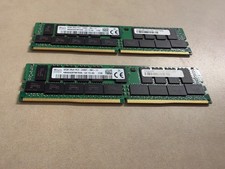
Lot of 2 32GB (64GB total) SKhynx 2Rx4 PC4-2400T-AB1-11 HMA84GR7MFR4N-UH MEMORY
$299.99
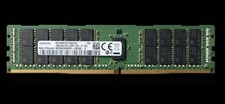
Samsung 16GB DDR4 2400MHz PC4-2400T 19200 ECC Server Memory RAM M393A2G40EB1
$78.00
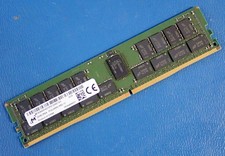
MICRON MTA36ASF4G72PZ-2G6E1 | 32GB PC4-2666V RDIMM Server RAM
$149.95

SMART(Micron)SafeStor 32GB(1X32GB) 1RX4 NN4-3200AA(DDR4) HPE Server Memory
$159.98
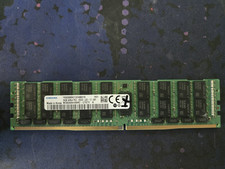
Samsung 64GB 4DRx4 PC4-2666V LD2 DDR4 ECC Server RAM Memory M386A8K40BM2-CTD7Y
$299.00

USB 3.0 Flash Drive 32GB 64GB 128GB Memory Stick Thumb Stick Lot Pack
$826.09

Kingston 32GB 64GB 128GB 256GB USB 3.0 Flash Drive Thumb Memory Stick Pen lot
$285.90
Hynix HMAA4GR7CJR8N-XN 32Gb PC4-3200AA 2Rx8 Server DDR4 RAM
$375.00

x4 Intel 128GB NMB1XXD128GPS Optane Memory 200 Series PMEM Module 3200 DDR4 RAM
$329.99

1/ 10/ 100pcs USB 2.0 2GB, 4GB ,8GB ,16GB ,32GB ,64GB 128GB USB Flash Drives Lot
$202.50