-
Administrator
Site Admin-

Originally Posted by
H1ghlander
I've got an HP ZE5185 (2.4G P4, 512M, 20G drive, with the Nat Semi network port),
and I've got the same problem with the network, it just doesn't configure. Possibly, because
I'm on a shared 10mb network, maybe the autonegotiation isn't working, but the card
works on the same network in both XP and Solaris 9/X86 (with a non-sun driver)
You're right about it being an autonegoitation issue; when I picked through what had been done to the eeprom I found that the eeprom settings were in a configuration that would screw up autonegotiation. But it really didn't matter what network I tried it on; I ran it to a 10/100 switch that would have negoiated anything the NIC wanted to talk and it just couldn't work anything out. I also ran it into a 10 mbit hub that only runs at 10 mbit, and the NIC couldn't work that out either. Wouldn't talk to several other computers straight in with a cross over cable either. The notebook had talked to both the 10/100 switch and the 10 hub before running the Windows "security update". So I doubt in your case that you would find you connected any better on a different network, but if you poke around at the register level I'm pretty sure you'll find that autonegotiation isn't working right.
As to it working with both XP and Solaris, I'm not surprised. I think you'll even find that it works with some versions of Linux. What I believe is happening is this: The eeprom settings are now in a bogus default state. If the driver doesn't use the eeprom defaults but rather resets the registers to what it wants, the NIC will work. If the driver trusts the eeprom settings, then it will fail. Normally one would think you should trust the eeprom settings, after all, why have a way to configure the NIC in eeprom and then defeat it? That seems to be what Knoppix does at start-up, and when it does it the NIC fails. However, Windows XP overrides the eeprom settings (kinda like they knew they had been screwed up) and so it works fine. And things like the command sudo mii-tool -r also are designed to reset the NIC settings, so after a mii-tool reset most people seem to be able to get past this problem too. Solaris (and versions of Linux that work fine) might also bring up the NIC with it's own settings rather than the eeprom power up settings, or it might even be making a call to something like mii-tool to be sure the device is reset during boot, which would defeat the ability to use eeprom settings to configure the NIC, but would also also prevent update software from having a bad effect by screwing up the NIC (the eeprom would still get screwed over, but if the booting software resets the bad values the NIC still works). You give up the configuration ability that almost no one ever really uses for security from the attack against the eeprom.
It's also interesting to note that while the eeproms are getting changed to things that make no sense for the chipset, the MAC address (also stored in that eeprom) never seems to ever get changed. Mine is certainly the same as it was when I first got the notebook (confirmed this from logs when I had the problem). Wonder why this would happen? My expectation is that the software screwing up the eeprom dare not mess with the MAC address, which it need too. And it better not store the MAC adress elsewhere and then muck up the eeprom AMC address, since a reinstall of the software would leave it without it's backup copy of the MAC address. So the eeprom MAC address is likely safe, but any other eeprom settings are targeted.
Similar Threads
-
By Leander in forum Hardware & Booting
Replies: 5
Last Post: 01-23-2005, 02:50 PM
-
By rbivins in forum Hardware & Booting
Replies: 10
Last Post: 11-10-2004, 07:43 PM
-
By o0oO in forum Hardware & Booting
Replies: 1
Last Post: 10-01-2004, 11:20 AM
-
By rec9140 in forum General Support
Replies: 0
Last Post: 11-12-2003, 06:59 PM
-
By jimk in forum Networking
Replies: 7
Last Post: 10-21-2003, 11:10 PM
 Posting Permissions
- You may not post new threads
- You may not post replies
- You may not post attachments
- You may not edit your posts
-
Forum Rules


(New) AMD Ryzen 7 5700X 8 Core 16 Thread AM4 Unlocked 3.4 GHz CPU OEM Tray
$174.99
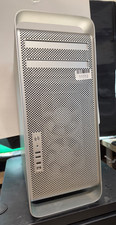
Apple Mac Pro (A1186, "8Core" 2007)Xeon X5365-4GB Ram 1TB HDD OS XLeopard NVIDIA
$274.99
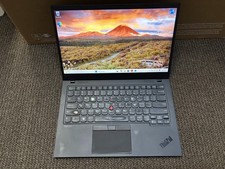
Lenovo Thinkpad X1 Carbon 8th Gen: Core i7-10510U, 16GB RAM, 1TB SSD, WIn 11 Pro
$299.99
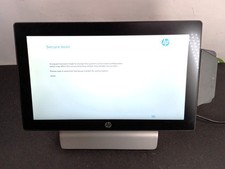
HP RP9 G1 9115 Core i5-6500TE 8GB 256GB AiO POS Retail System w PA
$275.00

AMD Ryzen 7 9850X3D 8-Core 16-Thread 5.6GHz 120W AM5 CPU 100-100001973WOF
$435.99

Intel Core i9-9900K Coffee Lake 8-Core, 16-Thread, 3.6 GHz (LGA 1151)
$189.99

AMD Ryzen 7 9800X3D 8-Core 16-Thread AM5 Zen 5 Desktop Processor NEW
$398.00
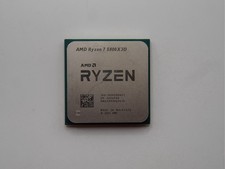
AMD Ryzen 7 5800X3D 8-Core 3.4GHz Socket AM4 CPU Processor….
$309.99

AMD Ryzen 7 PRO 8700GE 8-Core/16-Thread Up to 5.1GHz AM5 (FL1)
$175.00
8-Core 16-Thread Unlocked Desktop Processor, High Performance CPU for Gaming & W
$396.99



 Reply With Quote