-
Administrator
Site Admin-

Originally Posted by
H1ghlander
Weirder yet, I booted 07/23 version on my HP ZE4100 .... I then connected it to the switch, and I now have connectivity in Knoppix, once I told Knoppix what the appropriate network info is.
That doesn't strike me as weird at all. It just sounds to me like a certain brand of evil software hasn't screwed your ZE4100 yet liike it did to your ZE5185. That's not to say that it will not; I ran my HP notebook for a while swapping between both systems and each worked fine. Then the Knoppix CD that always worked stopped working, as did other Knoppix CD copies I also had.
I would urge you to go to the website http://www.scyld.com/diag/ and get the nat semi diagnostics program and also the mii-diag program. Before you boot windows again on this system I would ask that you compile and run both of these programs with as many options as you can find (read the source to find all kinds of good options), and redirect all output to files that you can keep as a record. You'll be very very glad you have this information if the ZE4100 stops working later; you should be able to dump the eeprom settings now and reload them later. And this would certainly allow us to prove what is happening if you make note of when the problem first occurs (assuming, of course, if it does).
I would also say check closely if the two notebooks use the same chip. If it indeed does, you may be able to load the saved eeprom file into the ZE5185. And if you get this information, I would really appreciate it if you could send me a copy of everything; it might give me the information about the eeprom contents that I can't get from HP that would let me use the programs from www.scyld.com to reload my eeprom. And if I can get that working again I'll grab the new XP updates, and even reinstall all of the original software from the CD's that HP provided so that I can re-accept all of the "security updates" again and prove once and for all what is actually happening.
Of course, there could also be some BIOS issues that deal with the NIC differently in the ZE4100 than the ZE5185. I know my BIOS in my 4240 is extremely limited and more so than in many other HP Pavilion notebooks. I don't even have the "secret" diagnostics built into my system that many HP Pavilion notebooks do. Anything you can learn about the BIOS in each notebook might help too.
Similar Threads
-
By Leander in forum Hardware & Booting
Replies: 5
Last Post: 01-23-2005, 02:50 PM
-
By rbivins in forum Hardware & Booting
Replies: 10
Last Post: 11-10-2004, 07:43 PM
-
By o0oO in forum Hardware & Booting
Replies: 1
Last Post: 10-01-2004, 11:20 AM
-
By rec9140 in forum General Support
Replies: 0
Last Post: 11-12-2003, 06:59 PM
-
By jimk in forum Networking
Replies: 7
Last Post: 10-21-2003, 11:10 PM
 Posting Permissions
- You may not post new threads
- You may not post replies
- You may not post attachments
- You may not edit your posts
-
Forum Rules


Intel Xeon E5-2699 V4 2.20GHz 55M 22-CORES LGA2011-3 Server Processor 145W SR2JS
$84.49

Intel Xeon Phi 5110P 60-Core 1.053GHz Coprocessor
$50.00
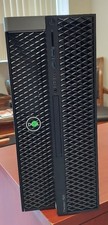
Dell Precision T7820 Dual Xeon 4214R 48GB RAM 512GB + 1TB Quadro P400 Win 11
$699.00

Dell Precision T1700 Workstation Intel Xeon 16G Ram 256GG SSD Nvidia 600 Win 10
$109.99
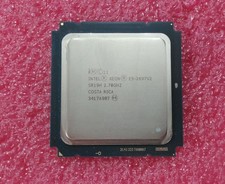
Intel Xeon E5-2697v2 ( E5-2697 v2) SR19H - 2.7GHz 12 Core LGA2011
$35.00

Lenovo ThinkStation P520c Intel Xeon W-2133 6-Core 3.60GHz -NO RAM/ HDD/ GPU/ OS
$127.54

Dell Precision T5820 Workstation 3.70GHz W-2135 No RAM/ GPU/ HDD/ OS
$179.98

Intel Xeon E5-2680 V2 2.8GHz 10-Core 25MB 8GT/s SR1A6 LGA2011 B Grade Server CPU
$7.95

Dell EMC PowerEdge R440 Xeon silver 4215 2.5GHz 16 GB ram 2x 550W PSU No HDD
$275.00

Dell Precision Tower 7810 Xeon E5-2630 v3 @ 2.40GHz , 32GB Ram, NO HDD, NO OS
$239.99



 Reply With Quote