-
Glad to see the system works
Thanks for all the insites.
It's good to see the system working (this one).
I'll give file an edit tonight (when I get home).
I do remember looking at the menu.lst file and I believe the ### is there; so maybe problem solved!
Thanks ALL!
-
It worked! Many thanks to all!
IT worked.....
You can edit the /boot/grub/menu.lst file right after the install is finished to eliminate the ###s.
You must set the properties of /dev/hda1 to read/write and the device to read/write also then mount it.
Then you can edit the file, save it and 'viola... IT BOOTS!
Many thanks again!
-
Cause of the "### isk_size" in meu.lst
Hi,
we, Japanese KNOPPIX user gourp (http://www.freeml.com/archive/[email protected]), have
finally found out why this disturbance in the option line in /boot/grub/menu.lst was caused.
The installation script "knoppix-installer" has nothing to do with this error.
This error happens simply because the /proc/cmdline will be disturbed if you boot your KNOPPIX CD
4.0.2 WITHOUT ANY BOOT OPTION. After the booting, you can execute the following command:
$ cat /proc/cmdline
### isk_size=100000 init=/etc/init lang=us apm=power-off vga=791 initrd=minirt.gz nomce quiet BOOT_IMAGE=knoppix BOOT_IMAGE=linux
If you execute "knoppix-installer" under this situation, this error will be put into the /boot/grub/menu.lst.
However, this error will NOT HAPPEN if you boot your KNOPPIX CD WITH AN OPTION, e.g;
boot: knoppix
boot: knoppix 2
boot: fb1024x768
etc.
So, we strongly recommend you TO BOOT KNOPPIX 4.0.2 CD WITH AN OPTION, e.g. "boot: knoppix" if you
plan to install it to your HDD with the "knoppix-installer" script.
One member of us also has identified the cause of the disturbance in /proc/cmdline.
It was syslinux.bin from the package "syslinux 2.11-0.1". He has experimentally made a knoppix4.0.2 iso
image after he exchanged this file with a old syslinux.bin from "syslinux-knoppix 2.04-1".
He could check out that the error in /proc/cmdline did not happen when he booted the modified 4.0.2 CD.
The condlusion: This error of the HDD installation probably happens due to a problem in syslinux.
We hope sombody will fix this problem soon.
Thank you
-
Sorry for my wrong information
Sorry, there is a mistake in the preceding mail;
One member of us also has identified the cause of the disturbance in /proc/cmdline.
It was syslinux.bin from the package "syslinux 2.11-0.1". He has experimentally made a knoppix4.0.2 iso
image after he exchanged this file with a old syslinux.bin from "syslinux-knoppix 2.04-1".
He could check out that the error in /proc/cmdline did not happen when he booted the modified 4.0.2 CD.
"syslinux.bin" was a wrong file name. "isolinux.bin" is a correct one. So, I write once more:
One member of us also has identified the cause of the disturbance in /proc/cmdline.
It was isolinux.bin from the package "syslinux 2.11-0.1". He has experimentally made a modified
knoppix4.0.2 iso image after he replaced this file with an old isolinux.bin from "syslinux-knoppix 2.04-1".
He assured himself that the error in /proc/cmdline did not occur when he booted from his modified 4.0.2 CD.
I apologize for my mistake. 
-
i have followed all the directions and when the system finally comes up there is a grub prompt
i am 100% new at this
whats next?
and thanks very much for the info that has gotten me this far
lp
-
Bumping this because I'm getting the same error and I'm clueless. Simple instructions anyone?
-

Originally Posted by
SimonomiS
Bumping this because I'm getting the same error and I'm clueless. Simple instructions anyone?
Help someone?
Is there anyway I can just wipe my HD and start anew?
-
Senior Member
registered user
Originally Posted by
SimonomiS
Is there anyway I can just wipe my HD and start anew?
If you really want to wipe the HD, it's easy to do.
Quick way to do that is (Replace /dev/hda with something else if your HD isn't hda)
Code:
sudo dd if=/dev/zero of=/dev/hda bs=512 count=1
That will overwrite first sector of HD, which should be enough, as it will overwrite partition-table.
To wipe-out all data from whole HD you can use
Code:
sudo dd if=/dev/zero of=/dev/hda bs=1M
-
Hmm, but I can't even get that far.
It gets to the boot promt, any booting command gives me the not syncing; VFS etc error, and for other commands it gives me "kernel image sudo (or whatever it I try) not found".
-
Senior Member
registered user
Originally Posted by
SimonomiS
Hmm, but I can't even get that far.
It gets to the boot promt, any booting command gives me the not syncing; VFS etc error, and for other commands it gives me "kernel image sudo (or whatever it I try) not found".
Sorry, I didn't realize you were unable to boot at all. That command I gave can only be used in konsole, after a successfull boot.
Similar Threads
-
By Chadsfunkin5 in forum Hardware & Booting
Replies: 2
Last Post: 01-24-2006, 02:59 AM
-
By Volgin in forum Hdd Install / Debian / Apt
Replies: 5
Last Post: 12-25-2005, 05:37 AM
-
By helkyd in forum Hardware & Booting
Replies: 1
Last Post: 05-14-2004, 02:19 PM
-
By biohazard in forum Hdd Install / Debian / Apt
Replies: 2
Last Post: 12-26-2003, 02:55 AM
-
By ventallo in forum Hdd Install / Debian / Apt
Replies: 11
Last Post: 05-16-2003, 07:35 PM
 Posting Permissions
- You may not post new threads
- You may not post replies
- You may not post attachments
- You may not edit your posts
-
Forum Rules


Lot of 500 Cisco 10-3145-02 QSFP-100G-CWDM4-S 100G CWDM4 QSFP28 Transceiver
$1500.00

NEW Sealed Cisco SFP-10G-LR 10GBASE-LR SFP+ 1310nm 10km *US Shipping*
$24.00

Cisco Acacia DP04QSDD-E25-840 400G QSFP-DD Coherent DCO Transceiver Module
$678.00

Dell Intel X710-DA2 5N7Y5 Dual-Port 10GbE SFP+ PCIe 3.0 x8 Network Adapter
$27.50

SFP TO RJ45 TRANSCEIVER SFP MODULE COPPER SFP OPTICAL PORT TO RJ45 ETHERNET PORT
$7.99

Genuine Cisco SFP-10G-SR 0-2415-03 10 Gigabit Transceiver
$5.40

HP 560SFP+ 10GB 2-port PCIe NIC Ethernet ADAPTER 669279-001 w/ (2) 10GB SFP+
$16.99
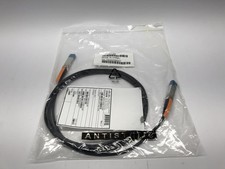
(Lot of 10) Genuine Cisco 10GBASE-CU SFP+ Cable SFP-H10GB-CU3M / 37-0961-03
$99.95

Intel SPTSLP2SLCDE 100G-DR1 QSFP28 500m 1311nm Transceivers - Lot of 10 - New
$180.00
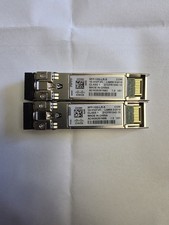
Cisco SFP-10G-LR-S
$35.00



 Reply With Quote