-
It worked! Many thanks to all!
IT worked.....
You can edit the /boot/grub/menu.lst file right after the install is finished to eliminate the ###s.
You must set the properties of /dev/hda1 to read/write and the device to read/write also then mount it.
Then you can edit the file, save it and 'viola... IT BOOTS!
Many thanks again!
Similar Threads
-
By Chadsfunkin5 in forum Hardware & Booting
Replies: 2
Last Post: 01-24-2006, 02:59 AM
-
By Volgin in forum Hdd Install / Debian / Apt
Replies: 5
Last Post: 12-25-2005, 05:37 AM
-
By helkyd in forum Hardware & Booting
Replies: 1
Last Post: 05-14-2004, 02:19 PM
-
By biohazard in forum Hdd Install / Debian / Apt
Replies: 2
Last Post: 12-26-2003, 02:55 AM
-
By ventallo in forum Hdd Install / Debian / Apt
Replies: 11
Last Post: 05-16-2003, 07:35 PM
 Posting Permissions
- You may not post new threads
- You may not post replies
- You may not post attachments
- You may not edit your posts
-
Forum Rules


Yealink T48S VoIP/SIP Phone, 2 x Gigabit Ports PoE 7" Color SIP-T48S | TESTED
$34.95

Cisco 8861 Gigabit IP Phone Phone 5-line business-class VoIP Wifi Bluetooth
$39.99

Grandstream WP810 Portable Cordless Wi-Fi IP Phone
$49.28

Poly CCX 400 Desktop Business Media Phone VoIP 2200-49700-019
$49.99
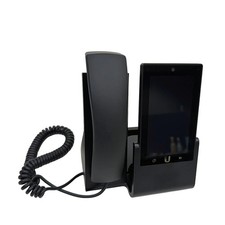
UBIQUITI UVP-TOUCH VoIP Desktop Touchscreen Smart Phone
$55.00

Yealink SIP-T33G IP Phone 4-LineSpeakerphone VoIP Desk Phone Black w/ Power Sply
$25.00
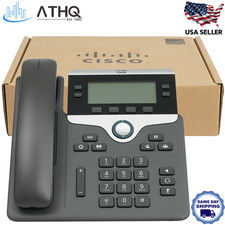
Cisco CP-7841-K9 4-Line Gigabit VoIP IP Phone PoE Office Desk 3.5" Display NEW
$89.99

Cisco/Linksys SPA2102 VoIP Phone Adapter Router 2FXS (Unlocked)
$17.99
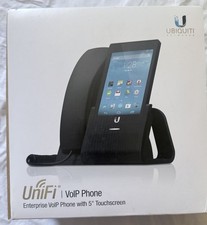
Ubiquiti UniFi VoIP UVP
$85.00
Yealink SIP-T46S IP Phone - Black
$20.00



 Reply With Quote