-
Junior Member
registered user

Originally Posted by
tr
Try to configure locales by
Code:
dpkg-reconfigure locales
I don't understand the first screen that comes up. Am i supposed to select ONLY English/US languages? Those would start with "en" and/or "us", right?
Try this
Code:
dpkg -l | grep linux-image
if it shows 'ii' (not 'hi' = half installed) and you see your kernel there in the list, kernel is installed ok. Of course you can install it safely again if you want. It works after rebooting system.
Everything looks fine. Here's the output (for the 2.6.19-1 multimedia kernel only):
ii linux-image-2.6.19-multimedia-486 2.6.19-1 experimental.1 Linux 2.6.19 image on486 class
But take a look at your /boot/grub/menu.lst file. Sometimes Grub makes an error if using hd installed Knoppix by using 'rw' instead of 'ro'. Change that if it is the case.
Where inside that file should i look?
Similar Threads
-
By gitarzysta in forum Hdd Install / Debian / Apt
Replies: 1
Last Post: 06-03-2004, 08:36 PM
-
By Nils_ in forum Hardware & Booting
Replies: 0
Last Post: 03-08-2004, 10:50 AM
-
By TheCyberDude in forum Tips and Tricks
Replies: 3
Last Post: 09-03-2003, 03:10 PM
-
By cYmen in forum Customising & Remastering
Replies: 0
Last Post: 07-14-2003, 10:17 AM
-
By tji in forum Customising & Remastering
Replies: 4
Last Post: 06-12-2003, 06:40 PM
 Posting Permissions
- You may not post new threads
- You may not post replies
- You may not post attachments
- You may not edit your posts
-
Forum Rules


Dell PowerEdge FX2s + 8x FC430 Blades 16x E5-2630v4 160 Cores Rails No PSU/RAM
$699.00

AS IS READ DESCRIP. Supermicro SuperServer 6026TT-HIBQRF 12-Bay 4x X8DTT-HIBQF
$215.00

Dell PowerEdge M630 Blade Server 2x Xeon E5-2680 v4, 2F3MP , 4GDP5 ,R10KJ ,JVFVR
$96.60

Dell PowerEdge FC430 Blade Server 2x Xeon E5-2630v4 20 Cores FX2 FX2s No RAM/HDD
$119.99

NETAPP HCI NAF-1701 SuperMicro Server 4X BLADE H410C 8X GOLD 5120 - 4X S25G NICs
$1999.97
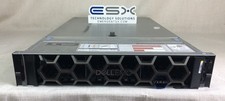
Dell R740XD VxRail P570 24x 2.5” 2U CTO Server– 2x Gold 6240, H740p, 2x 1600W
$699.00

Dell PowerEdge FX2 FX2s Server 10GbE CMC Blade Enclosure Chassis
$274.99

Dell PowerEdge VRTX Rackmount Chassis w/4x PSUs 2x CMC Modules
$399.98

Dell Poweredge VRTX 25Bay 2.5" 2x PERC 8, 2xCMC, I/O 1GB Pass Through, 4x PS
$578.08

Intel H2000 4 Node H2216XXKR, 2x 1600w PSU HPC Server Chassis 16x 2.5"
$199.99



 Reply With Quote