-
Shared Printer Problem Solved
I'm posting this message for others who may have the same problem I encountered. I have run various versions of Knoppix (on live CD not installed) and with all of them, when I tried to install my printer, an Epson Stylus Photo 820, which is networked on a WindowsXP SP2 machine I was getting this message: Error returning browse list NT_STATUS_ACCESS-DENIED
I got a lot of advice about it being a windows problem, about changing Windows Passwords, Knoppix Passwords, using su commands, etc. Nothing worked. I found the solution on a Mepis Forum and discovered that Knoppix, Mepis and other distros have this problem. It has been submitted to the Mepis community for possible correction. I really don't know why this works but for anyone encountering this problem here's a blow-by-blow description of what I did to be able to successfully use my shared printer on a windows machine:
Activate CUPS: Go into the Konsole and type su, enter, and at the prompt type: /etc/init.d/cupsys start
Then go to: Knoppix/Configure/ Configure printers The KDE Control Module opens.
Click Add then, in the drop down menu, click Add Printer/Class. In the Wizard Window that opens click next and then select SMB shared printer (Windows) Now here's where it gets tricky.
In the User Identification Module select Anonymous then click next. In the next window click scan. Your workgroup MSHOME should show up. Click the plus sign and your computers on the network will show up. click the plus sign next to the computer with the printer that you want to access. At this point you will probably get the above error message.
Click the back button and in the previous window select guest and then click next. DO NOT SCAN AGAIN!!! Just click on the plus sign next to the computer whose printer you want to activate and the printer should now show up. Click on the printer and the dialog settings at the top will fill in. In the next window select the printer, click next, and in the next window if you select the recommended software you will probably be denied access again. So select the alternate and click next. At this point you should be able to send a test page to the printer. If it's successful just continue clicking next and filling in the info requested until you're finished. Then go back to the main window and your printer shoud be one of the icons. Make it the default printer and save your configuration to a floppy or your hard drive for next time. Good luck!
Similar Threads
-
By the_idealist100 in forum Hardware & Booting
Replies: 0
Last Post: 08-11-2008, 09:07 PM
-
By bigrobot in forum Networking
Replies: 2
Last Post: 03-11-2005, 02:05 PM
-
By dbabcock46 in forum MS Windows & New to Linux
Replies: 1
Last Post: 01-11-2005, 08:06 PM
-
By pstoddard in forum General Support
Replies: 1
Last Post: 05-15-2004, 08:53 AM
-
By boehmb in forum General Support
Replies: 3
Last Post: 02-01-2003, 08:15 PM
 Posting Permissions
- You may not post new threads
- You may not post replies
- You may not post attachments
- You may not edit your posts
-
Forum Rules


MegaRAID 9580-8i8e 16-port 12G SAS/SATA/NVMe 8GB PCIe RAID - 05-50076-00
$1619.30

Broadcom 9600-24i Tri-Mode RAID Controller 4.0 NVMe SAS SATA NEW 05-50111-01003
$639.69

G-Technology G-SPEED Studio XL 48TB Thunderbolt 2 Storage - Housing Only
$200.00

HP controller P3410-69003 NetRAID-1M SCSI 64-bit U160 32MB Cache (PCI)
$359.00

Broadcom LSI 9305-16i 12Gbps SAS-3 PCIe x8 HBA 16-Ports Raid Controller
$64.99

9300-8i LSI SAS3008 8-Port 12Gb PCIe IT mode ZFS FreeNAS unRAID 2*SFF-8643 US
$49.50
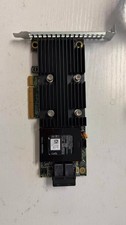
X4TTX Dell PERC H730P SATA/SAS PCIe RAID Controller 0X4TTX
$42.00
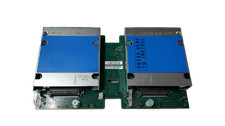
Cisco UCSB-MRAID12G FlexStorage 12G SAS Raid Controller
$23.99

BROADCOM 05-50077-01 PCI-E 4.0 x8 PCI-Express MegaRAID 9560-8i RAID Controller
$714.99
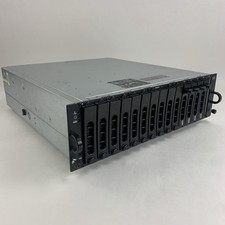
Dell PowerVault MD3000i AMP01 Storage Array 4x Cad 2x PSUs No HDDs/Controllers
$164.95



 Reply With Quote