

 Reply With Quote
cdrecord -scanbus
cat /proc/scsi/scsi


I've got my CDRW installed as a secondary slave. Normally in Linux, its located at /dev/hdd. But seeing as my DVD-ROM (secondary master) is located at /dev/cdrom (instead of the normal /dev/hdc), where could my CDRW be?
cdrecord -scanbus
cat /proc/scsi/scsi
It would be /dev/scd1.
Thanks stephen. Where would I find such information (so that in future, I can look it up myself)?
If you use the command(s):
dmesg | grep sr
grep will search through dmesg for scsi cd devices /dev/sr0, /dev/sr1, etc. on your system, from this you should be able to figure out which device is your DVD and which is your cdrw, from what you say your DVD should be 'sr0', and your cdrw 'sr1' (dmesg will just say sr0 or sr1, when in actually the devices are /dev/sr0 and /dev/sr1)
Then if you do a:
ls -al /dev/sr*
you will see that /dev/sr0 is linked to /dev/scd0 and /dev/sr1 is linked to /dev/scd1, (enough technical stuff).
What I usually do (logged in in as root) is create a cdrw device that I use instead of having to remember if my cdrw is device /dev/sr0 or /dev/sr1 etc. I do this: (assuming your cdrw is /dev/sr1)
ln -s /dev/scd1 /dev/cdrw
I also make a mountpoint /cdrw (still as root: mkdir /cdrw), then edit /etc/fstab and copy the /dev/cdrom line and change /dev/cdrom to /dev/cdrw and the mountpoint /cdrom to /cdrw, save the /etc/fstab file and then I can mount my cdrw. If you want a KDE desktop icon for your cdrw right click on the desktop and select "Create New" then "CdRom Device", name it select the "Device" tab and from the dropdown select: /dev/cdrw (/cdrw).
HTH
rock
You can also find it (as rickenbacherus indicated above) with 'cdrecord -scanbus'Originally Posted by Viro
In my case this yields:
Cdrecord 1.10 (i686-pc-linux-gnu) Copyright (C) 1995-2001 J?rg Schilling
Linux sg driver version: 3.1.24
Using libscg version 'schily-0.5'
scsibus0:
0,0,0 0) 'SONY ' 'CD-RW CRX160E ' '1.0e' Removable CD-ROM
0,1,0 1) *
0,2,0 2) *
0,3,0 3) *
0,4,0 4) *
0,5,0 5) *
0,6,0 6) *
0,7,0 7) *
Since it tells me the cd is at "scsibus0", then I know to look for it at /dev/scd0
The search function on this site will usually get you the basics. The results page is in a very easy to use format. Personally, I use Konqueror and my middle mouse button is set to open links in a new tab. Do a search, open multiple tabs and start reading.
Just my 3 cents...
 Posting Permissions


Dell Precision T5820 Workstation 3.70GHz W-2135 No RAM/ GPU/ HDD/ OS
$179.98

NEW HP Z4 G4 Workstation Xeon W-2123 16GB ECC 256GB NVMe NVIDIA T400 750W Win11
$450.00

Intel Xeon E5-2680 V2 2.8GHz 10-Core 25MB 8GT/s SR1A6 LGA2011 B Grade Server CPU
$7.95

Dell Precision Tower 7810 Xeon E5-2630 v3 @ 2.40GHz , 32GB Ram, NO HDD, NO OS
$239.99

Lenovo ThinkStation P520c Intel Xeon W-2133 6-Core 3.60GHz -NO RAM/ HDD/ GPU/ OS
$127.54

Intel Xeon E5-2699 V4 2.20GHz 55M 22-CORES LGA2011-3 Server Processor 145W SR2JS
$84.49
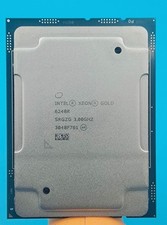
Intel Xeon Gold 6248R 3.0GHz 24-Core SRGZG 35.75MB LGA3647 Server CPU Processor
$269.99
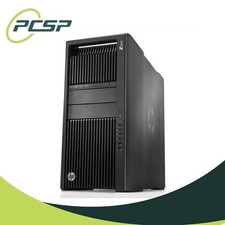
HP Z840 44 Core Workstation 2x Xeon E5-2699 v4 - No RAM/ GPU/ HDD/ OS
$594.97

For Parts - Lenovo ThinkServer TS460 Part Number: 70TT-0020UX
$149.99
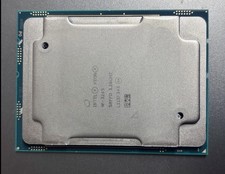
Intel Xeon W-3245 3.2ghz 16-Core CPU OEM - 2019 Mac Pro 7,1
$395.95