-
Junior Member
registered user
But it works only if I have the KNOPPIX directory of the iso on the harddisk. Booting the iso itself does not work, it looks like the boot parameters are ignored. When I remove the KNOPPIX directory I get:
Code:
Accessing KNOPPIX CD&DVD at /dev/hda9...insmod: error inserting '/modules/cloop.ko': -1 bad file number
Segmentation fault
but the partition with knoppix is /dev/hda5 (according to md5sum the image is valid)
-

Originally Posted by
testerus
But it works only if I have the KNOPPIX directory of the iso on the harddisk. Booting the iso itself does not work, it looks like the boot parameters are ignored. When I remove the KNOPPIX directory I get:
Code:
Accessing KNOPPIX CD&DVD at /dev/hda9...insmod: error inserting '/modules/cloop.ko': -1 bad file number
Segmentation fault
but the partition with knoppix is /dev/hda5 (according to md5sum the image is valid)
If you have a partition with a /KNOPPIX directory and/or a KNOPPIX file you may want to be very carefull.
The linuxrc script is now poorly written and is a real patchwork. Try to rename or remove any /KNOPPIX directory or /KNOPPIX filename you may have on all your partitions and try again. The existence of such directory may fool the script which may try to load portion of the data from the iso and portion from the /KNOPPIX directory. I have it working without any problem on a couple of my systems. Please let me know. Best Regards,
Gilles
-
And how to use lilo anyway?
I've searched the forum loking for this precious informatioin on how to boot the .iso file through lilo. I have downloaded a lot of stuff, most of it modified kernels to support the "boot fromhd=/dev/hdXX/*iso" option. I still have to try it out but I hoped I could find something more straight to the target. I mean, I found a lot of stuff on how to configure GRUB in order to get it done, but no info on lilo.
Anyone of you guys can help me??? Currently I've got Kurumin 5.0 (a brazilian Knoppix remaster) installed on my HD in multi-boot with Kurumin 3.1 (/dev/hdXX/knoppix and kernel 2.4), INSERT, and I want to use GamesKnoppix from an iso file on my HD. The boot manager is lilo.
-
How to boot knoppix 4.02 game or official cd/dvd from Lilo
Originally Posted by
Kihoma
I've searched the forum loking for this precious informatioin on how to boot the .iso file through lilo. I have downloaded a lot of stuff, most of it modified kernels to support the "boot fromhd=/dev/hdXX/*iso" option. I still have to try it out but I hoped I could find something more straight to the target. I mean, I found a lot of stuff on how to configure GRUB in order to get it done, but no info on lilo.
Anyone of you guys can help me??? Currently I've got Kurumin 5.0 (a brazilian Knoppix remaster) installed on my HD in multi-boot with Kurumin 3.1 (/dev/hdXX/knoppix and kernel 2.4), INSERT, and I want to use GamesKnoppix from an iso file on my HD. The boot manager is lilo.
You can use a command line for lilo from DOS as this one:
Code:
"loadlin.exe linux initrd=minirt~1.gz ramdisk_size=100000 init=/etc/init bootfrom=/dev/hda1/boot/knoppix.402/*.iso lang=us dma quiet apm=power-off nomce noprompt"
Or update your existing lilo.conf as follow:
Code:
image=/boot/knoppix.402/linux
label="Knoppix"
root=/dev/hda1
initrd=/boot/knoppix.402/minirt_ntfs.gz
append="ramdisk_size=100000 init=/etc/init bootfrom=/dev/hda1/boot/knoppix.402/*.iso lang=us dma quiet apm=power-off nomce noprompt"
Or just use lilo to start grub by adding the following lines to your lilo.conf:
Code:
image=/boot/grub.exe
label="grub"
using the grub.exe from this link: http://sarovar.org/download.php/770/....1pre28.tar.gz
and using my instruction in my other thread: http://www.knoppix.net/forum/viewtop...?p=93758#93758
But don't forget to use the minirt_ntfs.gz in this link: http://s94002264.onlinehome.us/grub/kno402.zip to boot from the knoppix 4.02 (game) iso.
Hope this helps. Please give me some feedback. Best Regards,
Gilles
-
-
Senior Member
registered user
I can get a lilo boot using the bootfrom cheatcode on an ext2 partition to work fine without the modified minirt.gz. I did a tohd cheatcode to get the compressed file system to my partition.
My ISO and my /KNOPPIX directory live on /dev/hda2. Here is the lilo.conf I used
Paul
vga=791
lba32
boot=/dev/hda
map=/boot/map
noprompt
append="hda=scsi hdb=scsi hdc=scsi hdd=scsi hde=scsi hdf=scsi hdg=scsi hdh=scsi apm=power-off nomce"
default=FROMISO
image=/mnt/hda2/boot/vmlinuz
label=FROMISO
initrd=/mnt/hda2/boot/isolinux/minirt.gz
read-only
root=/dev/hda2
append="lang=us splash wheelmouse xvrefresh=60 bootfrom=/dev/hda2/knx4.0*.iso myconfig=/dev/hda2"
Similar Threads
-
By chessweb in forum Hardware & Booting
Replies: 0
Last Post: 05-03-2006, 09:21 PM
-
By tpw in forum Hdd Install / Debian / Apt
Replies: 1
Last Post: 05-09-2005, 03:51 AM
-
By tomjermy in forum Hardware & Booting
Replies: 1
Last Post: 03-17-2005, 01:07 AM
-
By sn0wflake in forum General Support
Replies: 1
Last Post: 03-25-2004, 06:45 PM
-
By dee_tt in forum Hdd Install / Debian / Apt
Replies: 2
Last Post: 07-02-2003, 09:49 PM
 Posting Permissions
- You may not post new threads
- You may not post replies
- You may not post attachments
- You may not edit your posts
-
Forum Rules

Vintage APPLE Computer Keyboard M0110 and Mouse LOT M0100 & Desktop Bus
$129.00

Apple Mac OS9 Cloth Banner Think Different 64 x 24 inches NEW ORIGINAL Vintage
$99.99

Vintage Apple Macintosh IIsi Computer, Monitor, Keyboard & Mouse Complete Setup
$199.99
Apple IIc Home Computer Vintage Model A2S4100 Retro Computer Untested
$149.00

Apple II ProDOS User's Manual & IIe Supplement Factory Sealed Vintage
$79.99
Apple IIe Numeric Keypad Vintage Computer Accessory, MPN A2M2003
$50.00
Apple II DOS Programmer's Manual 030-0536-A 1982 Factory Sealed Vintage
$64.99
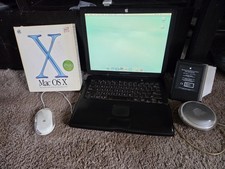
VINTAGE Apple PowerBook G3 Lombard M5343 400MHz 192MB Working Mac OS X Bundle
$299.00
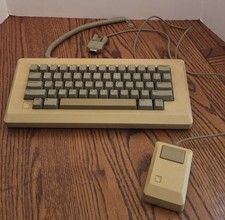
Vintage Apple Macintosh M0110 Keyboard with Coiled Cable & M0100 Mouse Bundle
$180.00

Apple cloth fabric banner iBook tangerine orange New Old Stock Vintage
$99.00



 Reply With Quote