-
Junior Member
registered user
How do I start the iso of the harddisk with lilo?
I have put the following into /etc/lilo.conf
Code:
image=/boot/knoppix/linux
        label="knoppix"
        initrd=/boot/knoppix/minirt.gz
        append="ramdisk_size=100000 fromiso=/dev/hda2/KNX.iso screen=1280x1024 lang=de"
The knoppix kernel boots, but can't find the image. hda2 is an ext2 partition, knoppix version is KNOPPIX_V4.0.2DVD-2005-09-23-DE.iso, checksum is ok. What am I doing wrong?
TIA, Helge
-
Re: How do I start the iso of the harddisk with lilo?

Originally Posted by
testerus
I have put the following into /etc/lilo.conf
Code:
image=/boot/knoppix/linux
        label="knoppix"
        initrd=/boot/knoppix/minirt.gz
        append="ramdisk_size=100000 fromiso=/dev/hda2/KNX.iso screen=1280x1024 lang=de"
The knoppix kernel boots, but can't find the image. hda2 is an ext2 partition, knoppix version is KNOPPIX_V4.0.2DVD-2005-09-23-DE.iso, checksum is ok. What am I doing wrong?
TIA, Helge
Try to use my minirt_ntfs.gz instead of the minirt.gz of the cd/dvd, even though your iso file is not on a ntfs but a ext2 partition:
http://www.knoppix.net/forum/viewtop...1796&start=276 and Windows Partition PMI
Good luck and let me know if it is working for you.
Thanks, Gilles
-
Junior Member
registered user
Thank you, minirt_ntfs worked together with the bootfrom parameter :
Code:
image=/boot/knoppix/linux
        label="knoppix"
        initrd=/boot/knoppix/minirt_ntfs.gz
        append="ramdisk_size=100000 bootfrom=/dev/hda2/knx.iso screen=1280x1024 lang=de"
With minirt.gz it told that it mounted the ext2 partition too, but I am unable to tell details because I could not access /static/busybox and thus had no shell commands.
-
Junior Member
registered user
What other types of partitions are supported? Is it supposed to work from Reiserfs as well?
-
Originally Posted by
testerus
What other types of partitions are supported? Is it supposed to work from Reiserfs as well?
I can read some lines in the linuxrc trying to load reiserfs but I have never tried it since I don't have any reiser partition on my systems. If not working it could probably be fixed. Can someone try to boot from the iso being in a reiser partition using my minirt_ntfs.gz ?
Thanks, Gilles
-
Junior Member
registered user
When I tried booting the image of an reiserfs partition I got to the minishell (with working busybox) only. Please tell me what kind of additional information you need. TIA, Helge
-
Originally Posted by
testerus
When I tried booting the image of an reiserfs partition I got to the minishell (with working busybox) only. Please tell me what kind of additional information you need. TIA, Helge
Thank you for the testing and response. From busybox can you mount/read/access files in your Reiserfs ?
Do you know if Reiser support is built-in the knoppix kernel or a modprobe module is required ?
Best Regards, Gilles
-
Junior Member
registered user
From busybox I could not mount the reiserfs partition (told me "invalid device"). Knoppix is using reiserfs as a module:
Code:
$ lsmod|grep fs
autofs4                19076  1
reiserfs              231024  0
unionfs                68088  1
ntfs                  163600  0
-
Originally Posted by
testerus
From busybox I could not mount the reiserfs partition (told me "invalid device"). Knoppix is using reiserfs as a module...
Done. I had to add the /modules/reiserfs.ko module and update the linuxrc boot script in the the minirt_reiser.gz ramdisk. Please find it here: http://www.knoppix.net/forum/viewtop...?p=94216#94216
Enjoy and please give me some feedback,
Cheers, Gilles
-
Junior Member
registered user
Thank you, minirt_reiser.gz works fine.
Similar Threads
-
By chessweb in forum Hardware & Booting
Replies: 0
Last Post: 05-03-2006, 09:21 PM
-
By tpw in forum Hdd Install / Debian / Apt
Replies: 1
Last Post: 05-09-2005, 03:51 AM
-
By tomjermy in forum Hardware & Booting
Replies: 1
Last Post: 03-17-2005, 01:07 AM
-
By sn0wflake in forum General Support
Replies: 1
Last Post: 03-25-2004, 06:45 PM
-
By dee_tt in forum Hdd Install / Debian / Apt
Replies: 2
Last Post: 07-02-2003, 09:49 PM
 Posting Permissions
- You may not post new threads
- You may not post replies
- You may not post attachments
- You may not edit your posts
-
Forum Rules

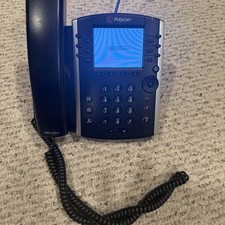
Polycom VVX 411 12-Lines Desktop VoIP Phone (2200-48450-025)
$20.00
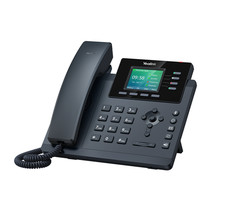
YEALINK T34W PHONE & 2 MONTHS OF PHONE SERVICE
$65.00

Grandstream WP810 Portable Cordless Wi-Fi IP Phone
$54.99

NEW Cisco IP Phone 7841-K9 4-Line VoIP Gigabit PoE CP-7841-K9
$49.95
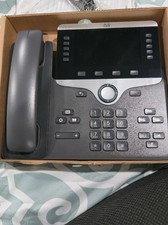
Cisco CP-8861-K9 8861 VoIP IP Corded Phone Charcoal New 9 available
$118.00

Cisco/Linksys SPA2102 VoIP Phone Adapter Router 2FXS (Unlocked)
$17.99
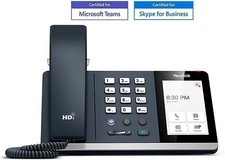
*New* Yealink MP54-Teams Smart Business IP Phone, PoE, Touch Screen
$75.00

Cisco / Linksys SPA2102 VoIP 2FXS Phone Adapter with Router (unlocked)
$18.99

Yealink MP54 - VoIP Phone - Black Teams phone Android POE WIFI Bluetooth
$49.95

Lot of 35 Polycom VVX 300 & VVX400 IP Phones
$150.00



 Reply With Quote