

 Reply With Quote
hey naive
just ur brother trying to do some what same but want to create my own regional language supprts also
we in the same boat


i m trying to remaster knoppix on my 3.0 P IV with one Gb of ram
what i ve already done..
i copied the structure of knoppix cd on my hardisk
i uninstalled unwanted packages
i ve downloaded localized version of kde and ve placed it in /var/cache/apt/archives
i ve installed that package using dpkg
is this the way to go?
what i wanna do..
now what should i do to make that kde package work
i wanna install some local fonts how?
i tried installing synaptic using dpkg but it gave me dependency error
how should i proceed?
thanx in advance
regards
hey naive
just ur brother trying to do some what same but want to create my own regional language supprts also
we in the same boat
I suggest to use apt-get:Originally Posted by naive
This downloads every additional package having dependencies to the package you want to install.Code:apt-get update apt-get install package_you_want
You can also search packages by apt-cache search letters_of_package. Try e.g 'apt-cache search xfonts' - you see how this works
Using apt-get takes care of dependies - so you have no need to download packages one by one and install with dpkg.what i wanna do..
now what should i do to make that kde package work
i wanna install some local fonts how?
i tried installing synaptic using dpkg but it gave me dependency error
how should i proceed?
Dependency problems can also be caused because of some packages containing files of the same name. You can bypass there messages safely by adding in /etc/dpkg/dpkg.cfg a new line:
You can overwrite these files safely.Code:force-overwrite
Adding local fonts..
K menu -> Control Center -> System Adninistration -> Font Installer -> Add Fonts
-tapsa-
Well said tr, but I recommend against putting this line in /etc/dpkg/dpkg.cfg:
force-overwrite
This may make dpkg and apt-get overwrite important files and make the system unstable. I recommend making it manually by:
dpkg -i --force-all package_name
after making sure that this will not impact the system.
Moreover, if you install a pakage and complains of depandancies do the following:
apt-get install -f
This will bring and install all needed packages for you or deletes that package if the required packages can not be obtaiend.
Question: Did you start X in the chroored environment? If yes, try using synaptic after resolving its dependancies to install other packages. It is an excellent tool.
 Posting Permissions


Intel SR3XE Core i5-8500 3.0GHz 9M Socket 1151 6-Core CPU Processor *Tested*
$32.99

Intel Core i7-8700 3.2 GHz 8 GT/s LGA 1151 Desktop CPU Processor SR3QS
$67.99

INTEL CORE I9-10940X X-SERIES PROCESSOR | 3.30GHZ | SRGSH
$179.99

Intel Core i5-4590T 2 GHz 5 GT/s LGA 1150 Desktop CPU Processor SR1S6
$10.99

Intel Core i5-12500T SRL5W 2GHz 18MB 6 Core Socket LGA1700 Desktop CPU Processor
$114.99

Intel Core i7-3770K 3.5 GHz Processor
$39.00

Intel Core i7-7700K SR33A 4.20GHz 4-Core LGA1151 CPU Processor
$62.95

Intel Xeon E3-1230 v3 SR153 3.3GHz Quad Core LGA 1150 CPU Processor
$14.49
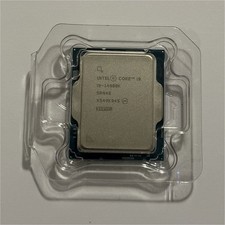
Intel Core i9 14th Gen i9-14900K CPU Processor (SRN48, X549K945)
$325.00

Intel 6th Gen Core i7-6700K 4.0GHz (Turbo 4.2GHz) 4-Core LGA1151 CPU SR2L0
$38.00
