

 Reply With Quote
You can't edit some file? What does "same thing happens" mean? You can't put "=" between typing command and editing file.When I try to edit /etc/X11/X86Config-4 or /etc/X11/x86config same thing happens.


Hi guys,
My computer seems to be set to start with 800x600 resolution in Knoppix no matter what.
I have 3.03Ghz 1gigRam P4 with Sony-SDM-S91 monitor and NVIDIA GeForce 6600 GT video card. I am using Knoppix 3.9
Computer boots up to 800x600, Control Center's Display tab only has one setting in Screen Size drop-down menu - "800x600"
I have tried using
knoppix xmodule=vesa screen=1280x1024
and such at boot prompt to no avail
During the boot up, it detects the monitor properly. It does not detect the video card (Unknown vendor: unknown device)
It lists its modes during boot up as "1280x1024" "1024x768" "800x600" "640x480" and one other that I missed I think.
When i type x86config in command prompt it just sits there silently forever until I Ctrl-C.
When I try to edit /etc/X11/X86Config-4 or /etc/X11/x86config same thing happens.
I am neither a Linux hacker nor a graphics guruAll of the above I found how to do while trying to researc this online.
I have searched and searched but everyone just seems to say I should use the screen=1280x1024 cheatcode, which does not seem to work for me. If anyone could help me with this it would be greately appreciated.
Thank you.
You can't edit some file? What does "same thing happens" mean? You can't put "=" between typing command and editing file.When I try to edit /etc/X11/X86Config-4 or /etc/X11/x86config same thing happens.
Does 3.9 have 6600 Gt Drivers? i think there older drivers ay
i triedOriginally Posted by tdjokic
emacs filepath/filename &
emacs filepath/filename
less filepath/filename &
less filepath/filename
and so on i think i also tried vim more konqueror and xemacs
So if 3.9 has older version drivers then my card am I basicly screwed and there is nothing at all I can do?
I really like Knoppix in almost every aspect so far, and would really like to be able to work in it, but coding in 800x600 is a nightmare. I get like 5 lines per buffer in Emacs and spend more time scrolling then thinking.
I have just downloaded/burned Knoppix 4.0 and still no luck.
If I boot up with any of:
knoppix xmodule=vesa xscreen=1280x1024
knoppix xmodule=vesa xscreen=1280x960
knoppix xscreen=1280x1024
knoppix xscreen=1280x960
it just starts up with 800x600 resolution which can't be changed
It now detects the manufacturer as NVidia corp, but still no model number.
If I try booting up with xmodule=nv it gives our some FATAL messages when trying to start X and then says "No XServer found for your card."
I am out if ideas
 Posting Permissions


IBM System X3850-X5 Server w/4x Intel Xeon E7-4870 CPU , 512 GB DDR3 RAM,NO HDD
$1599.99

IBM 7915 AC1 M4 E27R704 Server Intel 2650V2 32GB RAM NO HDD w/ 2x 750w PSU
$225.00

IBM QRadar xx29 2x Xeon E5-2650v4 2x 900W PSU M5120 12x 3.5" Bay Server No RAM
$179.99

IBM X3650 M4 Server System Board 00MX553 00AM209 00Y8499 00Y8457 00D2888 00W2671
$230.00

IBM SYSTEM X3500 M3 SERVER 7380AC1 TOWER Server XEON E5620 8GB RAID SEE NOTES
$111.70

IBM X3650 M5 5462-AC1,2 X E5-2640V3 2.6GHZ 8C, 16 GB, DUAL 750W, 2 X 1TB SERVER
$349.99

IBM x3550 M4 1x 3.50GHz Quad Core Xeon E5-2637v2 32GB RAM 8-Bay No HDDs - READ
$20.00

IBM Power 720 8202-E4B Server - POWER7 4-Core 3GHz, 8GB, 2x 146GB HDD, 1725W PSU
$450.00

IBM ADP Server Type 7870 AC1 NO HDD | 128GB RAM PC3L | 2 x Xeon E5620
$199.99
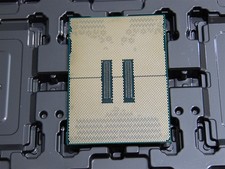
DELL POWEREDGE HP IBM SERVER XEON GOLD 5415+ 8 CORE PROCESSOR 2.9 GHZ SRMGC
$1299.00