

 Reply With Quote
What version of Knoppix are you using to remaster?Originally Posted by nibl
Regards,
- Robert
http://www.cwelug.org


After a remaster kdm has configured itself to run.
How do you change it back to the default so that startx runs insteasd of kdm?
Thanks,
nibl
What version of Knoppix are you using to remaster?
Regards,
- Robert
http://www.cwelug.org
It's 3.7, since we need kernel 2.4.x
Any ideas?
Thanks,
nibl
Not any good ones. I've remastered using 3.8.2 and I've never had an issue. Unfortunatley for your needs 3.8.2 uses the 2.6 kernel. Have you tried a "trivial remaster" using 3.7? Here are my notes for doing a trivial remaster using 3.8.2. By "trivial" I don't mean the process is trivial, but rather the result is trivial. The steps are a nice positive control to make a working version of Knoppix.
In your particular case, why did you remaster? That is, what's different between your remaster and the original? I'd start by looking at the steps you did to make the remastered version.
Regards,
- Robert
http://www.cwelug.org
What I need to do is update KDE to 3.4 in order to solve a dependency of an internationalization package (KDE Lithuanian).
Can you update KDE without doing a dist-upgrade?
I'll look at your trivial remaster, looks interesting in any case. My chrooted remaster works fine, and other updates work okay. It has fewer packages, uses IceWM, and internationalization, plus some other things. KDE 3.4 is the problem.
Many Thanks,
nibl
I've never had good results with a dist-upgrade under Knoppix.
Regards,
- Robert
http://www.cwelug.org
If I try to install the package I need, apt tells me kdelibs4c2 is required and I get stuck there. It's a no go. dist-upgrade will at least do the KDE update...only it breaks other things
Any ideas how to get around the dependency problems?
How do you update KDE for Knoppix?
Thanks,
nibl
I was also forced to upgrade to KDE 3.4.2 from KDE 3.4.1 because of broken finnish language package. About a month ago everything was very easy and dist-upgrade didn't cause any extra problem.
Now the situation is not the same. If you have testing and unstable in your /etc/apt/sources.list, dist-upgrade wants to install X.org instead of XFree86. And I have not succeeded to get X.org to start automatically after burning CD.
So you must check carefully what is to be installed. Don't install x11-common because then xfree86 don't start anymore. I think this is a Debian packaging problem because at this stage X.org is not installed. You get only a message that you should install x-window-system metapackage. It uses xorg.conf instead of XFConfig-4 - so you should rename it to that or make a symlink to get X to start. I have not investigated that very much, so I can't tell how to get X.org to work propelly.
But those dependency problems are caused because of packages have files which have same names. You can bypass that by adding to /etc/dpkg/dpkg.cfg a new line force-overwrite. It doesn't break anything. But no dependency problems after that
-tapsa-
 Posting Permissions


Netac DDR4 32GB 16GB DDR4 3200MHz UDIMM C16 Desktop Internal Memory RAM Kit
$105.99
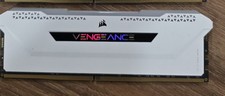
Corsair Vengeance RGB Pro SL DDR4 16GB 3200MHz 288-Pin DIMM
$80.00
TEAMGROUP T-Force Delta RGB DDR5 Ram 16GB sticks 6000MHz-White
$220.00

Corsair CMK32GX4M2B3000C15 Vengeance LPX DDR4 3000mhz Memory Kit - 32GB (2x16GB)
$164.95
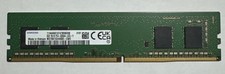
Samsung 8GB DDR4 3200MHz PC4-25600 Desktop RAM UDIMM M378A1G44AB0-CWE
$39.99

Apple Mac Mini M1 A2348 16GB RAM 256GB Storage Desktop Computer
$340.00
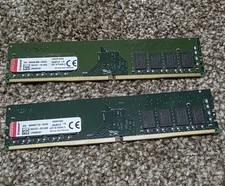
Kingston 16GB (2x8GB) Set KVR26N19S8/8 DDR4 PC21300 2666MHz Memory Modules
$45.00

RAMAXEL Lenovo 32GB LPDDR5X CAMM2 7500MHz Laptop RAM | UNTESTED
$445.00
Crucial Ballistix 2 x 8gb (16gb total) DDR4 3200MHZ
$75.99
XPG Spectrix D41 2 x 8gb (16gb total) DDR4 3200MHZ
$125.99

