

 Reply With Quote
use the old one.


whereas my old one did
what is the best solution?
use the old one.
The old one is toast
More info is in order. Give brand, model, etc. Some things to check in the meantime:Originally Posted by thewalkingman
1. Make sure that it's recognized in the BIOS. Use setting auto, not none.
2. Make sure that DMA is enabled in the BIOS, if that setting is present.
3. Ensure that the master/slave settings are correct. If the CD-R is the only device on the secondary IDE buss, this isn't an issue.
4. Check your cable. If it's the cable select style, make sure that it's correctly connected. You can tell this type of cable by the hole in it, which disconnects one wire.
Fixed
It is good to talk these things out
 Posting Permissions

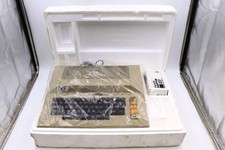
Atari 800 Home Computer Later Variant In Original Styro W/ BASIC CLEAN Untested
$224.99

ATARI XF551 DISK DRIVE WITH AC POWER ADAPTER AND PARALLEL PORT ADAPTER, UNTESTED
$250.00
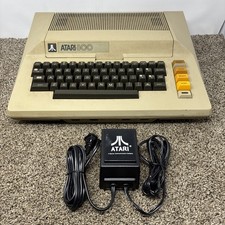
Atari 800 8-bit Computer System Fully Tested 48k READ
$370.00

Happy 1050 Upgrade for Atari 1050 Disk Drive - Solderless Installation - HS/DD
$49.97

Fujinet 1.7.1 Atari 400 800 800XL 130XE 65XE XEGS Assembled, Tested, Working
$99.99
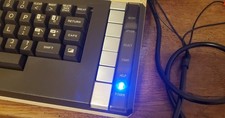
Atari 800 XL 8-Bit Computer W/ Blue LED And S Video A/V Cable
$155.00
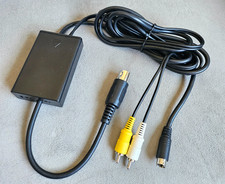
"New" Atari 800 130XE 65XE Color S-Video, Composite Video & Audio Cable Tested
$29.78

A8PicoCart Multicart for Atari 800xl /65xe / 130xe / XEGS
$16.95
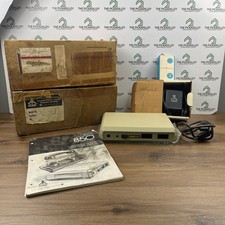
Atari 850 Interface Module Vintage 8-Bit Computer Expansion Serial Parallel Box
$159.95

GreaseWeazle v4 board USB floppy drive adapter Retro All Formats
$35.00