

 Reply With Quote
use the old one.


whereas my old one did
what is the best solution?
use the old one.
The old one is toast
More info is in order. Give brand, model, etc. Some things to check in the meantime:Originally Posted by thewalkingman
1. Make sure that it's recognized in the BIOS. Use setting auto, not none.
2. Make sure that DMA is enabled in the BIOS, if that setting is present.
3. Ensure that the master/slave settings are correct. If the CD-R is the only device on the secondary IDE buss, this isn't an issue.
4. Check your cable. If it's the cable select style, make sure that it's correctly connected. You can tell this type of cable by the hole in it, which disconnects one wire.
Fixed
It is good to talk these things out
 Posting Permissions


Seagate ST6000NM0115 6TB 256MB 7200RPM 3.5" SATA 6.0Gb/s Enterprise Hard Drive
$159.99

Seagate Exos X14 10TB 7200RPM 3.5" SAS 12Gb/s Hard Drive HDD ST10000NM0528
$165.00

Seagate 14TB Exos X14 7200RPM SATA 6Gb/s 256MB 3.5" Enterprise HDD ST14000NM0408
$354.99

MG08SCA16TE Toshiba 16TB 7.2K SAS 12gb/s 512e 3.5inch HDD HDEPN10GEA51 NEW
$454.44
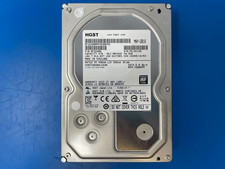
HGST 4TB 7200RPM 3.5" SATA 6Gb/s Internal HDD | HDN724040ALE640 0F22408
$75.00

HGST HUS724040ALA640 4TB 7200 RPM SATA 3.5" Internal Desktop Drive 100% Health
$78.00
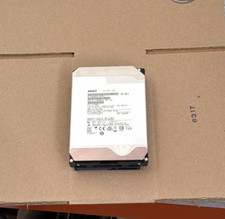
HGST - 6TB - 7200RPM 3.5" SATA 6Gb/s Enterprise Hard Drive | HUS726060ALA640
$84.99
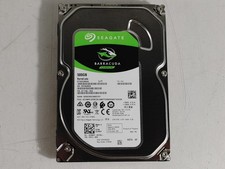
Seagate ST500DM009 BarraCuda 500 GB 3.5" SATA III Desktop Hard Drive
$14.99
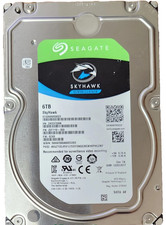
Seagate SkyHawk 6TB 3.5" Surveillance Hard Drive SATA ST6000VX0023 DVR HDD
$144.99
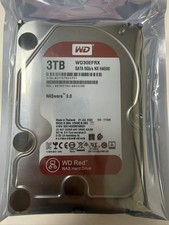
Western Digital WD30EFRX 3TB SATA 5400RPM 3.5" Internal NASware HDD Hard Drive
$84.69