-
Thanks for your reply.
What I was trying was the Poor Mans Install. According to the manual that I got from the internet, I should partition my HD into FAT32 and/or ext2 file system to enable Knoppix to be writable and readable to that partition and in effect boot/load from those partitions. Now that was what I did. I have a 20gig HD (NTFS) which I partitioned into 4gig and 2gig FAT32 file systems to house the knoppix big file and the Persistent Home respectively. Now, when I boot from the Live CD and go into the root file to the (mnt/hd) where I could access my HD through Knoppix I am only able to access the C drive (i.e. the NTFS portion of the HD and not able to see or access the FAT32 portions of the HD). As a result I am unable to use the cheat code that would enable me to copy Knoppix to the HD and boot from there as it is only recognizing the NTFS portion of the HD and being that it can't write to it, that boot/load process failed.
->Can you boot knoppix ? and then Knoppix cannot see your fat32 partition ? <Yes, I can boot Knoppix normally using the Live CD but it cannot see/detect the FAT32 partition>
->What do you mean by "be detected" ? <Knoppic OS being able to view and access the FAT32 partition>
->What is your setup ? what is in your mbr ? what bootloader are you using ? ntldr (xp), grub, lilo,... ? <Setup???, I have 378 mbr. I am not using a bootloader as I am utilizing the Poor Mans Install method>
N.B. All that was done (i.e. the partitioning) was intended so I would be able to use the cheat code to copy Knoppix ISO to the FAT32 4gig partition and load from there in the future using the cheat code. While using the FAT32 2gig partition as the Persistent Home.
I hope this helps you in figuring out how to help me. Many thanks for your assistance.
Similar Threads
-
By aovanthul in forum Hdd Install / Debian / Apt
Replies: 0
Last Post: 11-05-2009, 04:56 AM
-
By 03myersd in forum Hardware & Booting
Replies: 6
Last Post: 09-09-2006, 01:48 PM
-
By jpavlicek in forum Hardware & Booting
Replies: 0
Last Post: 12-29-2005, 02:36 PM
-
By frastitute in forum Hardware & Booting
Replies: 3
Last Post: 10-03-2005, 02:29 PM
-
By pkobos in forum General Support
Replies: 1
Last Post: 04-24-2003, 09:26 AM
 Posting Permissions
- You may not post new threads
- You may not post replies
- You may not post attachments
- You may not edit your posts
-
Forum Rules


Yealink T48S VoIP/SIP Phone, 2 x Gigabit Ports PoE 7" Color SIP-T48S | TESTED
$34.95

SIM Bank 32 SIM Card Slots Ethernet SIM Server for GoIP
$400.00

Grandstream VoIP Phone Adapter ATA 1-Line Black Ethernet (RJ-45) Micro USB
$27.07

Poly CCX 400 Desktop Business Media Phone VoIP 2200-49700-019
$49.99

Yealink SIP-T33G IP Phone 4-LineSpeakerphone VoIP Desk Phone Black w/ Power Sply
$25.00
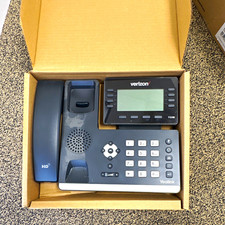
Yealink T53W Black IP Phone Verizon VoIP LOT OF 4 Business Desk Phone
$150.00

Grandstream HT701 1-Port FXS Analog Telephone Adapter ATA VoIP Gateway -Free S/H
$18.95

Cisco / Linksys SPA2102 VoIP 2FXS Phone Adapter with Router (unlocked)
$18.99

Cisco CP-8841 IP Phone Charcoal Handset And Stand Included
$27.99

Grandstream WP810 Portable Cordless Wi-Fi IP Phone
$49.28



 Reply With Quote