-
Saved wireless config not persisting after reboot
I'm sure this must be a common problem... I can't be the only one using a wireless PCI card with the knoppix DVD rom distribution.
I'm using knoppix 4.0, and am having trouble getting wireless networking settings to persist after a reboot. I get it working, and then save my config to a USB drive, but when I reboot the system, the wireless part isn't enabled.
The settings do appear to be saved in /etc/network/wireless, and I can enable them with a "ifup -f eth0", but I shouldn't have to do this.
Wireless card is SMC2802W (Prism54). Wireless mode is Ad-Hoc, with a WEP key.
Any help appreciated.
-
Senior Member
registered user
Legless_Marine,
Not sure on this, I dont deal with wireless, I use hard-wired ethernet, but, I just HATE not seeing someone get a reply on something 
So...
To get some "background" on this... I have a few questions, then, possible solutions (these solutions, may not, be the "best", but, they may "work", dont quote me though, ok?)
1 ) Do you have to MANUALLY enter that command? ( as a user, or as root? ) to get it working.
2 ) You mentioned the config is being saved, right? Just not the starting of it, right?
If the problem is that you have to manually enter the command, only... ( Im hazing on what is "actually" saved on a saved config, so, this may not be workable, if the area, or files are being saved as well ) -=- Have you tried, either placing the command in your AUTOSTART folder in .kde of your /home folder? ( details will follow, but, only if the command can be run as a USER, and not ROOT )
If the root user has to run the command, again, not sure if this file is saved with a saved config, but, have you tried adding the command at the bottom of the file called /etc/init.d/bootmisc.sh ? I tend to "fire off" a lot of things this way, but, I have a hard drive install, and the file is always active, as I said, not sure if this file is saved with the saved config stuff...
Tell me what you think, and, if the above, might, work, we can work on it... Possibly, someone else may have better solutions, as well...
Hope this helps,
Ms. Cuddles
-
Ms Cuddles, your reply is very appreciated, but unfortunately, didn't quite work:
the files in Autostart are started as the "knoppix" user, and don't appear to work with "su -c...". This is a little odd, as the Knoppix user seems to have no trouble doing a straight su.
As for bootmisc.sh, it appears that the file is not saved by saveconfig.
I really appreciate your attempts to help, though.
I am very disappointed that this problem hasn't been formally addressed, despite several similar postings in this forum. Knoppix is very progressive in many ways, but this gross oversight in wireless support is sad.
-
Senior Member
registered user
Legless_Marine,
Thats the best I can come up with, myself, but, now, this, is just a long-shot, but, do you think, that maybe, this topic, could, get a better response, in, say, the Networking Forum?
If you agree, you can either start a completely new thread in that forum, or, I can move this complete thread over to that forum for you. I am quite sure "someone" has the answer, its just getting to those people
Let me know, how I can help any further,
Ms. Cuddles
-
Excellent idea, Ms cuddles. I've posted another in that forum.
Similar Threads
-
By Seydlitz in forum Customising & Remastering
Replies: 0
Last Post: 02-06-2007, 11:57 PM
-
By zoltanthegypsy in forum Customising & Remastering
Replies: 1
Last Post: 12-30-2006, 04:39 AM
-
By Legless_Marine in forum Networking
Replies: 2
Last Post: 10-20-2005, 08:00 PM
-
By Legless_Marine in forum General Support
Replies: 0
Last Post: 10-05-2005, 04:13 AM
-
By puggled in forum Networking
Replies: 3
Last Post: 05-09-2004, 04:10 PM
 Posting Permissions
- You may not post new threads
- You may not post replies
- You may not post attachments
- You may not edit your posts
-
Forum Rules


NETAPP HCI NAF-1701 SuperMicro Server 4X BLADE H410C 8X GOLD 5120 4 NODE SERVER
$1499.97

Dell PowerEdge M640 Blade Barebone Server Dell P/N: HHB006 Tested Working
$149.99

Supermicro 938-16 16-LFF MicroCloud SuperServer 5038MR-H8TRF *No Blade Servers*
$159.99

Dell PowerEdge M620 Blade Server 2x Xeon E5-2680v2 256GB DDR3 RAM NO HDD
$349.99

Dell PowerEdge M630 Blade Server 2x Xeon E5-2680 v4, 2F3MP , 4GDP5 ,R10KJ ,JVFVR
$96.60
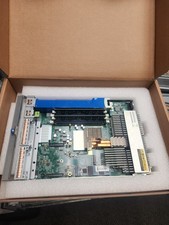
HPE Edgeline e920 Server Blade
$300.00
SUPERMICRO CSE-827 SERVER 4* E5645 2.4GHZ 12* 8GB PC3 RAM 11* 2TB SATA HDD 2*PSU
$679.99

Dell PowerEdge VRTX 2.5"x25 Bay Blade Enclosure 4x1600W + 4X M640 (4X Blades)
$1599.99
NEW Cisco UCSB-5108-AC2 Blade Server Chassis 8 Slot 6RU Chassis 4 X PSU - DW
$599.40
NEW DELL TRUSTED PLATFORM MODULE TPM 2.0 POWEREDGE T430 T630 G13 SERVERS K98XH
$225.00



 Reply With Quote