-
ADSL modem unable test-drive Knoppix LiveCD 4.0.2
[[UPDATE PAST MIDNIGHT 31 OCT 2005
Finally got ADSL pppoe connection working in Brazil but it took a disproportionate amount of trial and error chasing odd tips from all over the place.
As a layman, seems to me DHCP was setting an IP address in Ethernet card eth0 when this and network mask should be blank as DLink DSL-500G modem is a bridge device, not a router to telco portal. Anyway, after doing the ADSL/PPPOE Configuration I typed ifconfig as root.
In ppp0 I found the telco inet addr: below
ppp0 Link encap:Point-to-Point Protocol
inet addr:200.165.217.131 P-t-P:200.217.72.8 Mask:255.255.255.255
...
which I grabbed to type as root
route add default gw 200.165.217.131
then pinged. All sending-receiving fine in this ping, so fired up browser and was off to the races to log in to ISP.
Can't believe serious users go through this rigmarole as I'll have to change the ppp0 telco inet addr: every time I connect this dynamic IP using Knoppix 4.0.2 Live CD, but I'd pledged to get connected with Knoppix before the end of the month and made it with ten minutes to spare (local time).
Dave]]
Test-driving Knoppix 4.0.2 LiveCD pulling hair out attempting connect HP Pavilion notebook (flawless with WinXP SP2 HE) to Internet via RJ-45, sole connection to D-Link DSL-500G Router (nothing else connected).
Strange, no difficulty connecting this notebook online with Ubuntu 5.10 LiveCD preview - a reboot from Windows XP merely typing username and password after issuing sudo pppoeconf command puts me online with Ubuntu Breezy Badger.
I like the fast loading and general superb look and feel of Knoppix LiveCD, so would like to get this working online.
Here's what WinXP command prompt ipconf reveals with WinXP connected before re-booting from Knoppix LiveCD:
Ethernet adapter Local Area Connection
Connection-specific DNS Suffix
IP Address 10.1.1.3
Subnet Mask 255.0.0.0
Default Gateway 10.1.1.1
PPP Adapter MyISPsname
Connection-specific DNS Suffix
IP Address 200.141.121.209
Subnet Mask 255.255.255.255
Default Gateway 200.141.121.209
Unable to get sudo pppoeconf or DHCP Broadcast to work in Knoppix netcardconfig I reply No to DHCP Broadcast and face a barrage of five values to answer. Can a kind soul tell me what octet to put in each netcardconfig box, please,
Please enter IP Address for eth0
Please enter Network Mask for eth0
Please enter Broadcast Address for eth0
Please enter Default Gateway
Please enter Name Server
plus any other tips to get Knoppix LiveCD online with ADSL.
Thanks for helping this Linux newbie.
Dave
Similar Threads
-
By archimedes1981 in forum Networking
Replies: 1
Last Post: 07-27-2007, 01:30 PM
-
By pogobaba in forum Networking
Replies: 3
Last Post: 05-15-2006, 06:09 AM
-
By ludo in forum General Support
Replies: 1
Last Post: 04-23-2005, 10:53 PM
-
By justAnotherLinuxNewbie in forum Hardware & Booting
Replies: 1
Last Post: 02-18-2005, 01:42 PM
-
By tealeaf in forum The Lounge
Replies: 11
Last Post: 11-14-2003, 06:20 PM
 Posting Permissions
- You may not post new threads
- You may not post replies
- You may not post attachments
- You may not edit your posts
-
Forum Rules


Intel Xeon E5-2699 V4 2.20GHz 55M 22-CORES LGA2011-3 Server Processor 145W SR2JS
$84.49

Dell EMC PowerEdge R440 Xeon silver 4215 2.5GHz 16 GB ram 2x 550W PSU No HDD
$275.00

Lenovo ThinkStation P520 Intel Xeon W-2123 3.6GHz 900W - NO RAM/ GPU/ HDD/ OS
$189.98

Intel Xeon Processor E5-2687W V4 SR2NA 3.00GHz Broadwell 160W LGA2011 12-Core
$36.00

Intel Xeon Gold 6230 2.1 GHz Processor - SRF8W
$29.00

Matched Pair _ Intel Xeon E5-2698 V4 2.2GHz 20-Core Processor CPU LGA2011 SR2JW
$94.99

Intel Xeon E5-2680 V4 CPU 2.4~3.3GHz 14-Core 35M LGA 2011-3 R3 Server SR2N7 120W
$16.99

Dell Precision T7820 2x Xeon Gold 6130 2.10GHz 950W No RAM GPU HDD 4x SATA
$414.98

Dell Precision T5820 Workstation 3.70GHz W-2135 No RAM/ GPU/ HDD/ OS
$179.98
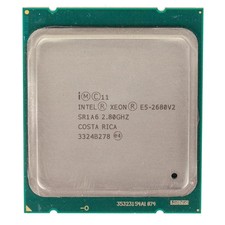
Intel Xeon E5-2680 V2 2.8GHz 10-Core 25MB 8GT/s SR1A6 LGA2011 B Grade Server CPU
$7.95



 Reply With Quote