-
Knoppix 4.0 on a USB Stick
A lot of topics cover this issue, but as far as I can see they cover previous versions of knoppix. However I want to create a linux on my USB stick and will use knoppix as a base for this. I have read the how to by Matthias Muller, and he refer to a file called boot.img under KNOPPIX. I have downloaded the english CD version of knoppix and can't find any file called boot.img. Is it suppose to be there or not. And if not, can I use an other boot.img to modify. Or even better, does anyone know of a document for installing knoppix 4.0 on a USB STICK (not USB HD)?
Regards

-
Re: Knoppix 4.02 on a USB Stick

Originally Posted by
thorvik
A lot of topics cover this issue, but as far as I can see they cover previous versions of knoppix. However I want to create a linux on my USB stick and will use knoppix as a base for this. I have read the how to by Matthias Muller, and he refer to a file called boot.img under KNOPPIX. I have downloaded the english CD version of knoppix and can't find any file called boot.img. Is it suppose to be there or not. And if not, can I use an other boot.img to modify. Or even better, does anyone know of a document for installing knoppix 4.0 on a USB STICK (not USB HD)? Regards
Have a look in here: http://www.knoppix.net/forum/viewtop...?p=93758#93758
This thread also describes how to run knoppix from the hdd without creating a new partition for knoppix and without touching the mbr or the boot sector of your disk/partition. This is a very clean way and much faster way to run Knoppix than from the cd/dvd/usb. Please give me some feedback and let me if it works for you.
Best Regards, Gilles
-
I have now tested several solutions but they all gives me boot failed. Nothing more. I have folloved:
http://rz-obrian.rz.uni-karlsruhe.de/knoppix-usb/ by Matthias Müller
http://www.knoppix.net/forum/viewtopic.php?p=64999
http://www.knoppix.net/forum/viewtop...?p=93758#93758
With the last link it booted to something that looked liked GRUB. I would prefer my system to boot to a customised system and the same way as with the CD. But I am lost? There must be a way, I can see many has done it with previous versions of knoppix. The worst thing is that the system doesn't report how far you get. Only boot failed. Help or ideas would be appreciated
Regards
-
Originally Posted by
thorvik
I have now tested several solutions but they all gives me boot failed. Nothing more...
I have it running on quite a few systems (some diskless).
But I some cases I had to update the config files...
Which version of knoppix are you trying to boot ? Did you try 4.0.2 ?
After Grub, what happend ? Do you get the kernel and initrd loaded ?
Can you please be more explicit than just "boot failed" ? what are the previous messages ?
What is your setup ? ide/scsi disks ? pata or sata ?
The usb dongle is seens as a scsi/sata device(/dev/sd..), so if you have such a device on your system,
(even the T43 Thinkpads is using a sata/pata bridge) you may need to change the kernel bootfrom cheatcode.
Best Regards, Gilles
-
When using the MS Dos (io.sys) I boot in to something that lookes like GRUB. I can give GRUB commands. But I don't want to use GRUB, I would like the dongle to go straigh into knoppix, like with the CD.
To me it apears that the system finds a boot record since it says "boot failed". And not the usual "no systemdisk, replace and press any key". The dongle apears as sda1 in my system. I have issued the syslinux /dev/sda1 command. So it boot with the dongle to some extent, but I don't get the options. I have also edited the minirt file.
I am trying to boot 4.02, after grub nothing loaded, my setup is ide/pata and the usb device is seen as a scsi device in KNOPPIX. There are no previos messages to "boot failed".
I have modified the menu.lst files, but Im not sure which device (hd0,0 fd0,x) the dongle apears as.
-
Ok, now I have testet to boot up with a clean formated USB stick, and the system cries, No system disk, replace and press any key. So obiously, after running syslinux it the BIOS finds a system, but boot fails in the process.
Similar Threads
-
By davman1971 in forum Hardware & Booting
Replies: 1
Last Post: 06-08-2005, 02:28 AM
-
By davman1971 in forum German Forum
Replies: 0
Last Post: 06-07-2005, 03:12 PM
-
By graham_k in forum Ideas
Replies: 4
Last Post: 05-20-2005, 07:45 AM
-
By spyhome in forum Hardware & Booting
Replies: 1
Last Post: 03-03-2005, 04:15 PM
-
By Messiaen in forum Hdd Install / Debian / Apt
Replies: 4
Last Post: 07-11-2004, 04:21 PM
 Posting Permissions
- You may not post new threads
- You may not post replies
- You may not post attachments
- You may not edit your posts
-
Forum Rules


GIGABYTE A520M DS3H AC AMD AM4 Motherboard mATX
$59.99

Intel H310 LGA1151 8-9th Gen DDR4 M.2 NVMe mATX Motherboard IO Shield Battery
$54.99

GIGABYTE Z890M AORUS ELITE WIFI7 ICE INTEL MOTHERBOARD
$149.99

ASUS PRIME Z490-P LGA 1200 Intel Z490 SATA 6Gb/s ATX Intel Motherboard NEW
$121.45

ASRock B550M PRO4 AM4 AMD B550 SATA 6Gb/s Micro ATX AMD Motherboard
$76.49

ASUS PRIME Z370-A II LGA 1151 Intel Z370 DDR4 DIMM USB3.1 DVI ATX RGB
$69.99

GIGABYTE B365 HD3 LGA1151 Intel 9th Gen motherboard
$59.99
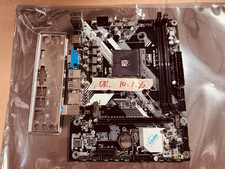
JINSHA B450M B450 AM4 MicroATX Motherboard DDR4 2DIMM M.2 W/ IO SHIELD
$53.99

ASUS PRIME H410M-K LGA 1200 Intel 10th Gen H410 DDR4 USB3.2 Motherboard M-ATX
$59.99
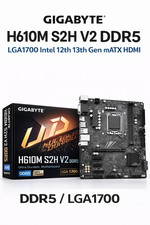
GIGABYTE H610M S2H V2 Motherboard, Supports 14th/13th/12th Gen Intel Core i5 i7
$69.59



 Reply With Quote