

 Reply With Quote
I do not know of a way to install Windows 95/98 without losing lilo. It will overwrite the MBR and you will lose lilo. You can however use knoppix to restore lilo to the MBR.I just do not want to overwright lilo


Can you install windows 95 after you have installed knoppix I just do not want to overwright lilo
I do not know of a way to install Windows 95/98 without losing lilo. It will overwrite the MBR and you will lose lilo. You can however use knoppix to restore lilo to the MBR.I just do not want to overwright lilo
The rule of thumb is install Windows, then Linux. You can do it the other way around, but it's a lot more work.Originally Posted by morbidpalooza
Regards,
- Robert
http://www.cwelug.org
how do I do that i lost lilo lolol
for a quick recovery.
boot knoppix from Cd.
open a console and issue these comands.
#mount the / poartition of Linux read write (let us call it /dev/hda1 and ext3 filesystem)
#now to chroot into your /Code:mount -t ext3 /dev/hda1 /mnt/hda1
#erything is now done to your hdCode:chroot /mnt/hda1
#edit or make sure /etc/fstab is corect as to what filesystem is where and how many partitions you have...
#fdisk -l lists partitions and filesystemsCode:fdisk -l
#cat /etc/fstab outputs fstab to screen. the two above sould match 100% as to what filesystem is where, number of partitions... otherwise edit (mcedit /etc/fstab, save with F2 and exit with F10)Code:cat /etc/fstab
#check that windows is entered in /etc/lilo.conf, and on corect partitition...
#if not edit (mcedit /etc/lilo.conf, save with F2 and exit with F10)Code:cat /etc/lilo.conf
#now it is time to mount everything with your linux fstab.
#now we can restore lilo to mbr.Code:mount -a
#if everything went well we can nowCode:/sbin/lilo
#sync the disks (everything written to disk)
#unmount
#clear the screen
#disengage / form /mnt/hda.
this is as much step by step i can manage without more to go onCode:sync&&umount -a&&clear&&exit
Thank you worked great!
you are welcome to what little I could help you with.
 Posting Permissions


(New) AMD Ryzen 7 5700X 8 Core 16 Thread AM4 Unlocked 3.4 GHz CPU OEM Tray
$174.99

AMD Ryzen 7 PRO 8700GE 8-Core/16-Thread Up to 5.1GHz AM5 (FL1)
$189.00

SGIN 17.3" Laptop Intel Quad-Core Up to 2.4 GHZ 8GB RAM 256GB SSD HD
$229.99

Dell OptiPlex 5070 SFF i7-9700 (8-Core) 3.0GHz 16GB 256 SSD Windows 11
$250.00
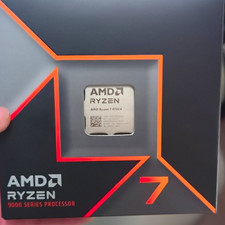
AMD Ryzen 7 9700X 8-Core Socket AM5 CPU 3.5+GHz L2 8MB L3 32MB
$275.00

AMD Ryzen 7 9800X3D 8-Core 16-Thread AM5 Zen 5 Desktop Processor NEW
$399.00
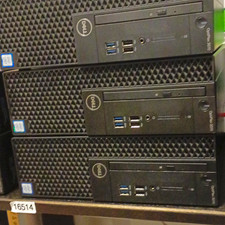
Dell OptiPlex 3070 SFF Desktop Intel Core i3 9th gen 8gb RAM 128gb NVMe win11pro
$79.99

Apple Macbook Pro 13" M1 8-Core 16GB 512GB - Good
$464.99
HP EliteBook 840 G8 Laptop 14” FHD Core i5 16GB RAM 256GB SSD Windows 11 Pro
$299.99
Dell Latitude 5420 14" - Core i5-1145G7 - 8GB - 256GB SSD Win 11 Pro - WARRANTY
$276.35